What is BeautyPlus AI Replace?
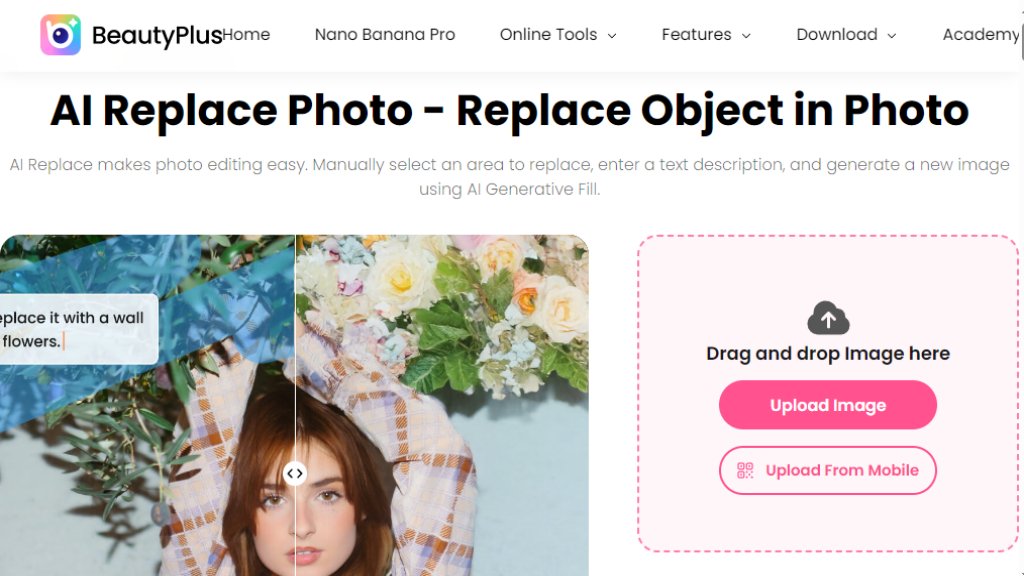
BeautyPlus AI Replace is an online photo editing tool that leverages intelligent generative fill technology. It allows users to easily modify images by selecting an area and describing the desired change in a text prompt. The tool then automatically generates new content to seamlessly replace the selected object or area. This process simplifies complex edits, making professional-level photo manipulation accessible without requiring advanced technical skills. It is designed for quick, convenient image adjustments, from removing unwanted elements to adding new features, all through a straightforward web interface.
Main Features
1. Intelligent Generative Fill: Automatically fills selected areas with new content based on user text descriptions.
2. Precise Object Selection: Offers tools like a brush for accurate area selection to target specific objects for replacement or removal.
3. Multi-Language Support: Accepts text input in various languages for describing the desired replacement.
4. Instant Preview: Allows users to review the generated changes before saving the final image.
5. Seamless Integration: Part of a larger suite of online image and video editing tools provided by BeautyPlus.
Use Cases
1. Portrait Enhancement: Refresh portraits by removing blemishes, changing backgrounds, or adding accessories.
2. Social Media Content Creation: Quickly edit images to craft engaging visuals for platforms like Instagram.
3. Product Photography: Modify product images by swapping items or removing distractions for e-commerce.
4. Personal Photo Editing: Change hair color, switch clothing, or add/remove people in personal vacation photos.
5. Creative Exploration: Experiment with different visual elements and styles in images using simple text prompts.
Pricing Plans
1. The core AI Replace tool is accessible online for free 5 Times Every through the BeautyPlus website.
2. The website promotes downloading the BeautyPlus mobile app to unlock more features and a 7-day free trial for additional tools and filters. Specific paid plan prices for the app or premium services are not detailed on the analyzed webpage.
Frequently Asked Questions
1. Q: What file formats are supported for image uploads?
A: The tool supports JPG, JPEG, and PNG image formats.
2. Q: What are the size limits for images I can upload?
A: Images can be up to 4096x4096 pixels with a maximum file size of 10MB.
3. Q: Can I upload multiple images at once?
A: No, the tool processes only one image at a time.
4. Q: Is there a character limit for the replacement description?
A: Yes, the text input has a limit of 300 characters.
5. Q: Does the tool store my uploaded images?
A: No, images are not retained by the system after the editing session.
Pros and Cons
Pros:
1. User-friendly interface requiring no advanced editing knowledge.
2. Fast and automated processing for quick image modifications.
3. Powerful generative fill technology for seamless edits.
4. Free to use for basic object replacement online.
5. Supports multiple languages for text prompts.
Cons:
1. Limited to processing one image at a time.
2. Image uploads have size and resolution constraints.
3. Advanced features and tools require downloading the mobile app.
4. The online tool's capabilities may be more basic compared to full desktop software.
Recommendation Rating
7/10 (A convenient and powerful free tool for quick, intelligent photo edits, though with some limitations on batch processing and file size.)



Please login to post a comment
Login