What is AI Signature Generator?
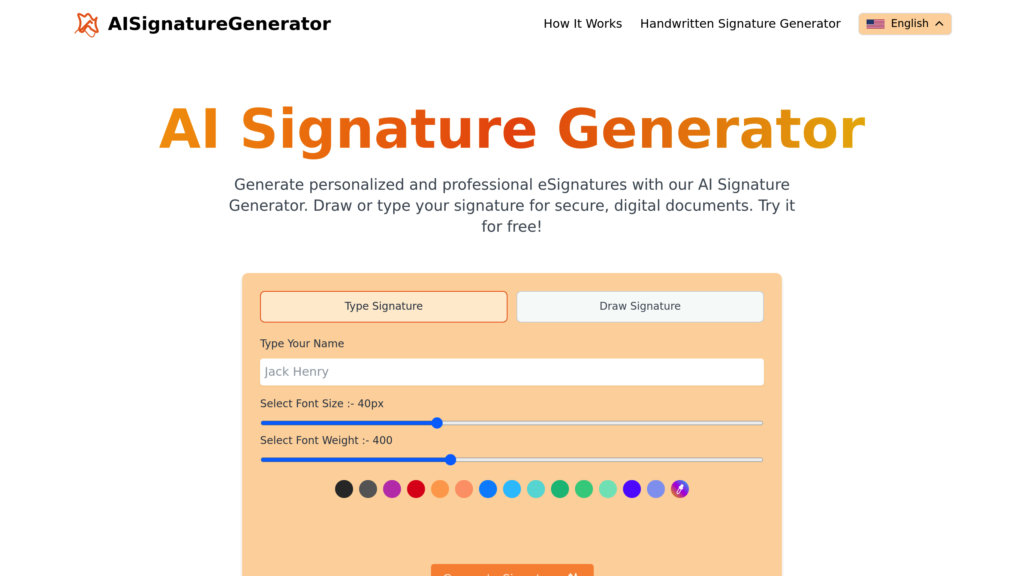
The AI Signature Generator is an intelligent online tool designed to create personalized and professional electronic signatures quickly and conveniently. It simplifies the process of signing digital documents by allowing users to generate a signature either by typing their name or drawing it freehand. The tool uses automated technology to produce a realistic and unique signature based on user input. All processing is done locally in your browser, ensuring your signature data remains private and is not stored on any server. It is a completely free service, perfect for anyone needing a fast, secure, and eco-friendly alternative to traditional handwritten signatures for emails, PDFs, Word documents, and other digital files.
Main Features
1. Completely Free Service: Generate and download signatures without any cost or subscription.
2. Dual Creation Modes: Create your signature by typing your name or drawing it with your mouse or finger.
3. Customization Options: Adjust the font, size, weight, and style of your typed signature to match your preference.
4. Unlimited Downloads: Download your generated signature an unlimited number of times.
5. Fast Rendering: Get your signature created in seconds with rapid processing.
6. User-Friendly Interface: An intuitive and easy-to-use platform suitable for all users.
7. Secure and Private: All generation happens locally in your browser; your signature is not saved on our systems.
8. Multi-Format Ready: The generated signature image is suitable for use in PDFs, Word documents, emails, and more.
Use Cases
1. Signing Digital Documents: Quickly add your signature to PDFs, Word files, or other digital contracts and forms.
2. Professional Email Signatures: Create a polished signature block for your professional email communications.
3. Business and Legal Agreements: Generate a legally binding e-signature for official documents and transactions.
4. Personal Use: Sign digital letters, applications, or any personal document requiring a signature.
5. Eco-Friendly Paperless Workflow: Eliminate the need to print, sign, and scan documents, reducing paper waste.
Pricing Plans
1. Free Plan: The tool is completely free to use with no hidden costs. It includes unlimited signature generation and downloads.
Frequently Asked Questions
1. Q: Is the AI signature generator really free?
A: Yes, it is completely free to create and download your e-signature.
2. Q: How do I generate a signature?
A: You can type your name or draw it using the provided tools, and the AI will create a customized signature for you.
3. Q: Is my signature saved on your servers?
A: No, all processing happens securely in your browser, and we do not store your signature images or data.
4. Q: Can I use the signature for legal documents?
A: Yes, the generated digital signatures are suitable for professional and legal documents.
5. Q: Can I type my signature instead of drawing it?
A: Yes, you can type your name and customize the font, size, and style to create your electronic signature.
Pros and Cons
Pros:
- Entirely free with no usage limits.
- Very fast and convenient to use.
- Offers both typed and handwritten creation methods.
- Highly secure with local browser processing and no data storage.
- User-friendly interface accessible on any device.
- Supports eco-friendly, paperless workflows.
Cons:
- Lacks advanced features like direct PDF editing or integration with document platforms.
- Customization for drawn signatures may be basic compared to dedicated graphic tools.
- Being a web tool, it requires an internet connection to access.
Recommendation Rating
8/10 (A powerful and completely free tool for generating basic e-signatures quickly and securely, ideal for personal and standard professional use.)



Please login to post a comment
Login