What is Remover AI Watermark Remover?
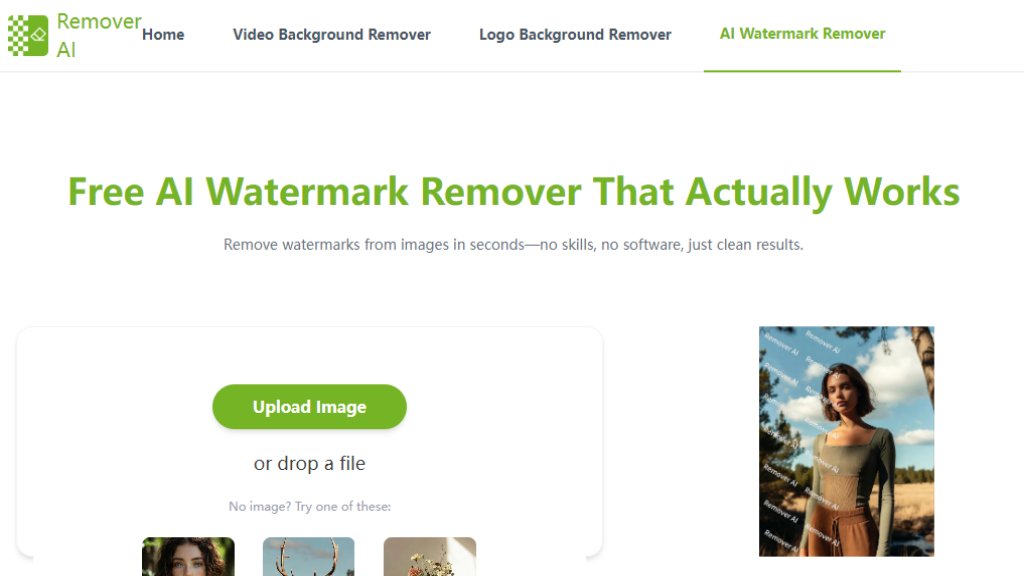
Remover AI Watermark Remover is an online tool that uses advanced artificial intelligence to automatically detect and remove watermarks, logos, text overlays, and unwanted marks from images. It operates directly in your web browser, eliminating the need for any software downloads or complex editing skills. The tool analyzes uploaded images, intelligently reconstructs the background areas where watermarks were removed to maintain natural textures and lighting, and delivers clean results within seconds. It supports common image formats like JPG and PNG, including high-resolution files, and offers a manual erase tool for final refinements. Designed for convenience, it serves photographers, marketers, e-commerce sellers, and general users looking to quickly clean up images for professional or personal use.
Main Features
1. Automated watermark detection and removal using intelligent AI.
2. Natural background reconstruction that preserves textures and patterns for seamless results.
3. Built-in manual erase tool for precise control and fine-tuning.
4. Browser-based operation requiring no software downloads or installation.
5. Beginner-friendly interface designed for ease of use without technical skills.
6. Support for common image formats like JPG and PNG, including high-resolution files.
7. Fast processing, typically completing removal in seconds.
8. Secure image processing with temporary file storage.
Use Cases
1. Transforming watermarked product photos into clean assets for e-commerce listings and sales materials.
2. Preparing social media images by removing platform watermarks to improve engagement and trust.
3. Refreshing advertising creatives by removing outdated logos or test text from banners and landing pages.
4. Cleaning personal photos by removing timestamps, app watermarks, or other distracting marks.
5. Processing AI-generated images, such as those from Kling AI, to remove embedded watermarks while preserving visual quality.
6. Removing proof text or copyright marks from images for professional or presentation purposes.
Pricing Plans
1. Free Plan: The tool is currently offered as a free online service with no listed paid tiers or subscription plans.
Frequently Asked Questions
1. Q: How can I remove a watermark from a picture without editing software?
A: Use Remover AI's tool directly in your browser. Upload the image, let the AI process it, and download the clean result—no software needed.
2. Q: Can I remove a watermark from an image online for free?
A: Yes. Remover AI offers a free remove watermark from photo service online with no installation or advanced skills required.
3. Q: Will removing a watermark affect image quality?
A: No. The AI intelligently reconstructs the background, keeping the image sharp and detailed after removal.
4. Q: What image formats are supported?
A: The tool supports JPG and PNG formats while maintaining original clarity and resolution.
5. Q: Is my uploaded image safe?
A: Yes. Images are processed securely and are not stored longer than necessary to complete the watermark removal.
Pros and Cons
Pros:
1. Completely free to use with no hidden costs or subscriptions.
2. Extremely convenient and fast, processing images in seconds.
3. Powerful AI that automatically detects and removes watermarks without manual selection.
4. Innovative background reconstruction for natural-looking results.
5. User-friendly, browser-based tool requiring no downloads or technical expertise.
6. Includes a manual erase tool for additional control.
Cons:
1. Limited to JPG and PNG formats; may not support other file types.
2. Processing time may extend to half a minute for images with complex backgrounds.
3. Being an online tool, it requires a stable internet connection.
4. No advanced editing features beyond watermark removal and basic erasing.
Recommendation Rating
9/10 (A highly effective, free, and easy-to-use tool that delivers excellent results for its core function, making it a top choice for quick watermark removal.)



Please login to post a comment
Login