What is BeautyPlus AI Body Editor?
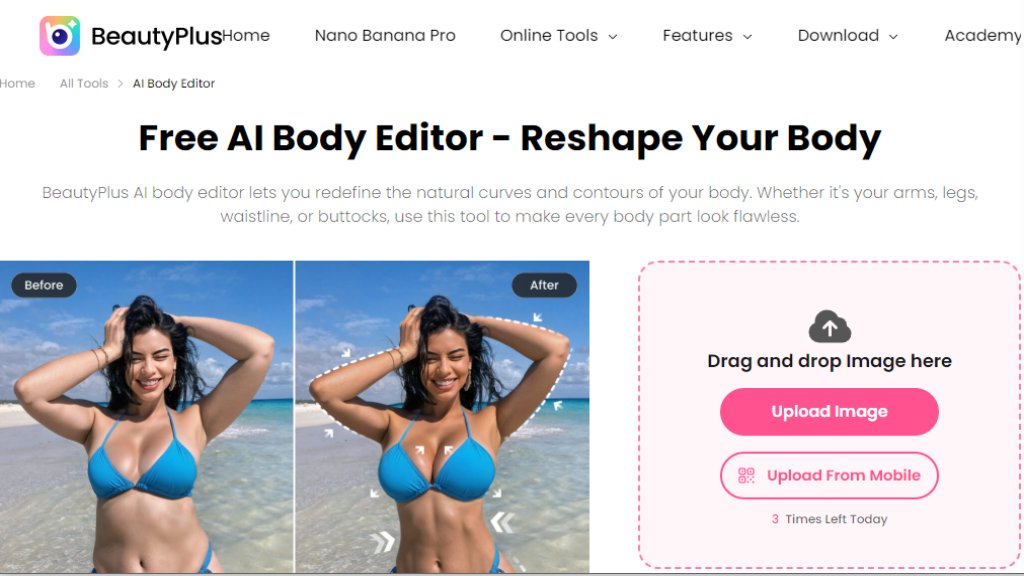
The BeautyPlus AI Body Editor is an intelligent online tool designed for automated photo retouching focused on body reshaping. It allows users to modify and enhance various body parts in their photographs, such as slimming the waist, toning arms, adding muscle definition, and lengthening legs. Utilizing advanced technology, it targets specific areas for precise edits while maintaining the original image background to avoid distortion. The tool is built for ease of use, requiring no professional editing skills, and delivers fast results with controls for adjustment intensity to ensure natural-looking outcomes.
Main Features
1. Automated Body Shape Enhancement: The tool uses intelligent processing to automatically enhance curves, slim the waist, and define muscles with a single tap.
2. Targeted Area Reshaping: Users can select and edit specific body parts like arms, legs, waist, and hips for personalized adjustments.
3. Adjustable Intensity Control: It offers sliders to control the strength of edits, enabling subtle tweaks or more noticeable changes.
4. Background Preservation: The technology works only on the subject, preventing warping or distortion of the image background.
5. Specialized Tools: Includes features like an instant muscle generator, arm toning, glute enhancement, waist slimming, and leg lengthening.
6. High-Quality Output: Maintains the original image quality and clarity after editing.
Use Cases
1. Personal Photo Enhancement: Ideal for individuals looking to refine their appearance in social media photos, portraits, or personal albums by slimming certain areas or adding muscle tone.
2. Fitness and Lifestyle Content: Useful for gym enthusiasts or influencers to highlight muscle definition or achieve a more athletic look in their promotional or progress photos.
3. Modeling and Portfolio Shots: Helps models or photographers achieve desired body proportions, like a slimmer waist or longer legs, for a polished portfolio.
4. Creative Projects: Assists in creating aesthetically pleasing images for blogs, digital art, or personal projects where specific body contours are emphasized.
5. Confidence Boosting: Allows users to correct perceived imperfections in photos, helping them feel more confident about sharing images online.
Pricing Plans
1. Free Web Version: Offers 3 free generations per day with basic features.
2. BeautyPlus App: Provides extended features, more filters, and a 7-day free trial through mobile download.
Frequently Asked Questions
1. Q: Will the background of my picture distort as I edit it?
A: No, the tool preserves the original image background and works only on the subject, ensuring a natural finish.
2. Q: Will the image quality be preserved after editing the photo?
A: Yes, the image quality remains clear and high-quality after editing.
3. Q: Is real-time preview available for body editing effects?
A: The website does not explicitly confirm real-time preview, but the process involves selecting areas and applying changes, suggesting a preview before finalizing.
4. Q: Can I edit a single area of my body in a photo?
A: Yes, the tool allows targeted reshaping of specific areas like the waist, arms, legs, and hips.
5. Q: Which muscles can I define using this tool?
A: You can define muscles in areas like arms, chest, and abs using the AI muscle generator feature.
Pros and Cons
Pros:
- The tool is convenient and free for basic use online.
- It offers powerful, targeted editing for specific body parts.
- The intelligent processing ensures fast results without professional skills.
- It preserves image backgrounds to avoid distortion.
- The adjustable intensity control allows for natural-looking edits.
Cons:
- The free version likely has usage limits, such as a daily cap on edits.
- Advanced features require downloading a separate mobile app.
- The pricing for the full app version is not transparently listed on the webpage.
- It is designed only for single-person images, limiting group photo edits.
Recommendation Rating
7/10 (A capable free tool for basic body editing, but full features require an app with unclear pricing.)



Please login to post a comment
Login