What is Calendly?
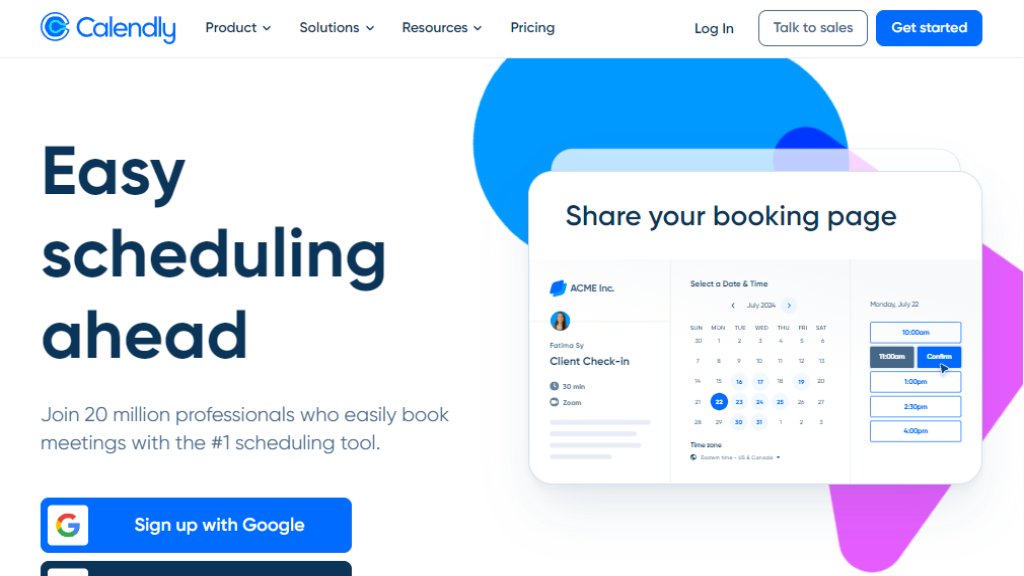
Calendly is an automated scheduling platform designed to simplify the process of setting up meetings, appointments, and events. It acts as a personal scheduling assistant by connecting directly to your digital calendar (like Google Calendar or Outlook). Instead of exchanging numerous emails to find a suitable time, users share a personalized Calendly link. Invitees can then view your real-time availability and book a slot that works for both parties. The tool is trusted by over 100,000 organizations, from individuals and small teams to large enterprises, including a majority of Fortune 500 companies. Its core value lies in saving time, reducing administrative hassle, and providing a professional, convenient booking experience for all participants.
Main Features
- **Intelligent Calendar Sync**: Connects with up to six calendars to display accurate, real-time availability and prevent double-booking.
- **Customizable Event Types**: Create and tailor meeting types (e.g., 30-minute consultation, 60-minute interview) with specific durations, buffers, and locations.
- **Automated Meeting Coordination**: Automatically generates and sends personalized meeting invitations, reminders, and follow-up emails.
- **Seamless Integrations**: Works with over 100 tools including Google Meet, Microsoft Teams, Zoom, Salesforce, and payment processors.
- **Team Scheduling**: Allows groups to coordinate collective availability for round-robin or pooled event scheduling.
- **Embeddable Scheduling Links**: Easily share booking pages via link, email, or embed them directly into websites and landing pages.
Use Cases
- **Sales & Business Development**: Enable prospects to book discovery calls directly from a website or email signature, speeding up the sales cycle.
- **Recruiting & Interviews**: Streamline the interview scheduling process for hiring managers and candidates across different time zones.
- **Customer Success & Consulting**: Allow clients to easily schedule check-in calls, onboarding sessions, or consultations at their convenience.
- **Freelancers & Service Providers**: Let clients book appointments for services, reducing administrative overhead and missed communications.
- **Internal Team Coordination**: Simplify the process of scheduling internal meetings, one-on-ones, and cross-departmental reviews.
Frequently Asked Questions
- **Q: Is there a free version of Calendly?**
A: Yes, Calendly offers a robust free plan for individuals with basic features like one event type and calendar connection.
- **Q: What calendars does Calendly integrate with?**
A: It integrates with Google Calendar, Outlook, Office 365, and iCloud.
- **Q: Can I use Calendly for team scheduling?**
A: Yes, paid plans offer team scheduling features like round-robin, collective availability, and admin controls.
- **Q: How does Calendly handle different time zones?**
A: Calendly automatically detects and displays times in the invitee's local time zone.
- **Q: Can I embed Calendly on my website?**
A: Yes, you can embed scheduling links or full booking pages on your website, landing pages, or within emails.
Pricing Plans
- **Free Plan**: For individuals. Includes one event type, one calendar connection, and basic integrations.
- **Standard Plan ($10/seat/month, billed yearly)**: For professionals and small teams. Adds unlimited event types, calendar connections, and features like reminders and custom branding.
- **Teams Plan ($16/seat/month, billed yearly)**: Recommended for growing businesses. Adds team scheduling, reporting, and advanced integrations like Salesforce and Zapier.
- **Enterprise Plan (Custom pricing, starts at ~$15k/year)**: For large organizations. Offers enterprise-grade security, SSO, advanced admin controls, and dedicated support.
Pros and Cons
Pros:
- Incredibly user-friendly and fast to set up, requiring minimal training.
- Powerful automation drastically reduces the back-and-forth of scheduling.
- Wide range of integrations fits seamlessly into most existing tech stacks.
- Scalable from individual use to large enterprise deployments.
- The free plan is generous and fully functional for basic needs.
Cons:
- Advanced features and team functionalities are locked behind higher-tier paid plans.
- Customization on lower-tier plans can be somewhat limited.
- Some users may find the per-seat pricing for teams can become costly as the organization grows.
Recommendation Rating
9/10 (An industry-standard tool that delivers exceptional value by solving a universal pain point with elegant, reliable automation.)



Please login to post a comment
Login