What is ChartGen AI?
ChartGen AI is a web-based intelligent tool designed to automate the creation of professional charts and data visualizations. It allows users to quickly convert raw data from spreadsheets or databases into insightful charts by simply describing their requirements in natural language. The platform eliminates the need for complex design software or coding skills, making data visualization accessible to professionals across various fields such as marketing, finance, and research. By leveraging automated processing, it generates charts in seconds, complete with key insights and analysis, helping users make data-driven decisions faster.
Main Features
1. Natural Language Processing: Users can describe desired charts in plain English, and the tool intelligently interprets and creates them.
2. Multiple Data Source Support: Upload CSV or Excel files, or connect to live data sources for real-time synchronization.
3. Diverse Chart Types: Supports bar charts, line charts, pie charts, scatter plots, heatmaps, funnels, waterfalls, and more.
4. Template Library: Offers pre-designed chart templates for quick visualization across common use cases like sales, marketing, and finance.
5. Export Options: Download charts in multiple formats including PNG, SVG, and PDF for easy integration into reports and presentations.
6. Automated Insights: Generates key insights and annotations automatically alongside charts to highlight important data trends.
7. Customization: Allows adjustment of chart colors, styles, and visual elements to match branding or preferences.
8. Security Compliance: Enterprise-ready with SOC 2 compliance and end-to-end encryption to ensure data privacy and security.
Use Cases
1. Financial Reporting: Transform financial data into quarterly reports, revenue analysis, and profit margin visualizations for executive presentations.
2. Marketing Analytics: Visualize campaign performance, channel attribution, and ROI metrics to optimize marketing strategies and spending.
3. Sales Performance Tracking: Create dashboards to monitor sales pipelines, conversion rates, and regional performance trends.
4. HR and People Analytics: Analyze employee survey results, retention rates, and workforce demographics for strategic planning.
5. E-commerce Data Visualization: Track product sales, customer behavior, and inventory trends to drive business decisions.
6. Academic and Research: Present survey results, experimental data, and statistical findings in clear, publishable charts.
7. Operational Dashboards: Build real-time dashboards for monitoring key performance indicators across business operations.
Supported Languages
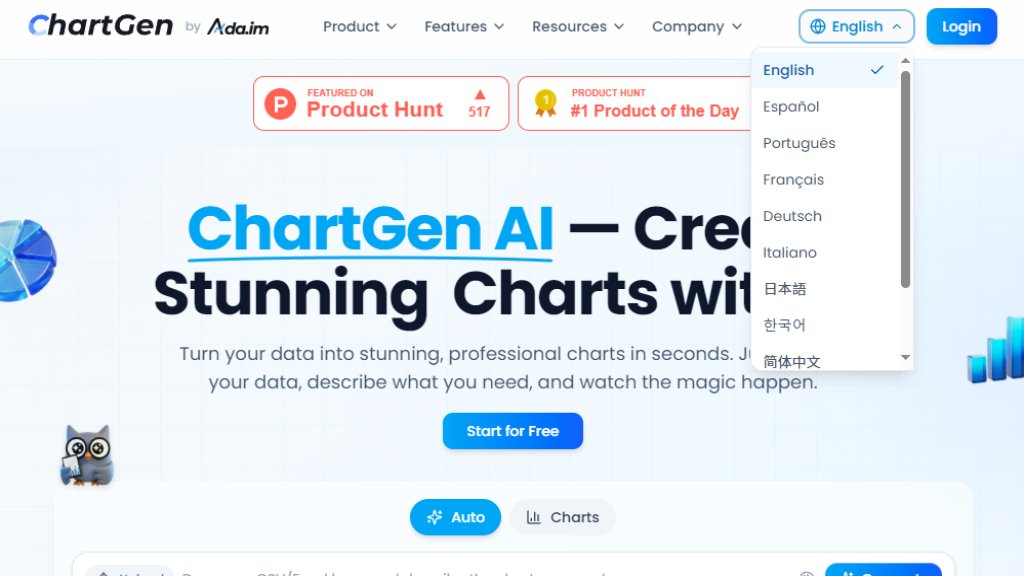
1. English
2. Español (Spanish)
3. Português (Portuguese)
4. Français (French)
5. Deutsch (German)
6. Italiano (Italian)
7. 日本語 (Japanese)
8. 한국어 (Korean)
9. 简体中文 (Simplified Chinese)
10. 繁體中文 (Traditional Chinese)
11. العربية (Arabic)
Pricing Plans
1. Free Plan: Includes 50 free charts per month, access to all chart types, and export capabilities in PNG, SVG, and PDF formats. No credit card required to start.
2. Paid Plans: Specific pricing details for premium tiers are not explicitly listed on the website. The site mentions 'Free to start' and encourages users to begin with the free plan, suggesting that paid options with advanced features likely exist but require direct inquiry or sign-up to view.
Frequently Asked Questions
1. Q: What is ChartGen and how does it work?
A: ChartGen is an AI chart generator that turns data into visualizations. Users upload data, describe what chart they need in natural language, and the tool creates it automatically.
2. Q: What file formats does the AI chart generator support?
A: It supports uploading CSV and Excel files for data input.
3. Q: What types of charts and graphs can I create with ChartGen?
A: You can create bar charts, line charts, pie charts, scatter plots, heatmaps, funnels, waterfalls, and more.
4. Q: Can I customize chart colors and visual styles?
A: Yes, the tool allows customization of colors and visual styles to suit your preferences.
5. Q: Can I download or export my charts?
A: Yes, charts can be downloaded and exported as PNG, SVG, or PDF files.
6. Q: Is my data secure when using ChartGen?
A: Yes, the platform is enterprise-ready with SOC 2 compliance and end-to-end encryption to ensure data security and privacy.
Pros and Cons
Pros:
1. Extremely fast and automated chart generation saves significant time.
2. Intuitive natural language interface requires no technical or design expertise.
3. Supports a wide variety of chart types and data sources for versatile use.
4. Includes a free plan with generous monthly allowances for testing and light use.
5. Strong security features like SOC 2 compliance protect sensitive business data.
Cons:
1. Pricing for advanced plans is not transparently listed on the website.
2. May have limitations in handling extremely complex or niche data visualization needs compared to specialized software.
3. The quality of



Please login to post a comment
Login