What is Clerk?
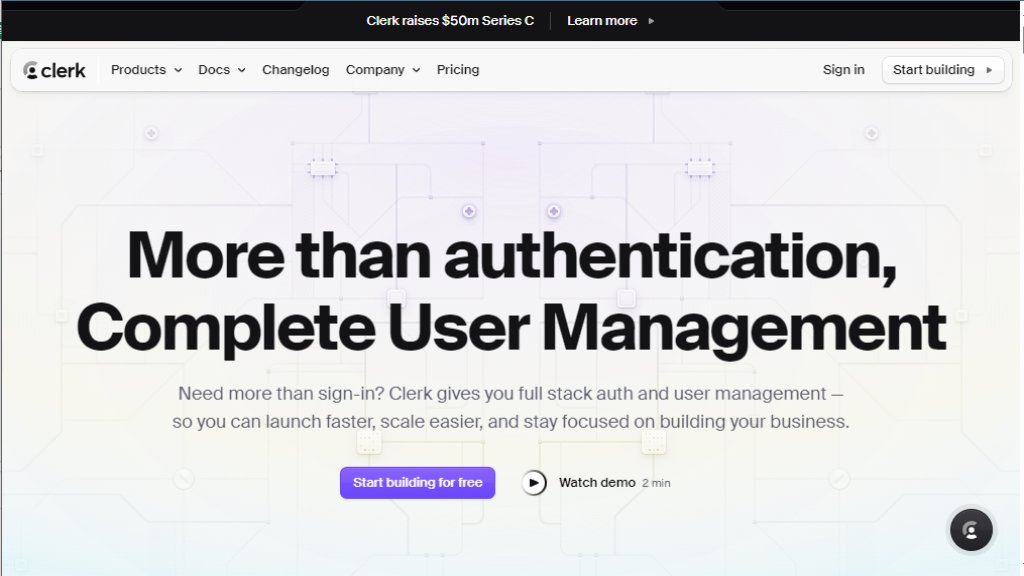
Clerk is a comprehensive user management and authentication platform designed for modern web and mobile applications. It goes beyond basic sign-in functionality to offer a full-stack solution for handling user identities, organizations, and billing. The platform enables developers to integrate robust authentication systems quickly using pre-built, customizable UI components. Clerk manages the entire user lifecycle, from sign-up and sign-in to profile management, security settings, and organizational structures for B2B applications. It emphasizes developer experience with SDKs for popular frameworks like Next.js, React, and Expo, allowing teams to focus on building core product features instead of complex auth infrastructure. The service includes intelligent security features like bot detection, fraud prevention, and multi-factor authentication, all while maintaining compliance with standards like SOC 2 and GDPR.
Main Features
1. Pre-built UI Components: Drop-in React components for authentication (, ), user management (, ), organizations (, ), and billing ().
2. Multi-Factor Authentication: Supports SMS, TOTP (authenticator apps), and backup codes with automated enforcement.
3. Social Sign-On: Integration with 20+ providers like Google, GitHub, and Facebook for convenient user onboarding.
4. Organization Management: Tools for multi-tenancy, including custom roles, permissions, invitations, and domain-based auto-join.
5. Security & Compliance: Built-in bot protection, disposable email blocking, session management, device tracking, and compliance with SOC 2, GDPR, and CCPA.
6. Session Management: Customizable session tokens, JWT templates, and session duration settings.
7. Billing Components: Pre-built UI for displaying pricing plans and handling subscriptions.
8. Framework SDKs: Official SDKs for Next.js, React, React Native (Expo), Astro, and more.
9. Integrations: Works with tools like Supabase, Convex, and Vercel for seamless data sync.
Use Cases
1. SaaS Applications: Rapidly add secure authentication, user profiles, and team/organization management for B2B or B2C products.
2. Startups & MVPs: Accelerate launch by integrating complete user management without building from scratch.
3. Applications Needing Multi-Tenancy: Manage multiple organizations or teams within a single app with custom roles and permissions.
4. Projects Requiring Subscription Billing: Implement billing and subscription flows using pre-built components.
5. Developers Prioritizing Security: Leverage built-in fraud prevention, MFA, and compliance features for enterprise-ready apps.
6. Teams Using Modern Frameworks: Easily integrate auth into applications built with Next.js, React, or React Native.
Pricing Plans
1. Free Plan: $0/month. Includes 10,000 monthly active users (MAUs), 100 monthly active organizations (MAOs), 3 dashboard seats, pre-built components, basic social connections (up to 3), passwords, email codes/links, and community support.
2. Pro Plan: Starts at $25/month base price. Includes everything in Free, plus unlimited social connections, SMS codes, custom session duration, remove Clerk branding, allowlist/blocklist, user bans, and email support. Usage-based pricing for MAUs over 10,000 ($0.02 per MAU) and MAOs over 100 ($1 per MAO). Additional dashboard seats cost $10/month each.
3. Add-ons: Enhanced Authentication add-on ($100/month) adds MFA, device tracking, simultaneous sessions, satellite domains, and enterprise SSO (SAML, OIDC). Enhanced Administration add-on ($100/month) adds user impersonation and custom dashboard roles. Enhanced Organizations add-on ($100/month) adds domain restrictions, verified domains, auto-join, and custom roles/permissions.
4. Enterprise Plan: Custom pricing. Includes tiered usage discounts, HIPAA compliance (with BAA), onboarding & migration support, dedicated Slack support, and 99.99% uptime SLA. Contact sales.
Frequently Asked Questions
1. Q: What happens when I exceed the first 10,000 monthly active users or 100 monthly active organizations?
A: You must upgrade to the Pro tier. You'll be billed for each additional MAU ($0.02) or MAO ($1) beyond the free allowance, with a one-month grace period.
2. Q: Is there a free trial?
A: All Pro features are available to test in your development instance. There's no traditional time-limited trial; you can test fully before upgrading for production.
3. Q: What is "First Day Free"?
A: Users are only counted as active (and billed) if they sign in again after the first 24 hours. The first day of user access is free.
4. Q: What is considered a monthly active user (MAU)?
A: A user who logs into your application multiple times in a month after the first 24-hour period.
5. Q: Do you offer volume discounts?
A: Yes, contact the sales team for custom enterprise pricing and volume discounts.
6. Q: Can I export my data?
A: Yes, you can export us



Please login to post a comment
Login