What is Cursive Reader?
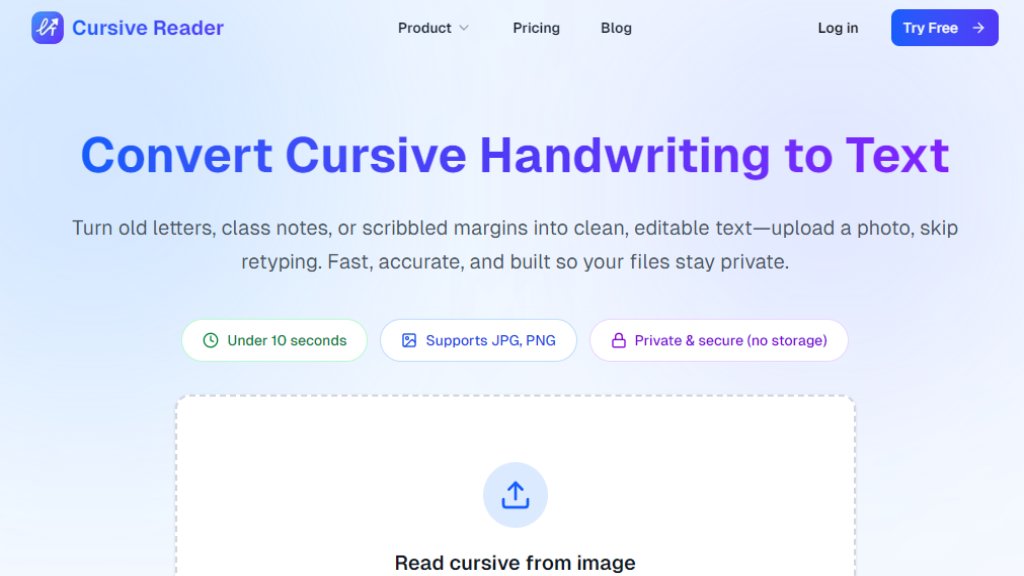
Cursive Reader is an online tool designed to transform cursive handwriting from images into digital, editable text. It utilizes advanced optical character recognition (OCR) and language models specifically trained for connected cursive scripts. The core purpose is to eliminate the need for manual retyping of handwritten content, whether from personal notes, historical letters, or archival documents. Users simply upload a photo or scan, and the tool processes the image to extract readable text. It emphasizes speed, with conversions typically under 10 seconds, and privacy, as uploaded files are not stored. This makes it a convenient solution for students, researchers, writers, and anyone needing to digitize handwritten materials efficiently.
Main Features
1. Cursive to Text Converter: Instantly converts cursive handwriting into editable digital text by accurately recognizing connected letters.
2. Handwriting Translator: Translates cursive writing into modern, easy-to-read language, useful for old or faded documents.
3. Handwriting OCR (Cursive OCR): Employs advanced OCR technology to extract text from handwritten images, including notes, journals, and scans.
4. Read Cursive from Image: Allows users to upload any photo (JPG, PNG) to read and extract cursive text without manual typing.
5. AI-Powered Processing: Uses intelligent models trained on millions of handwriting samples for high accuracy and context-aware text cleanup.
6. Privacy-Focused: Ensures user data is private and secure, with no storage of uploaded files.
7. Export Options: Enables exporting converted text to formats like Word, PDF, or plain text for easy integration into other applications.
8. Batch Processing (on paid plans): Supports uploading multiple files at once for efficient conversion of large volumes of notes.
Use Cases
1. Students & Everyday Use: Convert messy lecture notes into searchable digital text for better organization and study. Paste text directly into note-taking apps like Notion or Google Docs.
2. Historical Documents & Research: Decode cursive writing from archives, old letters, and genealogy records. Extract names, dates, and places to create searchable digital archives.
3. Writers & Content Creators: Turn handwritten drafts into publish-ready text. Clean up messy handwriting and export content directly to writing apps or content management systems.
4. Personal Archiving: Digitize old family letters, journals, or recipes preserved in cursive handwriting for easy sharing and preservation.
5. Professional Transcription: Assist researchers, librarians, and archivists in transcribing large volumes of handwritten materials quickly and accurately.
Supported Languages
1. The primary supported language is English, as indicated by all sample content and use cases on the website.
2. The tool is specifically optimized for English cursive handwriting recognition and translation.
Pricing Plans
1. Free Trial: New accounts include 3 free handwriting reads. No payment is required to start.
2. Starter Pass: Priced at $9.99 for 100 pages with a 3-month validity period. Includes basic cursive OCR, export to Word/PDF/text, and email support.
3. Standard Pass: Priced at $24.99 per month for 300 pages with a 1-month validity period. Includes all Starter features plus AI formatting, batch export, priority email support, and advanced export options. Annual billing is available for savings.
4. All paid plans come with a 30-day money-back guarantee.
Frequently Asked Questions
1. Q: Do I need an account to use Cursive Reader?
A: Yes. A free account is required to upload images and convert handwriting. It includes free reads and keeps processing private.
2. Q: What is a cursive translator?
A: It is a tool that uses AI to convert cursive handwriting into digital text, combining OCR and language models to read cursive from images.
3. Q: Can I translate cursive handwriting from an image?
A: Yes. You can upload an image, and the tool will read the cursive text from it instantly without retyping.
4. Q: Is this a cursive OCR tool?
A: Yes. It uses advanced cursive OCR and handwriting recognition technology to convert handwritten notes to text from photos and scans.
5. Q: Can I convert handwritten notes to text?
A: Yes. The tool functions as a handwriting to text OCR converter, working with various cursive styles in notes, letters, and documents.
6. Q: Do you offer refunds?
A: Yes, a 30-day money-back guarantee is offered on all purchases.
Pros and Cons
Pros:
1. Highly accurate for cursive handwriting recognition, even with messy or faded ink.
2. Fast processing, typically under 10 seconds per conversion.
3. Strong privacy policy ensures uploaded files are not stored.
4. User-friendly interface with simple upload and export workflows.
5. Useful for a wide range of applications from academic to personal archiving.
Cons:
1. Primarily supports English, limiting usability for other languages.
2. Free tier is very limited (only 3 conversio



Please login to post a comment
Login