What is Microsoft Designer?
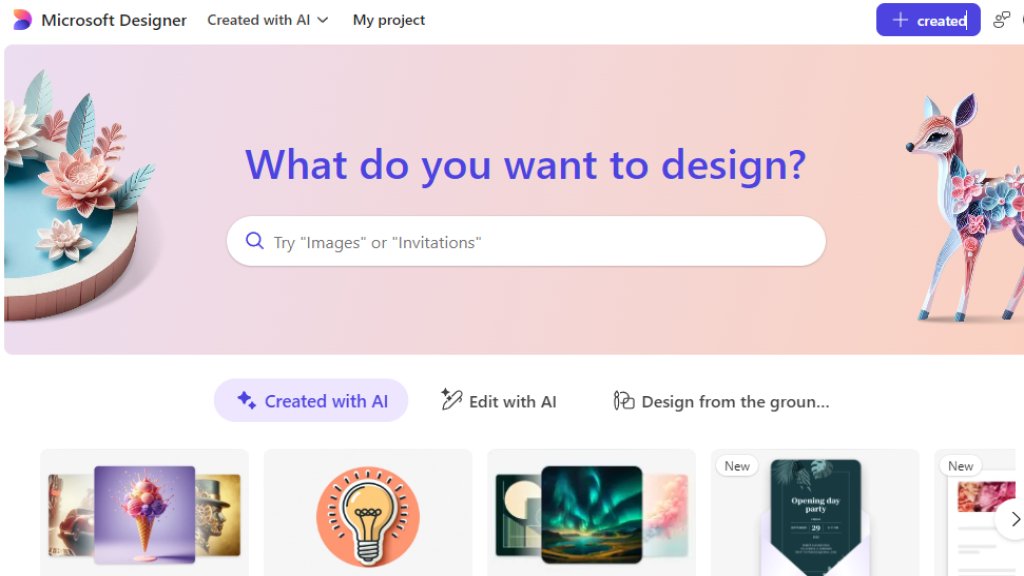
Microsoft Designer is an innovative graphic design application developed by Microsoft that leverages artificial intelligence to simplify the design process. It allows users to create a wide variety of visual content, from social media posts and invitations to custom images and logos, using simple text descriptions. The tool is integrated with DALL-E technology for image generation and offers a user-friendly interface with smart templates and automated layout suggestions. It is designed for both beginners and professionals who need to produce high-quality visuals quickly without requiring extensive design skills or software knowledge.
Main Features
1. Intelligent Image Generation: Create custom images, icons, wallpapers, and avatars from descriptive text prompts.
2. Automated Design Templates: Access a vast library of pre-made templates for social posts, banners, posters, cards, and stickers.
3. Smart Editing Tools: Use AI-powered features to edit and enhance designs, remove backgrounds, and adjust layouts automatically.
4. Brand Kit Integration: Maintain consistency with custom colors, fonts, and logos for professional branding.
5. Quick Export and Sharing: Easily download designs in various formats or share them directly to social platforms.
6. Collaborative Features: Work on projects with team members in real-time, with cloud-based saving and version history.
Use Cases
1. Social Media Marketing: Design engaging posts, stories, and ads for platforms like Instagram, Facebook, and Twitter.
2. Business Branding: Create logos, business cards, letterheads, and promotional materials to establish a professional brand identity.
3. Personal Projects: Make custom invitations, greeting cards, party decorations, and personalized gifts for events.
4. Content Creation: Generate unique illustrations, blog graphics, YouTube thumbnails, and presentation slides.
5. Educational Materials: Design worksheets, coloring book pages, certificates, and classroom posters for teachers and students.
6. Web and App Design: Produce website banners, app icons, and UI elements with consistent styling.
Supported Languages
1. English
2. Spanish
3. French
4. German
5. Japanese
6. Chinese (Simplified)
7. Portuguese
8. Italian
9. Korean
10. Dutch
Pricing Plans
1. Free Plan: Includes core design features, AI image generation with limited boosts, and standard templates. Ideal for casual users and beginners.
2. Microsoft 365 Personal or Family Subscription: Unlocks premium features, including more AI boosts, advanced editing tools, and commercial license rights. Requires an active Microsoft 365 subscription.
Frequently Asked Questions
1. Q: Is Microsoft Designer free to use?
A: Yes, a free version is available with basic features. Advanced capabilities require a Microsoft 365 subscription.
2. Q: What AI model does Microsoft Designer use for image generation?
A: It uses DALL-E, an advanced AI model from OpenAI, integrated directly into the design workflow.
3. Q: Can I use the designs commercially?
A: Designs created with the free version are for personal use. Commercial usage rights are included with a Microsoft 365 subscription.
4. Q: Does it work on mobile devices?
A: Yes, Microsoft Designer is accessible via web browsers on desktop and mobile, with a responsive interface.
5. Q: How do I save and export my projects?
A: Projects are saved automatically to the cloud. You can export them as PNG, JPEG, or PDF files for download or sharing.
Pros and Cons
Pros:
1. Extremely user-friendly with an intuitive interface, perfect for non-designers.
2. Powerful AI integration for fast image creation and design automation.
3. Seamless integration with other Microsoft 365 apps like PowerPoint and Word.
4. Generous free tier with substantial functionality for personal projects.
5. Regular updates with new templates and features from Microsoft.
Cons:
1. Advanced features and commercial licenses are locked behind a Microsoft 365 paywall.
2. AI image generation may have usage limits or require "boosts" in the free plan.
3. Less granular control over design elements compared to professional software like Adobe Illustrator.
4. Dependent on internet connectivity as it is primarily a web-based tool.
Recommendation Rating
9/10 (A top-tier, accessible AI design tool that democratizes graphic creation, especially valuable for Microsoft 365 users.)



Please login to post a comment
Login