What is Flowith?
Flowith is a next-generation AI creation platform that moves beyond traditional linear chat interfaces. It provides an infinite 2D canvas, acting as a visual workspace for deep work, brainstorming, research, and complex project management. The core idea is to enable natural, visual collaboration between humans and AI agents, turning scattered ideas into structured outputs while maintaining context across multiple threads. Launched around 2023-2024, it has evolved with major updates like Flowith 2.0 and the introduction of its flagship autonomous AI agent, Agent Neo, in 2025. It combines the spatial organization of a digital whiteboard with the power of advanced large language models, functioning as a 'second brain' for creators, researchers, and teams.
Main Features
1. Infinite Canvas Interface: A boundless 2D spatial workspace where prompts, responses, documents, and agent actions exist as movable, connectable nodes, supporting multi-threaded conversations and organic idea evolution.
2. Agent Neo / Oracle AI OS: An advanced autonomous agent that plans, breaks down, and executes complex multi-step tasks using tools and real-time search with minimal user guidance.
3. Multi-Model Integration: Access to a wide range of top LLMs including GPT-5, Claude Opus, Gemini, and DeepSeek, allowing for side-by-side comparison and use.
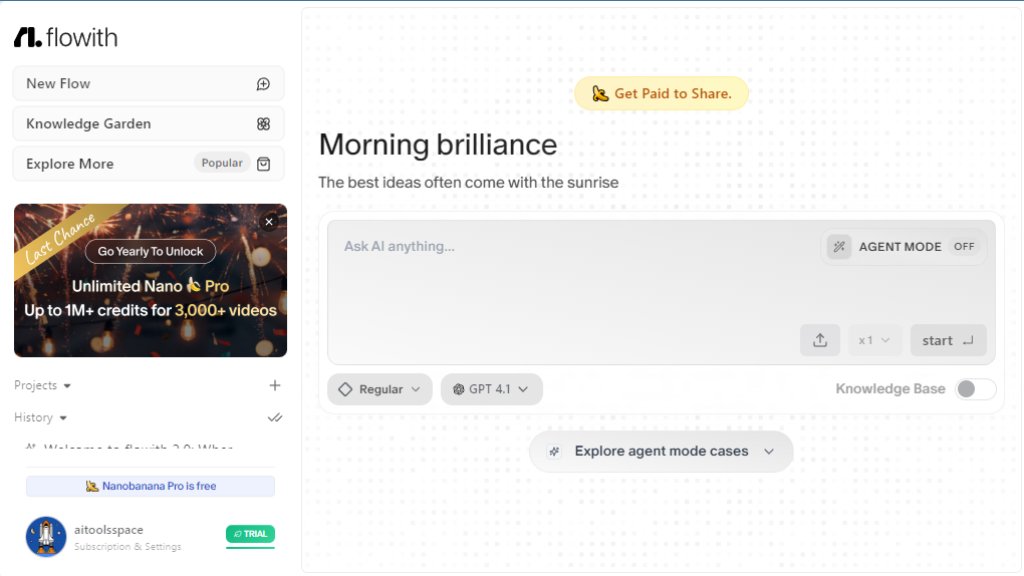
4. Knowledge Garden: A system to upload and index documents (PDFs, notes, folders) as 'Seeds' for contextual retrieval and use within projects.
5. Multimodal Capabilities: Includes image generation (DALL-E, Midjourney, Nano Banana Pro), text-to-video creation (Veo, Sora), and real-time web search.
6. Real-Time Collaboration: Enables multiple users to co-edit and brainstorm on the same canvas simultaneously, ideal for team projects.
7. Workflow Automation: Tools for chaining AI actions and automating repetitive aspects of creative and research workflows.
Use Cases
1. Complex Content Creation: Automating the planning, drafting, and formatting of long-form articles, marketing campaigns, or social media content across multiple channels.
2. Visual Research & Brainstorming: Conducting deep research on a topic, organizing findings visually on the canvas, and generating new ideas through branching conversations with AI.
3. Project Management & Planning: Breaking down large projects into manageable tasks, assigning AI agents to research or draft components, and tracking progress on a visual board.
4. Creative Design & Storyboarding: Generating images and video scripts, then arranging and iterating on visual concepts within the same workspace for projects like videos or presentations.
5. Team Collaboration & Workshops: Facilitating real-time brainstorming sessions where team members and AI agents contribute ideas, research, and content to a shared visual space.
6. Personal Knowledge Management: Building a connected, searchable 'second brain' by uploading personal notes and documents, then using AI to synthesize insights and generate new content.
Pricing Plans
1. Free Plan: $0/month. Includes a one-time allocation of 1,000 credits, access to basic AI models, core canvas and agent features, Knowledge Garden, and limited daily use of Nano Banana Pro image generation.
2. Professional Plan: $14.92/month (billed annually at $179). Includes 28,000 credits monthly, access to 40+ AI models, unlimited Nano Banana Pro image generation, and the full ecosystem (Web, iOS, FlowithOS).
3. Ultimate Plan: $29.94/month (billed annually at $359). Includes 100,000 credits monthly, all Professional features plus 4x more credits, faster generation, priority processing, and team collaboration spaces.
4. Infinite Creation Plan: $249.95/month (billed annually at $2,999). Includes 1,250,000 credits monthly, all Ultimate features, unlimited generation, VIP support, and upcoming features like custom API access.
5. Enterprise Plan: Custom pricing. Includes dedicated account management, team credit pooling, and VIP support.
Frequently Asked Questions
1. Q: What are Flowith credits and how are they used?
A: Credits are the platform's consumption currency used for generating text, images, and videos. Different AI models cost different amounts of credits per use.
2. Q: Do credits expire?
A: For monthly plans, unused credits do not roll over to the next month. They refresh with each new billing cycle.
3. Q: When are credits replenished?
A: Credits are replenished at the start of each new billing cycle (e.g., monthly or annually).
4. Q: How does upgrade refunding work?
A: The website mentions an upgrade refund policy but does not specify details within the provided text. Users should check the official terms or contact support.
5. Q: Can I still purchase or use old subscription plans?
A: The FAQ indicates there are legacy plans. It states that users on old plans may not experience new features and models, and provides guidance on what to do if model usage limits are reached on an old plan.
Pros and Cons
Pros:
- Innovat



Please login to post a comment
Login