What is FLUX.2?
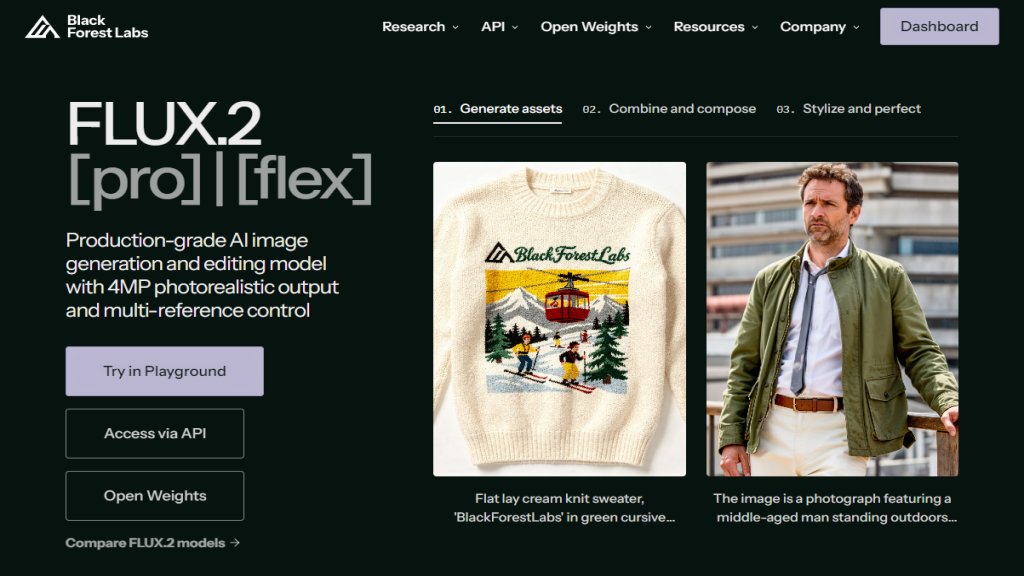
FLUX.2 is a sophisticated image generation and editing model developed by Black Forest Labs. It is designed for professional, production-grade visual content creation. The model excels at producing highly detailed, photorealistic images up to 4MP resolution. A key strength is its multi-reference control system, which allows users to reference up to 10 images simultaneously to maintain exceptional consistency in characters, styles, and products across hundreds of generated assets. This makes it a powerful tool for workflows requiring reliable, high-quality visual output that closely mimics real photography and adheres to precise creative directives.
Main Features
1. Multi-Reference Control: Reference up to 10 images for superior character and style consistency.
2. High-Resolution Output: Generate images up to 4MP in any aspect ratio.
3. Professional-Grade Control: Features include JSON-based controls, pose guidance, and generative expand/shrink.
4. Enhanced Detail and Photorealism: Produces images with unprecedented detail quality, closing the gap with real photography.
5. Exact Color Matching: Specify brand colors using hex codes for accurate reproduction.
6. Reliable Text Rendering: Capable of generating complex typography, infographics, and readable UI mockups.
7. Fast Performance: Offers sub-10-second generation speeds and supports 32K text input tokens.
8. Multiple Model Variants: Includes FLUX.2 [max], [pro], [flex], and [dev] for different quality, speed, and control needs.
Use Cases
1. Marketing and Advertising: Create character-consistent campaigns and accurate product placement.
2. Product Visualization: Generate photorealistic product renders and contextual lifestyle imagery.
3. Creative Production: Aid in concept development, style exploration, and rapid iteration.
4. Design and UI/UX: Produce interface mockups with readable text and infographics.
5. Entertainment and Media: Maintain character consistency across scenes and generate environment assets.
6. E-commerce: Scale product photography and create contextual lifestyle shots.
Supported Languages
1. The primary interface and documentation are in English. The model itself processes and generates images based on text prompts, which are primarily supported in English, though it may have some capability with other languages through its extensive world knowledge and token processing.
Pricing Plans
1. Specific pricing for the FLUX.2 models (Max, Pro, Flex, Klein) is not explicitly listed on the provided webpage. The site directs users to 'Access via API' and 'Contact Sales' for enterprise and custom deployment options, suggesting a custom or usage-based pricing model rather than publicly listed fixed plans.
Frequently Asked Questions
1. Q: What are the main variants of FLUX.2?
A: The main variants are FLUX.2 [max] for maximum performance, FLUX.2 [pro] for top performance at an affordable price, FLUX.2 [flex] for specialized control like typography, and FLUX.2 [dev] as open weights.
2. Q: How many reference images can FLUX.2 use?
A: FLUX.2 can reference up to 10 images simultaneously for multi-reference control, offering the best character consistency available.
3. Q: What resolution can FLUX.2 generate?
A: FLUX.2 can output images up to 4MP resolution in any aspect ratio.
4. Q: Is FLUX.2 good for generating text in images?
A: Yes, FLUX.2 provides reliable, production-ready text rendering for complex typography and UI mockups.
5. Q: How can I access or try FLUX.2?
A: You can try FLUX.2 in the Playground, access it via API, or explore the open weights version. For enterprise needs, contact sales.
Pros and Cons
Pros:
1. Offers production-grade consistency and photorealism.
2. Powerful multi-reference control for maintaining identity and style.
3. Provides multiple model variants tailored for different needs (quality, speed, control).
4. Features exact color matching and reliable text generation.
5. Fast generation speeds and flexible output options.
Cons:
1. Pricing is not transparent and requires contacting sales, which may be a barrier for individuals or small teams.
2. The advanced features and professional focus may have a steeper learning curve for casual users.
3. As a cutting-edge model, it may require significant computational resources for optimal use.
Recommendation Rating
9/10 (A top-tier, innovative tool for professional visual content creation, though lack of clear public pricing is a minor drawback.)



Please login to post a comment
Login