What is Foca Upscaler?
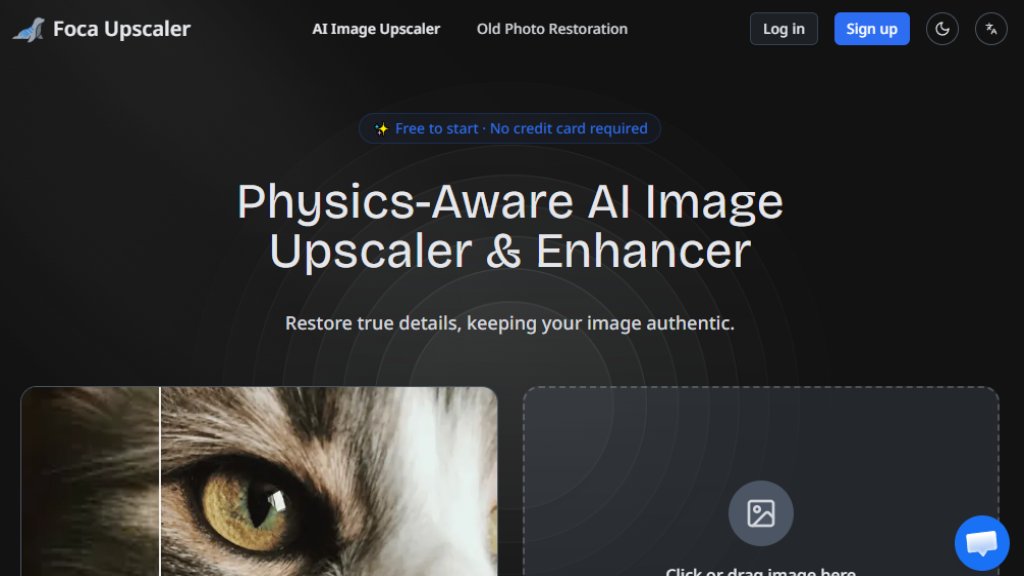
Foca Upscaler is an advanced, automated image upscaling and enhancement tool. It utilizes a dual-engine AI system designed to intelligently increase image resolution while preserving and reconstructing authentic details. Unlike standard upscalers that can produce artificial or smeared results, Foca focuses on maintaining the original image's integrity. Its core innovation is a physics-aware engine that understands real-world textures like skin, fabric, and materials, recovering true-to-life details rather than generating fake ones. This makes it a powerful solution for photographers, designers, architects, and anyone needing to transform low-resolution images into high-quality, print-ready visuals without losing their authentic character.
Main Features
1. Dual-Engine AI System: Offers two tailored modes: Foca Sharp for rapid, artifact-free clarity on graphics and text, and Foca Physics for reconstructing organic textures and details.
2. Physics-Aware Reconstruction: The AI intelligently analyzes and recovers realistic surface properties like skin pores, fabric weaves, and material finishes for natural results.
3. High Fidelity Output: Prioritizes enhancing existing image structure over inventing new details, ensuring authenticity and preventing a 'waxy' look.
4. Batch Processing: Allows users to upscale multiple images simultaneously, streamlining workflows for professionals.
5. Professional-Grade Output: Delivers images at UHD quality and print-ready 300 DPI resolution.
6. Simple Four-Step Workflow: The process is convenient: upload, select mode, upscale with one click, and download.
7. Credit-Based System: Offers flexible subscription plans and one-time credit packages that never expire.
Use Cases
1. Portrait Photography: Restores authentic skin texture, hair strands, and facial definition in old or low-res portraits.
2. 3D Rendering & CGI: Enhances renders by keeping material surfaces crisp and preserving the original artistic style.
3. Architecture & Interior Design: Maintains straight lines, structural clarity, and believable materials in architectural photos and plans.
4. E-commerce & Product Photography: Delivers clean geometry, sharp typography, and precise material finishes for product shots.
5. Social Media Content: Quickly enhances personal photos for sharing online with improved clarity and detail.
6. Old Photo Restoration: Works alongside a dedicated restoration feature to revive and upscale historical photographs.
7. Graphic Design: Uses Foca Sharp mode to cleanly upscale logos, text, and digital graphics without distortion.
Supported Languages
1. The website interface supports multiple languages, as indicated by a 'Switch language' toggle. Specific languages are not listed in the provided content, but the primary content presented is in English.
Pricing Plans
1. Starter Plan: $7.2 per month when billed yearly ($86.4/year). Includes 1,000 credits/month, batch processing, and email support.
2. Pro Plan: $19.2 per month when billed yearly ($230.4/year). Includes 3,000 credits/month, batch processing, priority support, and a priority task queue.
3. Elite Plan: $39.2 per month when billed yearly ($470.4/year). Includes 7,500 credits/month, batch processing, dedicated support, and a dedicated task queue.
4. Credit Packages (Pay-As-You-Go): 1,200 credits for $15, 3,000 credits for $35, 8,500 credits for $85. Credits do not expire.
5. Free Tier: The service is free to start with no credit card required, though specific free tier limits are not detailed in the provided text.
Frequently Asked Questions
1. Q: What makes Foca different from other AI image upscalers?
A: Foca uses a physics-aware AI and a dual-engine system (Sharp and Physics) to reconstruct authentic, true-to-life details without generating fake ones, prioritizing fidelity.
2. Q: When should I use Foca Sharp versus Foca Physics?
A: Use Foca Sharp for graphics, text, and images needing rapid, artifact-free clarity. Use Foca Physics for photos with organic textures like portraits, fabrics, and materials to recover realistic detail.
3. Q: Does Foca change the identity or features of my original image?
A: No, Foca is designed to enhance and reconstruct details based on the original structure, maintaining the image's identity and features.
4. Q: Can I try Foca for free?
A: Yes, you can start for free with no credit card required.
5. Q: Do you support batch processing?
A: Yes, batch processing is supported across all paid plans.
6. Q: What image formats and sizes does the upscaler support?
A: It supports JPG, PNG, and WebP formats. Specific size limits are not detailed in the provided text.
Pros and Cons
Pros:
1. Innovative dual-engine system provides tailored upscaling for different image types.
2. Physics-aware AI delivers exceptionally natural and authentic texture reconstruction.
3. Fast and automated processing with a simple, user-friendly interface.
4. Offers flexible pricing with both subscriptions and non-expiring



Please login to post a comment
Login