What is Format Factory?
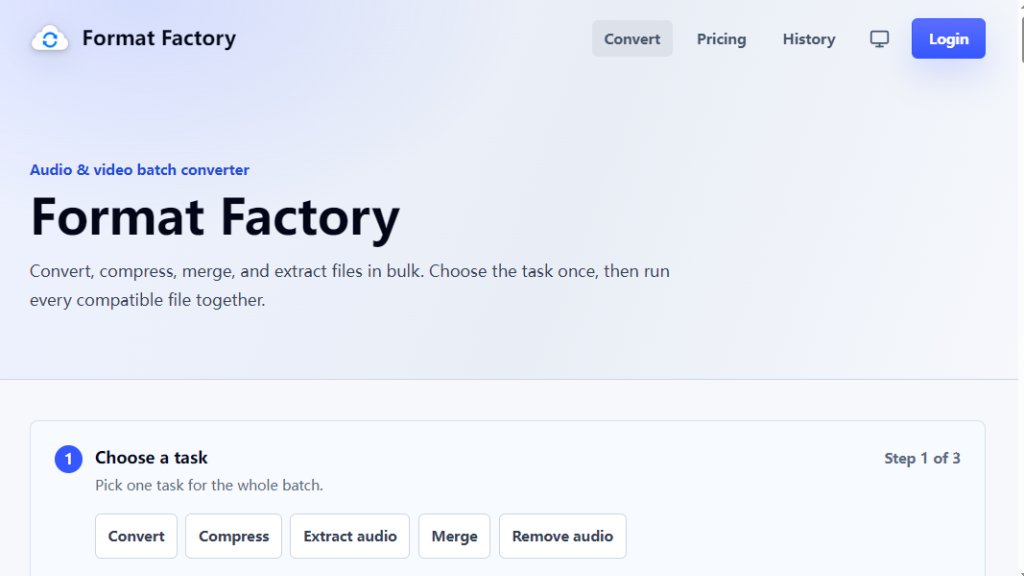
Format Factory is a browser-based online workbench designed for common media tasks like converting video formats, compressing large files, extracting audio, merging clips, and removing audio tracks. It runs entirely in your browser with no software to install. The tool is built around batch processing: you choose a single task (convert, compress, merge, extract audio, or remove audio), set the output options once, and then add up to 50 files to run them all together. Each file shows its own progress, and you can download finished results as they complete. Format Factory supports a wide range of input and output formats for video and audio, including MP4, MOV, MKV, WEBM, AVI, MP3, WAV, AAC, M4A, OGG, FLAC, and more. It offers quality presets and advanced controls for resolution, frame rate, bitrate, sample rate, and channels. The free tier gives 10 daily conversions with files up to 250 MB, while paid plans offer higher limits, larger file sizes, and more parallel conversions. There are also one-time credit packs for occasional heavy batches. The tool is designed to be dependable and transparent, showing your credit balance and job costs before you run a conversion.
Main Features
- Batch conversion: Process up to 50 files at once with the same task and settings.
- No installation: Runs entirely in your browser; nothing to download or update.
- Multiple tasks: Convert video, compress video, merge video, remove audio, convert audio, compress audio, extract audio, merge audio.
- Wide format support: Input includes MP4, MOV, MKV, WEBM, AVI, WMV, FLV, 3GP, MP3, WAV, AAC, M4A, OGG, FLAC, WMA, OPUS, AC3, AIFF. Output includes MP4, WEBM, MOV, AVI, WMV, MP3, WAV, AAC, M4A, OGG, FLAC.
- Quality controls: Presets for smaller file, balanced, or best quality. Advanced settings for resolution, frame rate, video bitrate, audio bitrate, sample rate, and channels.
- Transparent credits: See your balance and per-job cost before running. Failed or cancelled jobs do not use credits.
- Progress visibility: Each file shows its status (uploading, queued, converting, finalizing, done, or failed).
- Metadata preservation: Original metadata is kept when the output format supports it.
- Credit packs: One-time purchases for occasional large batches; credits never expire.
- Free daily use: 10 conversions per day with files up to 250 MB, no account required to try.
- Priority queue: Pro plan includes priority queue capacity for faster processing.
Use Cases
- Convert MOV to MP4: Turn iPhone and QuickTime recordings into universally playable MP4 files.
- Extract audio from video (Video to MP3): Save the audio track of a video as a standalone MP3 file.
- Compress large MP4 files: Shrink videos to fit email attachment or upload size limits.
- Merge multiple video clips: Join 2 to 10 video files into a single MP4 in file order.
- Convert WAV to MP3: Compress lossless audio recordings into smaller MP3 files for easy sharing.
- Convert MKV to MP4: Make MKV files playable on more devices and media players.
- Convert M4A to MP3: Convert Apple audio files to MP3 for compatibility with non-Apple devices.
- Batch convert a folder of videos: Set the output format and quality once, then process dozens of files without repeating setup.
- Remove audio from video: Export a silent version of a video for editing or privacy purposes.
- Merge multiple audio tracks: Combine 2 to 20 audio files into one MP3 file.
Supported Languages
- English (primary)
- The interface is currently available in English based on the provided content. Additional languages may be supported but are not explicitly listed on the website.
Pricing Plans
- Free: $0 per month. 10 credits per day, 250 MB max file size, 1 conversion at a time. No account required to try.
- Starter: $9 per month (billed annually). 500 credits per month, 750 MB max file size, 5 conversions at a time.
- Plus: $12 per month (billed annually, regularly $19/month). 1,500 credits per month, 4 GB max file size, 15 conversions at a time. Save $84 compared to monthly.
- Pro: $39 per month (billed annually, regularly $69/month). 6,000 credits per month, 12 GB max file size, 40 conversions at a time. Priority queue capacity. Save $360 compared to monthly.
- Credit Packs (one-time): 2,000 credits for an unspecified price (not listed), 5,000 credits for $69, 10,000 credits for an unspecified price. Credits never expire.
Frequently Asked Questions
- Do I need to install anything?
No. Format Factory runs entirely in your browser. There is no desktop app, nothing to download, and nothing to keep updated.
- Do I need an account to convert files?
You can run conversions without signing in after a quick security check. Signing in saves your job history and unlocks higher file-size and batch limits.
- How many files can I convert at once?
Up to 50 files per batch for most tasks. Merge tasks take 2 to 20 audio files, or 2 to 10 video files, combined in file order.
- Can I control the output quality?
Yes.



Please login to post a comment
Login