What is Framer?
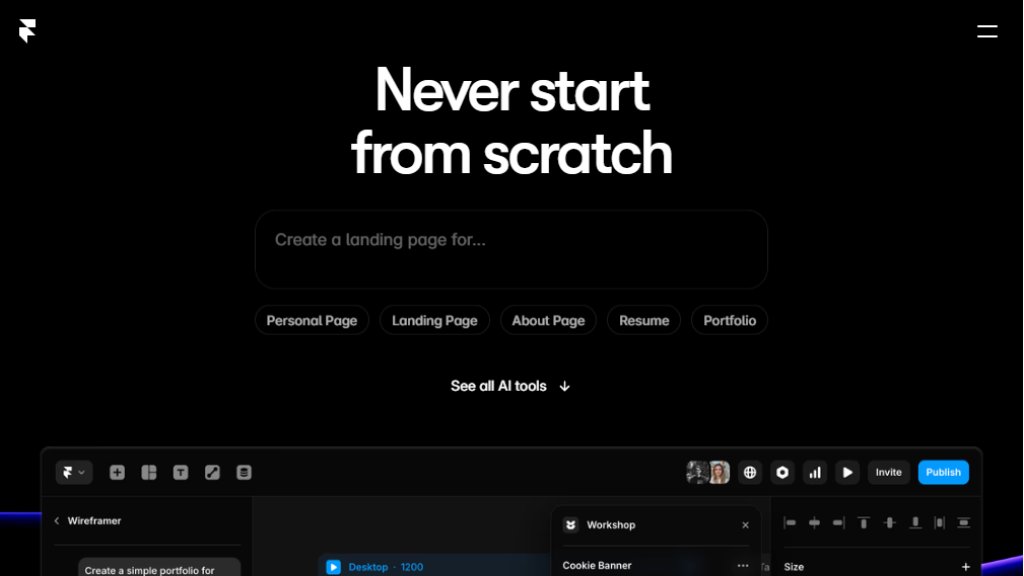
Framer is a modern, feature-rich website builder designed for designers, startups, and professional teams. It bridges the gap between advanced visual design and practical, no-code development. The platform empowers users to create high-fidelity, responsive websites with the precision of a design tool while offering the convenience of automated publishing, hosting, and scaling. Its core philosophy is to provide full creative freedom without the traditional bottlenecks of developer handoff. With integrated intelligent tools, Framer helps users generate layouts, write copy, and build components in seconds, dramatically speeding up the initial design process. It's trusted by a wide range of users, from individual creators to large enterprises like Miro and Perplexity, to build and manage their online presence efficiently.
Main Features
- Intelligent Design Assistant: Generate complete page layouts, sections, and copy instantly to overcome creative blocks and start projects fast.
- Visual Design & Interactions: A powerful canvas for crafting responsive layouts with smooth animations, scroll effects, and interactive components without writing code.
- Integrated Content Management System (CMS): A built-in, relational CMS to manage dynamic content like blog posts, portfolios, or product listings, keeping sites fresh effortlessly.
- Real-time Collaboration: Multiple team members can edit designs and content simultaneously on the canvas, with seamless updates and notifications.
- Built-in Growth Tools: Includes analytics for tracking performance, A/B testing for optimization, and comprehensive SEO controls to improve visibility and conversions.
- Extensive Ecosystem: Access a vast library of templates, plugins, and custom components to extend functionality and jumpstart any project.
Use Cases
- Startup & Company Websites: Quickly launch and iterate on marketing sites, landing pages, and product launches with full design control and integrated business tools.
- Professional Portfolios: Designers, artists, and agencies can create visually stunning, interactive portfolio sites to showcase their work.
- E-commerce & Product Pages: Build compelling product showcases and sales pages connected to a CMS for easy content updates.
- Marketing Campaigns: Create and test multiple landing page variants with A/B testing to optimize conversion rates and campaign performance.
- Team Collaboration Projects: Enable designers, marketers, and content editors to work together in real-time on the same project, eliminating handoff delays.
- Content-Driven Sites: Power blogs, documentation hubs, or news sites using the flexible CMS and fast, SEO-optimized hosting.
Frequently Asked Questions
- Q: Can I connect my own custom domain to my Framer site?
A: Yes, you can connect a custom domain. This feature is available on all paid plans (Basic, Pro, and Scale).
- Q: Does Framer support team collaboration?
A: Absolutely. Framer offers real-time collaboration where multiple team members can edit simultaneously. Paid plans allow you to add additional editors for a monthly fee per seat.
- Q: Is there a free plan?
A: Yes, Framer offers a free plan to get started. It includes core features but with limitations, such as a Framer-branded domain. Upgrading to a paid plan unlocks custom domains and advanced features.
- Q: How does the AI feature work?
A: The AI tools can generate initial website layouts, page sections, and text content based on your prompts. This helps you skip the blank canvas and start designing with a foundation already in place.
- Q: Can I import designs from Figma?
A: Yes, Framer is known for its excellent compatibility with Figma. You can import designs to use as a starting point, making it a popular choice for designers transitioning from prototype to live site.
Pricing Plans
- Basic Plan ($10/month, billed annually): For creative personal sites. Includes custom domain connection, intelligent design tools, fast hosting, built-in SEO, and 1,000 CMS items. Additional editors cost $20/month.
- Pro Plan ($30/month, billed annually): For growing professional sites. Includes all Basic features plus staging environments with instant rollback, team roles and permissions, a relational CMS, site redirects, and 10,000 CMS items. Multiple locales are an add-on. Additional editors cost $40/month.
- Scale Plan ($100/month, billed annually, plus usage): For advanced, high-traffic sites. Includes all Pro features plus custom locale regions, events and funnels analytics, priority support, a premium CDN, and flexible limits. A/B testing is an add-on. Additional editors cost $40/month.
- Enterprise Plan: Custom pricing for large teams requiring custom limits, enterprise-grade security, and dedicated support.
Pros and Cons
Pros:
- Unmatched design flexibility and interaction capabilities within a visual, no-code environment.
- Powerful integrated tools (CMS, SEO, Analytics, A/B Testing) eliminate the need for multiple separat



Please login to post a comment
Login