What is GMaps To GPX?
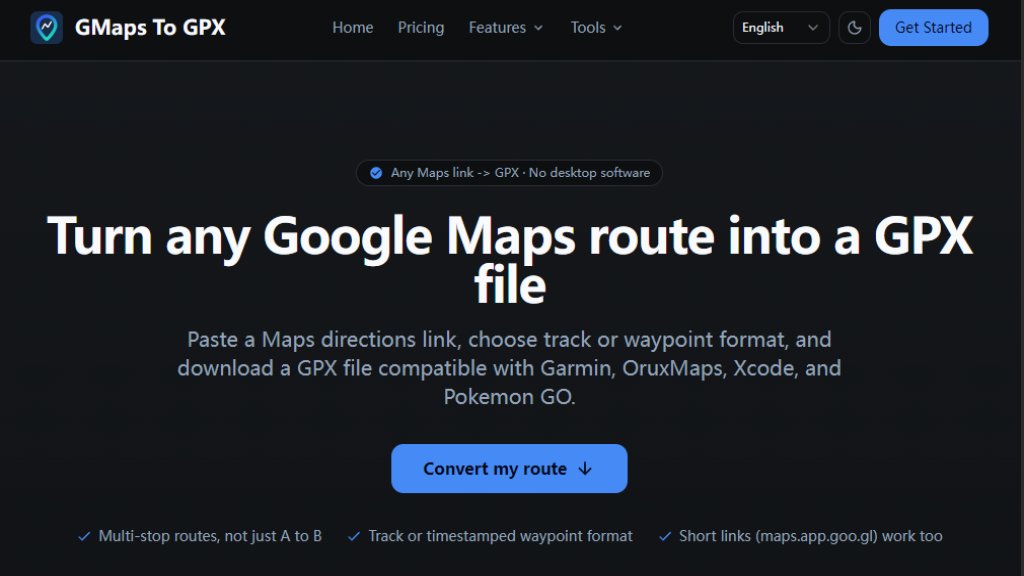
GMaps To GPX is a specialized online tool that transforms Google Maps directions into GPX (GPS Exchange Format) files. It solves a common problem: while Google Maps provides shareable links, most dedicated GPS devices, sports watches, and outdoor navigation applications require GPX files for route import. This tool acts as a bridge, offering a fast and convenient conversion process directly in your web browser. Users simply paste a Google Maps directions URL, and the service intelligently fetches the route data to generate a downloadable GPX file. It supports both detailed track formats for continuous navigation and waypoint formats for key location points, catering to different use cases from hiking to app development.
Main Features
1. One-click conversion from Google Maps links to GPX files without any desktop software installation.
2. Supports both track format (full path) for walking/cycling and route format (key waypoints) for driving.
3. Automatically detects travel mode (walking, cycling, driving, transit) from the pasted URL.
4. Presents multiple alternative routes from Google Maps for user selection before conversion.
5. Works with full Google Maps URLs and short links (like maps.app.goo.gl).
6. Conversion is server-side and requires sign-in for data fetching, with user control to delete route data afterward.
7. Includes a suite of free, browser-based format conversion tools (e.g., GPX to KML, TCX to GPX).
Use Cases
1. Importing routes into Android GPS navigation apps like OruxMaps, Locus Map, or OsmAnd for outdoor activities.
2. Loading waypoints into Xcode's iOS Simulator for location-based app testing and development.
3. Generating timestamped GPX routes for use with Pokemon GO simulation and route planning tools.
4. Transferring routes to Garmin devices or uploading to fitness platforms like Strava.
5. Converting routes for use in Google Earth or other mapping software via KML format using the free tools.
Supported Languages
The website interface and core tool are presented in English. The conversion process itself handles Google Maps data irrespective of the language used in the original map link, as it processes geographic coordinates and route data.
Pricing Plans
1. Starter Plan: $4.99 for 10 credits ($0.499 per conversion).
2. Popular Plan: $9.99 for 100 credits ($0.100 per conversion).
3. Value Plan: $39.99 for 500 credits ($0.080 per conversion).
4. Additional credit packs are available, ranging up to 10,000 credits for $699.99 ($0.070 per conversion). Credits are purchased once, never expire, and are consumed one per successful conversion. New accounts receive a small number of free trial credits.
Frequently Asked Questions
1. Q: What is GPX?
A: GPX (GPS Exchange Format) is an open XML format for storing routes, tracks, and waypoints, widely supported by GPS devices and apps.
2. Q: Is the converter free?
A: New accounts get free trial credits. After that, conversions require purchasing credits which never expire. The format conversion tools are completely free.
3. Q: Why do I need to sign in to convert?
A: Sign-in allows the tool to fetch detailed route data from Google Maps on your behalf and manages your credit balance.
4. Q: Do you support short URLs like maps.app.goo.gl?
A: Yes, both full and short Google Maps directions links are supported.
5. Q: What is the difference between track and waypoint mode?
A: Track mode creates a continuous path of points, ideal for navigation. Waypoint mode creates discrete points, useful for simulation or driving.
Pros and Cons
Pros:
- Extremely convenient and fast solution for a specific, common need.
- No software installation required; works directly in the browser.
- Offers flexible output formats (track vs. waypoint) for different applications.
- Credits are a one-time purchase with no expiration, offering good long-term value.
- Includes a suite of free, useful format conversion tools.
Cons:
- Requires a Google account sign-in and uses a credit-based system after the initial free tier.
- The core conversion is not a local process; it relies on the service's server.
- Primarily focused on Google Maps, not other mapping services.
Recommendation Rating
8/10 (A powerful and specialized tool that perfectly executes its core function of converting Google Maps routes to GPX. It is fast, reliable, and offers great flexibility. The credit system is fair for occasional users, and the included free tools add significant value. The minor points off are for the mandatory sign-in and the server-dependent nature of the conversion.)



Please login to post a comment
Login