What is GPT for Work?
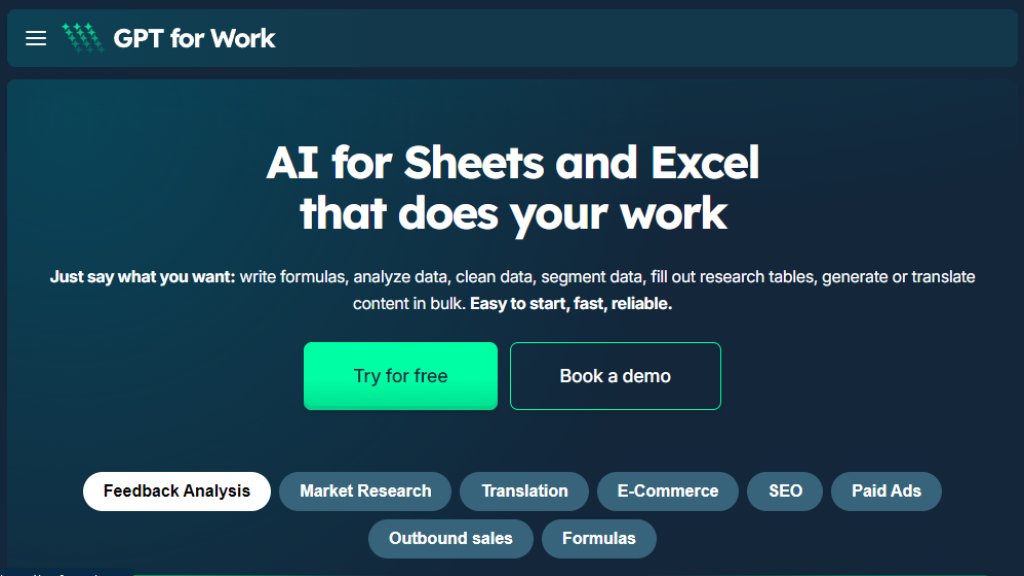
GPT for Work is a suite of powerful add-ons created by Talarian for Google Workspace and Microsoft Office. It brings advanced AI capabilities directly into spreadsheet environments like Google Sheets and Microsoft Excel. The core value proposition is enabling bulk AI processing at scale, which distinguishes it from standard AI assistants. Users can apply sophisticated AI operations to thousands of spreadsheet rows simultaneously for tasks like data cleaning, analysis, content creation, and translation. It is designed for professionals who rely heavily on spreadsheets, such as analysts, marketers, consultants, and operations teams, offering a convenient way to integrate AI into their existing workflows without needing advanced prompting skills.
Main Features
1. Bulk AI Processing: Apply AI operations to up to 1 million rows in a single run, processing up to 1000 cells per minute.
2. Multi-Function Agent: Perform diverse tasks including content generation, translation, web search, data cleaning, data analysis, and formula writing.
3. Spreadsheet Integration: Native add-ons for Google Sheets and Microsoft Excel that work within the familiar interface.
4. Flexible AI Configuration: Connect to various AI providers (like OpenAI, Claude, Gemini), configure custom API keys and endpoints, and select specific models.
5. Bulk Web & Image Analysis: Perform bulk web searches and analyze images from URLs using vision models to extract information.
6. Enterprise-Ready Security: ISO 27001 certified, GDPR compliant, with encryption for data in transit and at rest. User data is not used to train models.
7. Centralized Administration: Features for user management, centralized billing, AI configuration, and detailed reporting for teams.
8. Real-Time Monitoring: Monitor the progress of bulk operations directly within the spreadsheet.
Use Cases
1. E-commerce: Generate and optimize product titles, descriptions, attributes, categories, tags, and handle translations for listings.
2. SEO: Create meta titles, descriptions, headings, alt texts, and FAQ content in bulk.
3. Paid Advertising: Generate ad headlines, shopping titles, descriptions, ad extensions, and run compliance checks.
4. Outbound Sales: Triage and enrich leads, and generate personalized outreach messages at scale.
5. Market Research: Analyze market trends, create company profiles, track competitors and acquisition targets.
6. Feedback Analysis: Categorize, filter, tag, and perform sentiment analysis on customer feedback and survey responses.
7. Data Operations: Clean, segment, and analyze large datasets directly within spreadsheets.
8. Content & Translation: Generate or translate large volumes of content efficiently.
Supported Languages
1. The tool's interface and support are available in multiple languages, as indicated by user testimonials in various languages.
2. The core AI capabilities support translation and content generation for a wide range of languages, limited by the connected AI model's capabilities (e.g., OpenAI's GPT models support numerous languages).
Pricing Plans
The provided reference materials do not list explicit, numbered pricing plans. The website encourages users to 'Try for free' and 'Book a demo'. Therefore, specific pricing tiers and their costs are not disclosed in the given content.
Frequently Asked Questions
1. Q: How is GPT for Work different from using ChatGPT, Copilot, or Gemini directly?
A: GPT for Work specializes in bulk AI processing within spreadsheets. While you can create prompts in ChatGPT, applying them to thousands of rows manually isn't feasible. Copilot and Gemini for Workspace do not support this kind of bulk processing.
2. Q: Is my data secure with GPT for Work?
A: Yes. The service is ISO 27001 certified and GDPR compliant. They use encryption for data in transit and at rest, and importantly, do not use customer data to train their or any third-party AI models.
3. Q: What AI models can I use with GPT for Work?
A: You can configure the tool to use various AI providers. You can bring your own API keys for services like OpenAI, Anthropic (Claude), or Google (Gemini), and even configure connections to on-premise LLMs.
4. Q: How fast is the bulk processing?
A: The system can process up to 1000 cells per minute and handle bulk runs on datasets of up to 1 million rows.
5. Q: Do I need advanced prompting skills to use it?
A: No. The tool is designed to be easy to use. You write column-specific instructions in plain language, and the agent handles the complex prompting.
Pros and Cons
Pros:
1. Unmatched for bulk AI tasks within spreadsheets, filling a unique niche.
2. Highly flexible, allowing connection to user's preferred AI models and APIs.
3. Strong enterprise-grade security and privacy commitments.
4. Integrates seamlessly into existing Google Sheets and Excel workflows.
5. Can process massive datasets (up to 1M rows) quickly and reliably.
6. Excellent customer support with high satisfaction ratings.
Cons:



Please login to post a comment
Login