What is HumanizerTool.io?
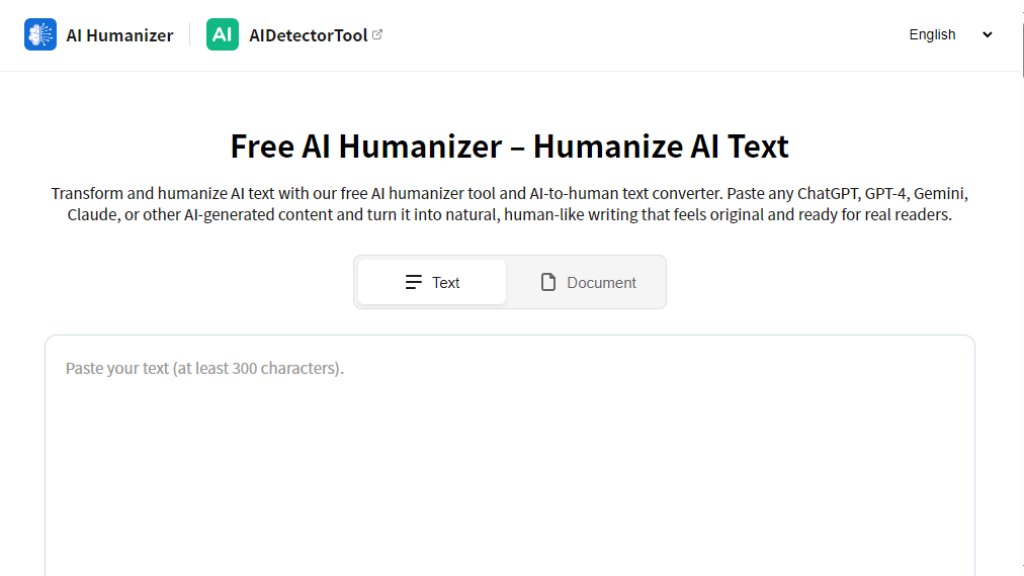
HumanizerTool.io is an intelligent online tool designed to convert AI-generated text into natural, human-like writing. It acts as an automated text converter that rewrites content from sources like ChatGPT, Gemini, or Claude to improve its readability and style. The tool focuses on preserving the original meaning while adjusting the tone, flow, and word choice to make the output sound more authentic and less robotic. It is positioned as a solution for anyone who uses AI for content creation but needs the final text to feel original and engaging for human readers. The platform emphasizes ease of use, requiring no account or installation, and processes text within seconds.
Main Features
1. Free and Instant Use: The tool is completely free to use with no account, credit card, or installation required, providing fast results.
2. Adjustable Output Length: Users can choose from concise, normal, or expanded text lengths to meet specific content requirements.
3. Multiple Tone Options: It offers 8 different tone styles, including academic, business, creative, and informal, to match various contexts.
4. Purpose-Based Modes: The tool provides 9 specialized modes tailored for different types of writing, such as academic papers or legal documents.
5. Multilingual Support: It supports humanizing text in 12 different languages, facilitating work for a global audience.
6. File Upload and Download: Users can upload text files for batch processing and download the humanized results in formats like TXT or DOC.
7. Integrated AI Detector: A built-in AI checker allows users to scan their text for AI traces within the same platform.
8. Customization Controls: Features like similarity adjustment (Low, Moderate, High) give users control over how much the text is altered.
Use Cases
1. Academic Writing: Students and researchers can humanize AI-generated essays, research summaries, and papers to improve readability while maintaining academic rigor.
2. Content Marketing: Bloggers, marketers, and SEO specialists can transform AI drafts into engaging, natural-sounding articles, social media posts, and website copy.
3. Business Communication: Professionals can refine AI-generated reports, emails, and proposals to ensure they carry an appropriate and professional tone.
4. Multilingual Content Creation: Users working with international audiences can humanize text directly into target languages for blogs, translations, or global SEO.
5. Personal Projects: Individuals can use the tool to polish AI-generated creative writing, personal emails, or notes to sound more personal and authentic.
6. Editing and Drafting: Writers and editors can use the humanized output as a superior first draft, saving time on initial rewrites and polishing.
Pricing Plans
1. Free Plan: The tool is currently offered entirely for free with no mentioned limitations on usage, character count, or features based on the provided website content. There is no indication of paid tiers, subscriptions, or premium plans.
Frequently Asked Questions
1. Q: What is an AI humanizer tool?
A: It is an online converter that rewrites AI-generated text to sound more natural and human while keeping the original meaning.
2. Q: How does the AI humanizer work?
A: Paste your AI text, choose optional settings like length or tone, and click 'Humanize'. The tool uses advanced models to rephrase and smooth the text.
3. Q: Can I use it with an AI detector?
A: Yes, the platform includes a built-in AI detector and checker to scan your text after humanizing.
4. Q: Does it keep the original meaning and formatting?
A: It focuses on preserving meaning and intent. Paragraph breaks are usually kept, though some sentence restructuring may occur for natural flow.
5. Q: Can I edit the text after humanizing?
A: Yes, the humanized version can be freely edited, shortened, or expanded as needed.
6. Q: How long does the process take?
A: Processing is typically completed within a few seconds, instantly for short texts.
Pros and Cons
Pros:
1. Completely free with no hidden costs or account requirements.
2. Fast and convenient processing with instant results.
3. Offers powerful customization through length, tone, and purpose settings.
4. Supports multiple languages, which is innovative for a free tool.
5. Includes a useful built-in AI detector for content verification.
6. User-friendly interface with simple copy-paste functionality.
Cons:
1. The promised document upload feature (PDF, Word, etc.) is not yet available and is 'coming soon'.
2. As a free tool, long-term reliability and feature updates are not guaranteed.
3. The tool does not guarantee bypassing advanced AI detection systems, which may limit its effectiveness for some strict use cases.
4. The output, while improved, may still require manual editing for highly specialized or nuanced content.
Recommendation Rating
8/10 (A powerful and convenient free tool for instantly improving AI text readability, though its future development and



Please login to post a comment
Login