What is ideaShell?
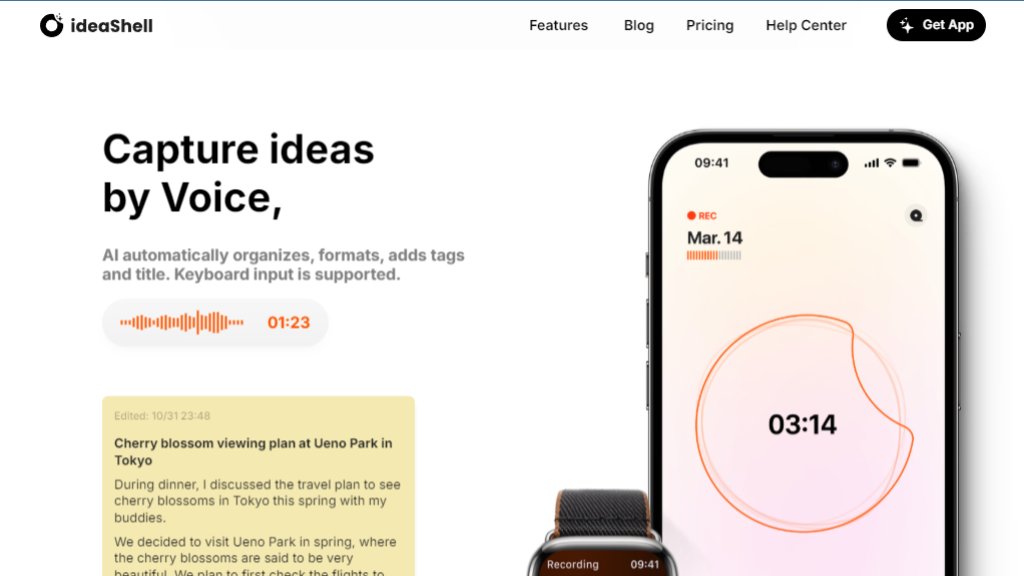
ideaShell is an intelligent voice-first note-taking application designed to capture fleeting ideas the moment they occur. It allows users to record thoughts naturally by voice, which are then automatically transcribed, organized, formatted, and tagged. The tool goes beyond simple capture by facilitating in-depth conversations with an AI assistant to refine and expand ideas. Its core feature is the Smart Card system, which transforms raw thoughts into various actionable formats like to-do lists, email drafts, and summaries, seamlessly integrable with popular productivity apps.
Main Features
- Voice Capture & Automated Organization: Instantly transcribes speech to text, generating titles, tags, and structured formats.
- Smart Card Generator: Creates customizable content outputs (to-do lists, emails, summaries) in styled formats for easy sharing.
- In-depth AI Conversations: Engages in meaningful dialogue to explore, refine, and develop ideas further.
- Voice Emotion Diary: Analyzes the emotional tone of recordings to provide insights and support reflection.
- Multi-Platform Sync & Export: Works across iPhone, Android, iPad, Mac, and Apple Watch, with export to apps like Notion, Craft, and Ulysses.
- ideaShell Ask: Uses natural voice commands to search and manage your recorded ideas.
Use Cases
- Creative Professionals: Capture spontaneous ideas and transform them into content outlines, scripts, or social media posts.
- Students & Learners: Record and organize lecture notes, generate summaries, and create study guides.
- Business Professionals: Turn meeting insights and project ideas into actionable summaries, reports, and email drafts.
- Personal Journaling & Reflection: Maintain a voice diary for emotional tracking and personal growth with AI-powered insights.
- Project Planning: Convert brainstorming sessions into structured to-do lists and plans for execution in other tools.
Common Questions
- Q: What is ideaShell?
- A: It's an intelligent voice note-taking app that captures, organizes, and develops your ideas through AI.
- Q: How does quick recording work?
- A: Simply speak your idea; the app transcribes, formats, and tags it automatically, even from an Apple Watch.
- Q: What are Smart Cards?
- A: They are customizable outputs (like emails or summaries) generated from your notes for easy sharing and action.
- Q: How does integration with other apps work?
- A: You can export notes and Smart Cards directly to tools like Notion, Craft, Ulysses, and more via share options.
- Q: Is my data secure?
- A: Yes, the company emphasizes data security; refer to their Privacy Policy for specific details.
Pricing Plan
- Free Plan: Includes core voice capture, basic transcription, and organization features with limited Smart Card generations and storage.
- Pro Plan (Monthly/Yearly Subscription): Offers unlimited voice recordings, advanced AI conversations, unlimited Smart Card generation, priority transcription, emotion analysis, full export capabilities, and cross-device sync. Typically priced as a subscription.
- Lifetime Purchase: A one-time payment option for permanent access to all Pro features, often promoted as a special offer.
- Note: Some advanced features like Voice Emotion Diary and ideaShell Ask may be labeled as 'coming soon' in some versions. Pricing details are subject to change and should be verified directly on the official website or app store listings.



Please login to post a comment
Login