What is MindShow?
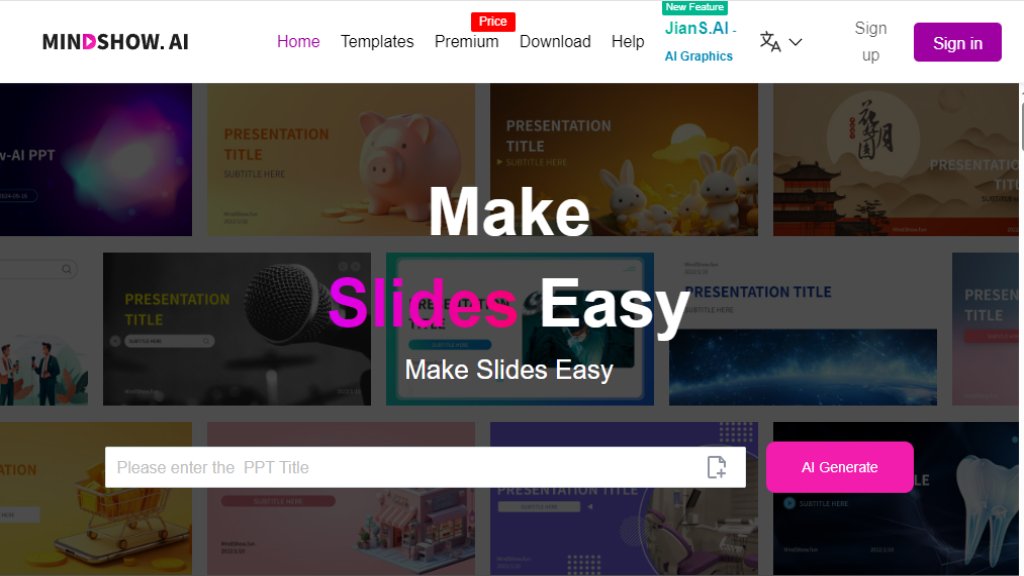
MindShow is an automated presentation generation platform that transforms various input formats into structured, visually appealing slides. It eliminates the tedious, time-consuming aspects of PowerPoint creation by using intelligent algorithms to handle design, layout, and formatting. Users can start from a simple title, paste text, or upload existing documents like Word files, PDFs, Markdown, or even mind maps. The tool then analyzes the content and generates a complete slide deck with appropriate themes and graphics. It's designed for professionals, students, educators, and anyone who needs to create presentations quickly without deep design skills, focusing on letting users concentrate on content rather than manual formatting.
Main Features
- AI-Powered Generation: Input a title or topic, and the AI automatically generates a complete presentation with content and design.
- Multi-Format Import: Supports direct conversion from Word (.docx), PDF, Markdown, plain text, and mind maps (.xmind, .mm) into slides.
- PPT Import & Optimization: Upload existing .pptx files for AI-driven content analysis and automatic layout redesign.
- Long Text Summarization: Can process texts up to 100,000 words, using AI to summarize and condense them into a presentation.
- Image Analysis to PPT: Upload images for AI to analyze and create a single descriptive slide.
- Outline-Based Editing: Presents generated content in an outline format for easy modification and restructuring.
- One-Click Theme Switching: Offers multiple professional themes and layouts that can be changed instantly.
- Flexible Output: Present online directly or export the final deck as a standard .pptx file for offline use.
Use Cases
- Business Reporting: Quickly generate daily work reports, project plans, and performance summaries from existing documents.
- Education & Teaching: Teachers and students create lecture materials, competition presentations, thesis defenses, and experience sharing decks.
- Product Presentations: Develop professional product demos, marketing slides, and sales pitches efficiently.
- Meeting Management: Prepare agenda slides, executive summaries, and planning documents for corporate meetings.
- Content Repurposing: Transform long articles, reports (PDFs), or structured notes (Markdown/mind maps) into shareable presentation formats.
- Administrative Tasks: Streamline the creation of internal company communications, training materials, and planning documents.
Frequently Asked Questions
- Q: What file formats can I import to create a presentation?
A: MindShow supports .docx (Word), .pdf, .pptx (for optimization), .txt, Markdown, and mind map formats (.xmind, .mm).
- Q: Can I edit the AI-generated presentation?
A: Yes, you can easily modify the content through the outline editor and change themes or layouts with one click.
- Q: How long can the input text be?
A: The tool can process and summarize long texts of up to 100,000 words to create a condensed presentation.
- Q: Can I use my existing PowerPoint file with MindShow?
A: Yes, you can import .pptx files. The AI will analyze the content and redesign the layout for optimization.
- Q: What is the output format? Can I download the presentation?
A: You can present directly online or export and download your final presentation as a standard .pptx file.
Pricing Plans
Based on the reference material, specific pricing tiers are not detailed. The website focuses on feature demonstration and user testimonials. Typically, such tools offer:
- A Free Plan: Often with limited features, generations, or exports.
- Premium/Pro Plans: Unlock full features like unlimited presentations, advanced AI models, more export options, and premium templates. Users are advised to visit the official website (https://www.mindshow.fun/) and check the 'Pricing' section for the most current and detailed plan structures, limitations, and subscription costs.
Pros and Cons
Pros:
- Saves significant time by automating design and formatting tasks.
- Extremely user-friendly, requiring no design background.
- Supports a wide range of convenient input formats (Word, PDF, Markdown, etc.).
- Powerful AI summarization for long documents.
- Useful outline editor makes content modification straightforward.
- Ability to optimize existing PowerPoint files is innovative.
- Positive user feedback highlights real efficiency gains in professional and academic settings.
Cons:
- AI-generated design may lack a highly customized or unique look.
- The creative control is partially handed over to the algorithm.
- The dependency on AI might not suit presentations requiring very specific, brand-heavy formatting.
- Pricing details are not immediately clear from the provided reference material.
Recommendation Rating
8.5/10 (A powerful and time-saving tool for anyone who creates presentations regularly. It excels in converting existing content into slides quickly and is backed by strong user testimonials. Points are deducted for lack



Please login to post a comment
Login