What is Moda?
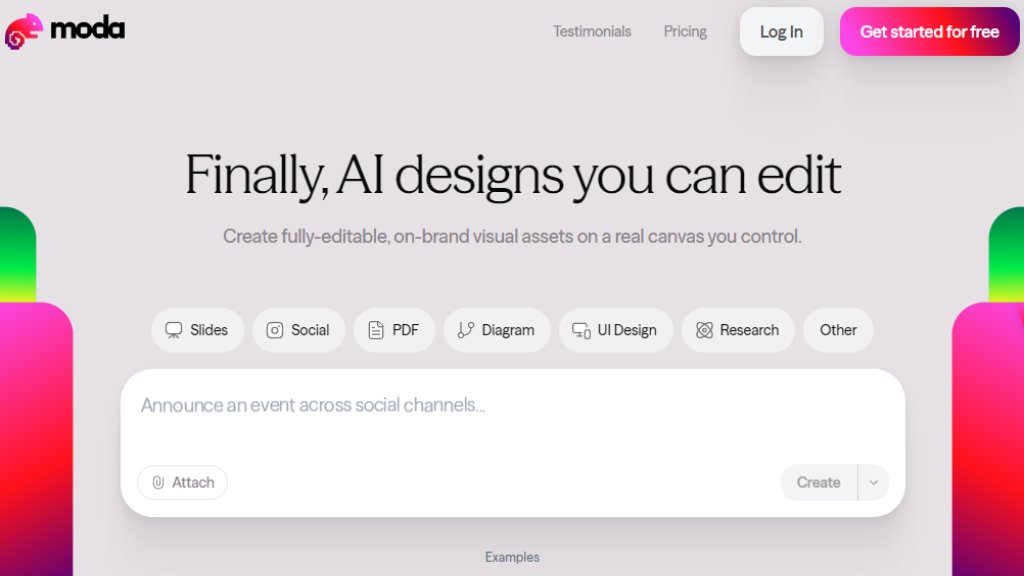
Moda is an innovative design platform that uses artificial intelligence to help users create professional, branded visual content. Unlike many AI design tools that output static images, Moda generates designs on a real, editable canvas, giving users full control over the final product. It aims to democratize design by making it fast and accessible for teams and individuals without extensive graphic design skills. Users can start from scratch, use prompts, or remix existing templates to produce a wide variety of assets, from slide decks and social media graphics to UI mockups and research documents.
Main Features
1. Real Editable Canvas: AI-generated designs are placed on a fully manipulatable canvas, allowing for detailed manual editing and customization.
2. Multiple Design Models: Offers Lite, Standard, and Pro AI models with varying capabilities and credit costs for different complexity levels.
3. Versatile Asset Creation: Generates slides, social media posts, PDFs, diagrams, UI designs, and research documents from text prompts.
4. Brand Customization: Tools to apply and maintain brand consistency across all created assets.
5. Real-time Collaboration: Supports multiple users working together on designs simultaneously.
6. Template Library & Remixing: Provides example designs that users can quickly remix and adapt for their own needs.
7. Credit-Based System: Usage of AI features is managed through a transparent credit system, with different plans offering monthly allocations.
Use Cases
1. Marketing Teams: Quickly creating branded social media carousels, event invites, and promotional one-pagers.
2. Sales Professionals: Designing polished sales pitch decks, proposal PDFs, and competitive landscape analyses.
3. Business Leaders & Startups: Building investor presentations, fundraising announcements, and company reports.
4. HR & Internal Communications: Producing hiring posters, employee onboarding documents, and internal presentation decks.
5. Product Teams: Mocking up user interface designs, dashboard layouts, and feature announcement slides.
6. Consultants & Agencies: Rapidly generating client-ready visual assets for various projects and industries.
Supported Languages
1. The primary interface and content generation are focused on English. Information regarding support for other languages is not explicitly detailed on the provided website pages.
Pricing Plans
1. Free Plan: $0/month. Includes 1,000 AI credits monthly, Standard & Lite design models, basic customization, slide deck designer, social posts, charts, UI designer, real-time collaboration, and community support.
2. Pro Plan: $30/month (billed monthly). Includes 6,000 AI credits monthly, everything in Free plus the Pro design model, pooled credits for teams, and email support.
3. Ultra Plan: $100/month (billed monthly). Includes 20,000 AI credits monthly, everything in Pro plus organizations & teams, shared workspaces, unlimited brand kits, SSO/SAML authentication, and priority support.
Frequently Asked Questions
1. Q: What's an AI credit?
A: AI credits are units that measure usage of AI features. Different actions (like generating a design or removing a background) consume varying amounts of credits based on complexity. Credits refresh monthly.
2. Q: What's the difference between Lite, Standard, and Pro models?
A: Lite is for simple designs (0.5x credit cost). Standard is for most designs (1x cost). Pro is for the most complex designs (1.5x cost, available on Pro plan only).
3. Q: What happens when I run out of credits?
A: On the Free plan, AI features pause until the next cycle. On paid plans, additional usage is billed at a metered rate without interruption.
4. Q: Can I upgrade or downgrade at any time?
A: Yes. Upgrades take effect immediately. Downgrades take effect at the end of the current billing period.
5. Q: Do unused credits roll over?
A: No, credits reset to your plan's allocation at the start of each billing cycle.
6. Q: Is there a limit on projects or team members?
A: All plans include unlimited projects. On paid plans, each team member is a billed seat that adds more credits to the shared pool.
Pros and Cons
Pros:
1. Provides full editing control on a real canvas, unlike many AI tools that output flat images.
2. Versatile for creating a wide range of business and marketing assets.
3. Offers a generous free plan for testing and light usage.
4. Facilitates brand consistency and team collaboration.
5. Transparent, credit-based pricing model with clear plan tiers.
Cons:
1. The credit system requires management and understanding of costs per action.
2. Advanced Pro AI model and higher credit limits are locked behind paid plans.
3. Primary language support appears to be English, potentially limiting non-English users.
4. Complex designs can consume credits quickly, especially using the Pro model.
Recommendation Rating
8/10 (A powerful and innovative tool that bridges the gap between AI generation and manual design control, ideal



Please login to post a comment
Login