What is NemoVideo?
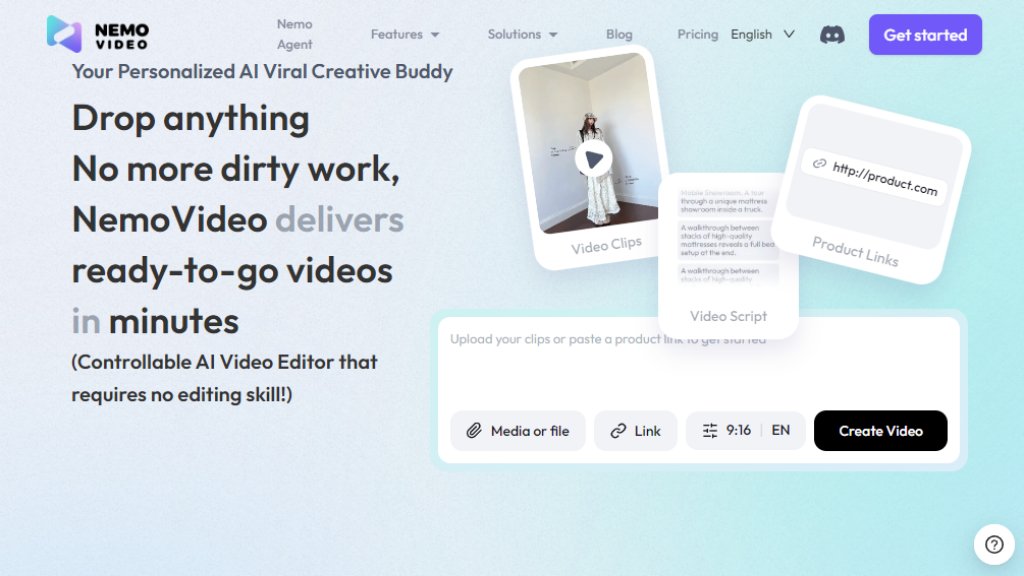
NemoVideo is a personalized, intelligent video editing platform designed to help users create viral-style video content effortlessly. It functions as a controllable AI video editor that requires no traditional editing skills. Users can simply input their ideas, and the platform's core AI, the Nemo Agent, automates the entire workflow from script generation to final video production. It analyzes current video trends, generates performance-optimized scripts, and handles editing tasks like cutting, captioning, and adding music through simple voice or text commands. The tool is built for creators, marketers, freelancers, and businesses looking to produce engaging video content quickly and at scale.
Main Features
1. Viral+ Studio: A comprehensive suite to hunt, analyze, and recreate viral marketing videos using intelligent analysis.
2. Inspiration Center: Acts as an AI creative strategist, generating creative briefs and winning script structures by analyzing viral trends across platforms.
3. SmartAudio: Automatically adds suitable voiceovers and background music to videos.
4. Smart Caption: Provides one-click caption generation with access to numerous trending styles and animations.
5. Talking-head Video Editor: A specialized editor for talking-head videos, featuring smart b-roll insertion and voice matching capabilities.
6. SmartPick: Automatically removes junk clips like silence and selects the best highlights from raw footage.
7. Nemo Agent: Enables 'Talk-to-Edit' functionality, allowing users to edit videos by giving simple voice or text commands.
Use Cases
1. For Freelancer Editors: To speed up client video projects and deliver high-quality edits faster.
2. For Affiliate Creators: To quickly produce persuasive product review and promotional videos.
3. For E-commerce Businesses: To create attractive product demo and advertisement videos for social media.
4. For Marketers: To develop data-driven, trend-aware video campaigns designed for viral potential.
5. For Content Creators and Bloggers: To consistently generate engaging video content for platforms like YouTube, TikTok, and Instagram.
Supported Languages
1. The platform interface and core features support English, as indicated by the default 'EN' setting.
2. It offers multi-language compatibility for video outputs, including support for different languages in voiceovers and captions, though the specific list is not detailed on the provided pages.
Pricing Plans
1. Free Plan: $0/month. Includes 100 credits, access to main features like Viral Video Search, Script Writing, and basic editing. Allows at least two video outputs.
2. Starter Plan: $4.17 per user per month (billed annually at $49.99/year). Includes 1100 credits monthly (~13 video tasks). Contains everything in the Free plan.
3. Pro Plan: $33.32 per month (billed annually at $399.9/year). Includes 4300 credits monthly (~50 video tasks). Contains everything in the Starter plan.
Frequently Asked Questions
1. Q: What are 'Credits' and how are they consumed?
A: Credits are the unit used for video generation tasks. The consumption depends on the complexity and length of the video.
2. Q: What happens if a video generation fails?
A: The website likely has a policy to refund or not consume credits for failed generations, though the exact policy should be checked in the Help Center.
3. Q: Can I purchase additional credits separately?
A: This information is not specified on the provided pricing page; users may need to contact support or check for top-up options.
4. Q: How long are my credits valid?
A: Credits typically expire at the end of the billing cycle, but the specific validity period should be confirmed in the terms.
5. Q: What is your cancellation and refund policy?
A: Details would be available in the Terms of Service; generally, annual plans may have specific cancellation terms.
Pros and Cons
Pros:
1. Extremely user-friendly with a 'Talk-to-Edit' feature that eliminates the need for complex editing skills.
2. Integrates the entire video creation pipeline from trend analysis to final editing in one platform.
3. Offers a generous free plan for users to test core functionalities.
4. Automated features like SmartPick and SmartCaption save significant time in post-production.
Cons:
1. Output is limited by a credit system, which may restrict high-volume creators on lower-tier plans.
2. The AI's creative interpretation may not always align perfectly with a user's specific vision, requiring manual adjustments.
3. As an AI-dependent tool, it requires a stable internet connection and may have limitations compared to advanced professional desktop software.
Recommendation Rating
8/10 (A powerful and innovative tool for rapid, trend-based video creation, ideal for social media marketers and content creators, though heavy users should monitor credit usage.)



Please login to post a comment
Login