What is Paper?
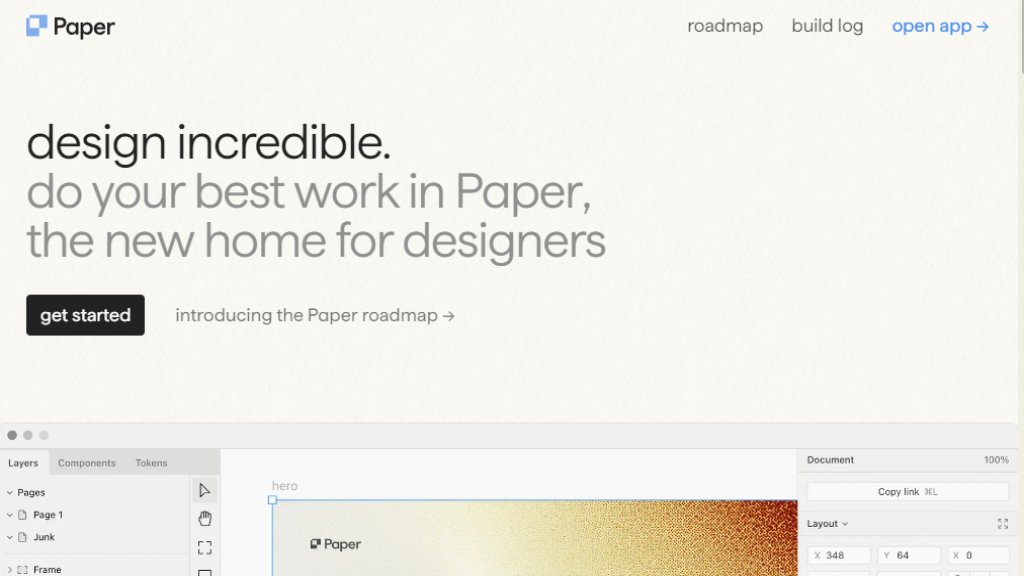
Paper is an innovative design platform currently in open alpha, built specifically for modern designers and developers. It functions as a powerful canvas that enables creators to produce beautiful digital art and experiences while maintaining a direct connection to production code. Unlike traditional design tools that operate in isolation, Paper emphasizes a seamless workflow from design to implementation. The platform integrates real CSS rendering, allowing designs to use actual production code components, Tailwind CSS, and advanced layout systems like CSS Grid. This approach ensures that design decisions can directly translate to final products without recreation or translation errors. Paper also incorporates an intelligent agent layer on the canvas to automate repetitive tasks, and it supports features like live data fetching from APIs, making it a comprehensive environment for designing interactive, data-driven interfaces.
Main Features
1. Real CSS Rendering: Designs use actual CSS, including Flexbox and planned CSS Grid, ensuring pixel-perfect translation to code.
2. Code Component Integration: Import and use real React components, maintaining a single source of truth between design and development.
3. Native Tailwind CSS Support: Real-time Tailwind rendering with import/export capabilities for idiomatic code.
4. Intelligent Canvas Assistant: An automated agent layer helps with repetitive tasks directly on the canvas.
5. Paper Shaders: A library of visual effects and textures (like Halftone CMYK, Fluted Glass) for creating unique aesthetics.
6. Live Data Connectors: Connect designs to APIs or Google Sheets to populate with real data during the design phase.
7. Advanced Vector & Image Editing: Includes a Pen tool, vector editing, and professional image filters (blur, sharpen, color adjustments).
8. AI-Powered Image Generation: Integrated image generation using models like Flux 2 and Gemini 3 for creating assets.
9. Multi-format Export: Export designs as React code, Tailwind, PNG, WebP, AVIF, and video (MP4).
10. Real-time Collaboration & Versioning: Built for team workflows with sharing controls and multiplayer editing.
Use Cases
1. UI/UX Design & Prototyping: Create high-fidelity, interactive prototypes using real components and live data.
2. Design System Management: Build and maintain consistent design systems that sync directly with code repositories.
3. Marketing & Brand Asset Creation: Design social media graphics, website banners, and promotional videos with advanced shaders and effects.
4. Developer-Designer Collaboration: Bridge the gap between teams by designing with the same components and CSS used in production.
5. Data Visualization Design: Create charts and dashboards that are wired to live data sources for accurate representation.
6. Motion Graphics & Animation: Design animated elements using Lottie/Rive embeds and export them as videos.
7. Print-style Digital Art: Utilize specialized shaders like Halftone CMYK to achieve print-quality textures for digital assets.
Supported Languages
The website and primary interface are in English. The tool itself outputs and works with web standard languages:
1. CSS (including modern features like OKLCH, LCH, LAB, calc, color-mix)
2. React (JSX) code via 'Copy as React'
3. Tailwind CSS classes
4. SVG format for vector elements
5. Supports variable fonts and custom font axis values.
Pricing Plans
The official website (paper.design) does not list any specific pricing plans, tiers, or subscription costs. The tool is currently in an 'open alpha' phase, and the available information focuses on features, roadmap, and build logs. There is no mention of free plans, paid plans, or contact-for-pricing structures in the provided reference materials.
Frequently Asked Questions
1. Q: What is the current status of Paper?
A: Paper is currently in an open alpha development phase.
2. Q: How does Paper connect design to production code?
A: It allows you to use your actual code components (like React) and renders real CSS (Flexbox, Tailwind) so designs are production-ready.
3. Q: Can I import existing website designs into Paper?
A: Yes, a planned 'Import Anything' browser plugin will let you copy sections from a live site and paste them into Paper for editing.
4. Q: Does Paper support team collaboration?
A: Yes, it includes multiplayer features and plans for full sharing settings with permission controls for teams and contractors.
5. Q: What kind of visual effects can I create?
A: Paper offers 'Paper Shaders'—a library of effects like Halftone, Fluted Glass, and Grain—and plans for advanced image filters and particle systems.
Pros and Cons
Pros:
1. Bridges the design-development gap with real CSS and code component integration.
2. Innovative features like live data connectors and canvas-aware intelligent assistants.
3. Powerful and unique visual effects through the Paper Shaders system.
4. Active development with frequent updates, as shown in the detailed b



Please login to post a comment
Login