What is PhotoCat Photo to Cartoon?
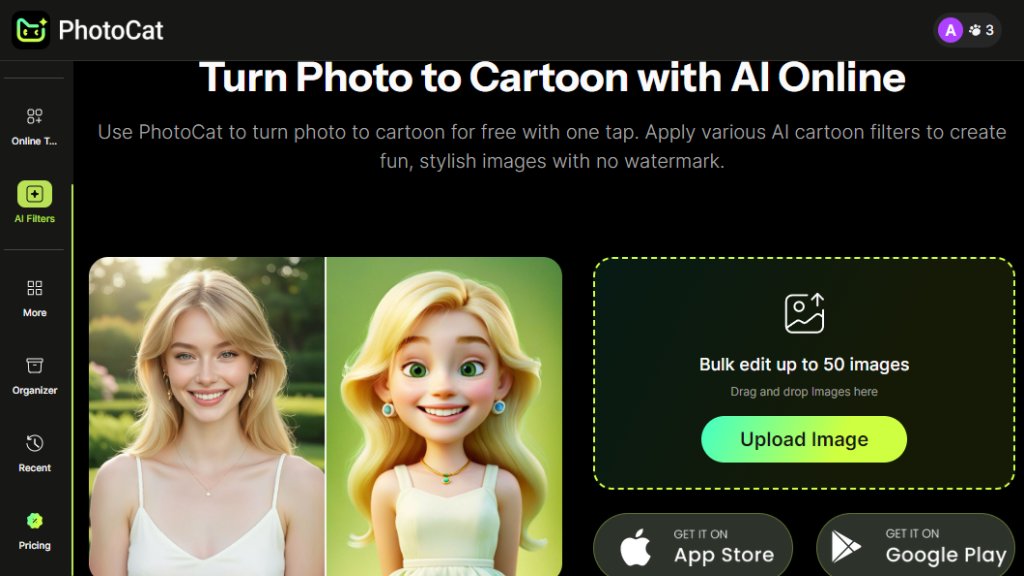
PhotoCat Photo to Cartoon is an intelligent online tool that automatically converts standard photographs into cartoon-style images. It leverages advanced artificial intelligence to analyze and reinterpret photo details, applying artistic filters that mimic hand-drawn cartoon aesthetics. The process is fully automated, requiring users to simply upload an image and select a desired cartoon effect. The service operates directly within a web browser, eliminating the need for software downloads or complex editing skills. It is designed for speed and convenience, producing fun, shareable, and stylish cartoon versions of personal or professional photos without adding watermarks to the final output.
Main Features
1. One-Tap Cartoon Conversion: Apply various AI cartoon filters to transform photos instantly with a single click.
2. Bulk Editing Capability: Process up to 50 images simultaneously for efficient, large-scale projects.
3. Diverse Cartoon Filters: Access multiple artistic styles to create different cartoon effects from a single photo.
4. Watermark-Free Output: Download final cartoon images without any branded watermarks.
5. Simple Drag-and-Drop Interface: User-friendly design allows easy image upload and management.
6. Priority Rendering for Pro Users: Paid subscribers receive faster processing speeds.
Use Cases
1. Creating unique profile pictures or avatars for social media platforms.
2. Designing personalized gifts, invitations, or greeting cards with a fun cartoon theme.
3. Producing engaging visual content for blogs, websites, or marketing materials.
4. Generating artistic references or character concepts for hobbyists and illustrators.
5. Adding a creative twist to family photos or event pictures for personal albums.
6. Preparing eye-catching visuals for presentations or educational content.
Pricing Plans
1. Free Plan: Includes 5 credits per day for basic conversions.
2. Meowber Pro (Weekly): Costs $6.99 for 7 days, providing 100 weekly credits, an ad-free experience, and priority rendering.
3. Meowber Pro (Yearly): Priced at $59.99 for one year, offering the same features as the weekly plan at a discounted rate.
Frequently Asked Questions
1. Q: Is the Photo to Cartoon tool really free?
A: Yes, a free plan is available with daily credit limits.
2. Q: How many images can I process at once?
A: The bulk editor supports uploading and converting up to 50 images simultaneously.
3. Q: Are there watermarks on the cartoon images?
A: No, downloaded images are free of watermarks.
4. Q: What is the difference between the free and pro plans?
A: Pro plans offer more credits, remove ads, and provide faster, priority rendering.
Pros and Cons
Pros:
- Extremely fast and automated conversion process.
- Convenient bulk editing feature saves significant time.
- Free tier available for casual use and testing.
- User-friendly interface requires no technical expertise.
- Outputs are watermark-free, even on the free plan.
Cons:
- Daily credit limits on the free plan restrict heavy usage.
- Advanced features and higher volume require a paid subscription.
- The quality of cartoonization may vary depending on the original photo.
Recommendation Rating
7.5/10 (A powerful and convenient tool for quick cartoon transformations, ideal for casual users and content creators, though heavy users will need a paid plan.)



Please login to post a comment
Login