What is PhotoRestore.ai?
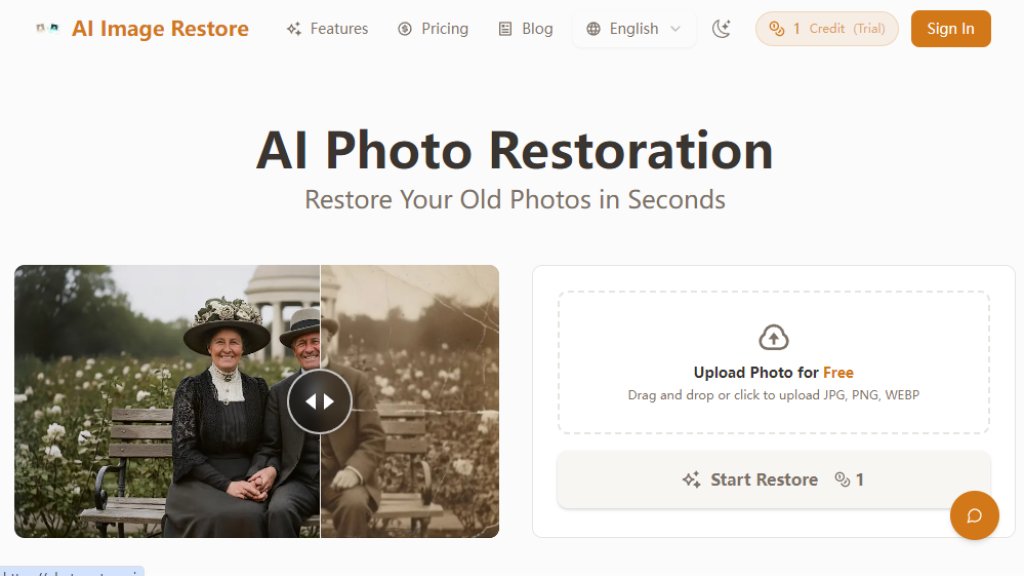
PhotoRestore.ai is an online service that utilizes advanced artificial intelligence to restore and enhance old, damaged photographs. It is designed to be a powerful yet simple tool for anyone looking to preserve their visual memories. The platform operates entirely through a web browser, eliminating the need for complex software installation or technical expertise. Its core function is to analyze uploaded photos and automatically perform a comprehensive restoration process. This includes repairing physical damage like tears and scratches, removing stains and blur, and intelligently adding color to black and white images. The service emphasizes a user-friendly experience with a one-click restoration process, making professional-grade photo repair accessible to the general public. It aims to transform faded, damaged photographs into clear, vibrant images suitable for sharing, printing, and archival purposes.
Main Features
1. One-Click Smart Restoration: The platform features an automated engine that diagnoses multiple issues in a photo simultaneously and applies all necessary repair algorithms with a single click.
2. Context-Aware Damage Repair: The intelligent system seamlessly repairs physical damage like tears, creases, and stains by analyzing surrounding pixels for accurate, trace-free filling.
3. Intelligent Historical Colorization: It goes beyond simple colorizing by analyzing the photo's era, lighting, and texture to reconstruct historically accurate and lifelike colors, avoiding cartoonish tones.
4. Deep Facial Reconstruction: For portraits, the AI is trained to specifically enhance and reconstruct facial features, restoring clear and natural details like smiles and skin tones.
5. High-Definition Output: Restored photos can be downloaded in high-resolution, watermark-free formats, suitable for printing and archiving.
6. Secure and Private Processing: All uploads are encrypted, and both original and restored images are automatically deleted from servers within 24 hours for user privacy.
Use Cases
1. Restoring Family Archives: Individuals can digitize and repair old family portraits, wedding photos, or childhood pictures that have faded or been damaged over time.
2. Preserving Historical Documents: Enthusiasts or researchers can use it to improve the clarity of historical photographs, group photos, or documents for personal archives or presentations.
3. Repairing Accidentally Damaged Photos: Users can fix modern digital photos that have suffered from scratches, water stains, or other physical damage on printed copies.
4. Preparing Photos for Printing: Before ordering reprints or enlargements, users can restore an old photo's sharpness and color to ensure a high-quality final product.
5. Enhancing Genealogy Projects: Those building family trees can restore old ancestor photographs to add visual clarity and life to their historical records.
6. Creative and Personal Projects: Artists or individuals can use restored images for personalized gifts, memory books, or digital slideshows.
Pricing Plans
1. Free Trial: Offers a limited number of restorations with a watermark on the output image.
2. Monthly Subscription: Priced at $9.9 USD per month. This plan provides 20 credits (one per restore) monthly, which is the best value at approximately $0.495 per credit.
3. Monthly Subscription Pro: Priced at $19.9 USD per month. This plan provides 50 credits monthly, offering a lower per-credit cost of approximately $0.398 for users with higher volume needs.
Frequently Asked Questions
1. Q: Is my photo secure? A: Yes, photos are encrypted and processed securely. Originals are deleted after 24 hours, and you can delete restored images anytime.
2. Q: What file formats do you support? A: The service supports JPG, PNG, and WEBP formats, with a maximum upload size of 10MB per photo.
3. Q: Is PhotoRestore.ai free? A: A free trial is available with watermarked results. To download high-definition, watermark-free images, a paid plan is required.
4. Q: How long does the restoration process take? A: Most photos are processed within 30 to 60 seconds, depending on damage complexity and server load.
5. Q: Do I need to manually select repair options? A: No, the Smart Engine automatically diagnoses the photo and runs all necessary restoration processes with one click.
6. Q: Can you restore photos with large missing parts, like half a face? A: For minor damage, results are impressive. However, for large areas of physical loss, AI reconstruction is based on guessing and may not meet expectations.
Pros and Cons
Pros:
- The one-click automated restoration process is extremely fast and convenient.
- It produces high-quality, historically accurate colorization and detailed facial reconstruction.
- Strong commitment to user privacy with automatic file deletion.
- No software installation or sign-up is required for the initial process.
- Offers a free trial to test the Pro-grade restoration capabilities.
Cons:
- The fr



Please login to post a comment
Login