What is Plexigen AI?
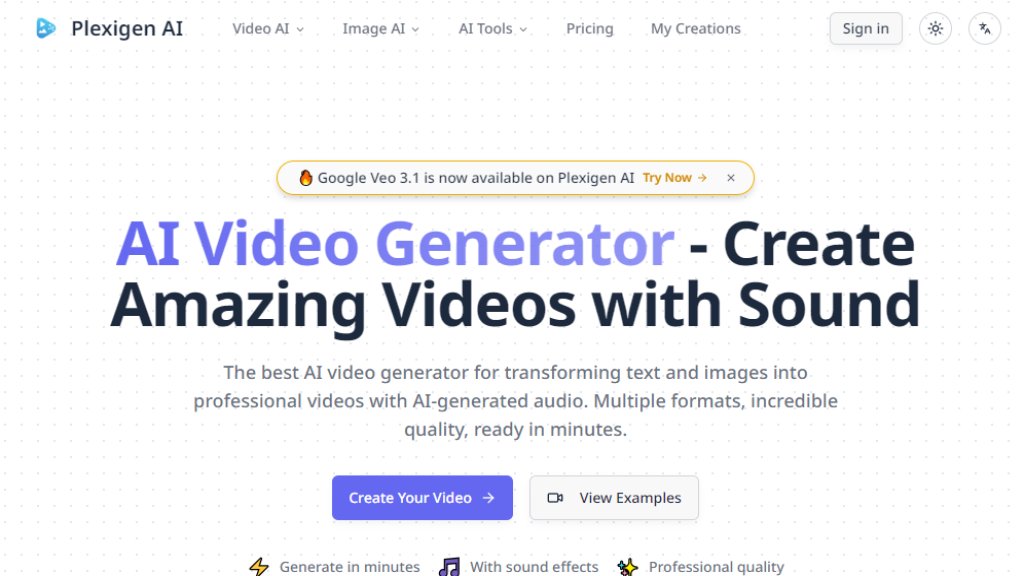
Plexigen AI is an automated video creation platform that leverages cutting-edge artificial intelligence. It allows users to generate professional-quality videos simply by providing a text description or uploading a single image. The platform's standout feature is its ability to automatically produce videos complete with matching sound effects and background music, eliminating the need for separate audio editing. This all-in-one solution streamlines the creative process from concept to final video, making it a convenient tool for content creators, marketers, and businesses looking to produce engaging visual content quickly and efficiently.
Main Features
1. Text to Video: Input detailed scene descriptions to automatically generate corresponding dynamic videos.
2. Image to Video: Upload a static picture, and the AI will animate it into a lively video clip.
3. Video to Video: Transform existing videos with style changes or content extensions (available in Pro and higher plans).
4. Intelligent Audio Generation: Automatically matches and adds synchronized sound effects and background music to generated videos.
5. High-Quality Output: Produces high-resolution videos in various formats like landscape, portrait, and square for different platforms.
6. Video Enhancement Tools: Includes post-processing features like video upscaling and intelligent reframing.
Use Cases
1. Social Media Content Creation: Quickly produce eye-catching short videos for platforms like Instagram, TikTok, and YouTube.
2. Digital Marketing & Advertising: Create high-quality promotional video素材 for product launches and brand storytelling.
3. Content Creators & Bloggers: Visualize articles, blog posts, or ideas rapidly to enrich content formats.
4. Education & Presentations: Transform complex concepts or teaching materials into easy-to-understand animated videos.
5. Personal Creative Expression: Turn imaginative scenes or artistic concepts into reality swiftly.
Supported Languages
1. Interface Language: The website interface supports English, with a 'Switch language' option potentially available.
2. Input Language: The text-to-video function primarily supports English prompts, which is the standard input method for current AI video models.
Pricing Plans
1. Creator Plan: $15/month or $10/month billed annually ($120/year). Includes 1500 credits monthly for approximately 25 AI videos (15 using Veo 3.1).
2. Pro Plan (Most Popular): $29/month or $20/month billed annually ($240/year). Includes 4000 credits monthly for about 66 AI videos (40 using Veo 3.1), plus features like video-to-video, lip sync, and advanced audio.
3. Enterprise Plan: $49/month or $35/month billed annually ($420/year). Includes 7500 credits monthly for roughly 125 AI videos (75 using Veo 3.1), offering fastest generation, advanced features, and upcoming API access.
All paid plans include commercial usage rights, watermark-free videos, and a 30% discount for annual subscriptions.
Frequently Asked Questions
1. Q: How does this AI video generator work?
A: You provide a text description or upload an image. The AI model generates a video based on that and automatically creates matching audio. Generation time varies by model and complexity.
2. Q: Can it generate videos with sound?
A: Yes, this is a key advantage. It automatically generates videos with matching sound effects and background music, not silent clips.
3. Q: What is the quality of the generated videos?
A: It produces high-resolution, professional-quality videos suitable for commercial use, all with synchronized audio and optimized for various platforms.
4. Q: How do credits work?
A: Using the platform consumes credits. The amount depends on the chosen AI model, video quality, length, and features. Required credits are shown before generation.
5. Q: Can I use the generated videos for commercial purposes?
A: Yes, all paid plans include commercial usage rights.
6. Q: Can I cancel my subscription anytime?
A: Yes, you can cancel your subscription at any time.
Pros and Cons
Pros:
1. Integrated Audio Generation: Automatically adds synchronized sound, simplifying workflow—a core selling point.
2. Advanced Models: Integrates cutting-edge models like Google Veo 3.1, ensuring high video quality with good physics and lip sync.
3. Fast Generation: Produces professional videos in minutes.
4. Flexible Formats: Supports multiple aspect ratios for different social platforms.
5. Simple Interface: Intuitive and easy to use.
Cons:
1. Input Language Limitation: Text prompts primarily rely on English, posing a barrier for non-English users.
2. Credit-Based Consumption: Video generation cost is tied to credits, requiring careful quota management for high-frequency users.
3. Advanced Feature Access: Features like lip sync and API access require Pro or Enterprise plans.
Recommendation Rating
8.5/10 (Reason: In the AI video generation space, its integrated 'video + audio' creation experience is highly distinctive, solving a key use



Please login to post a comment
Login