What is Pretty Prompt?
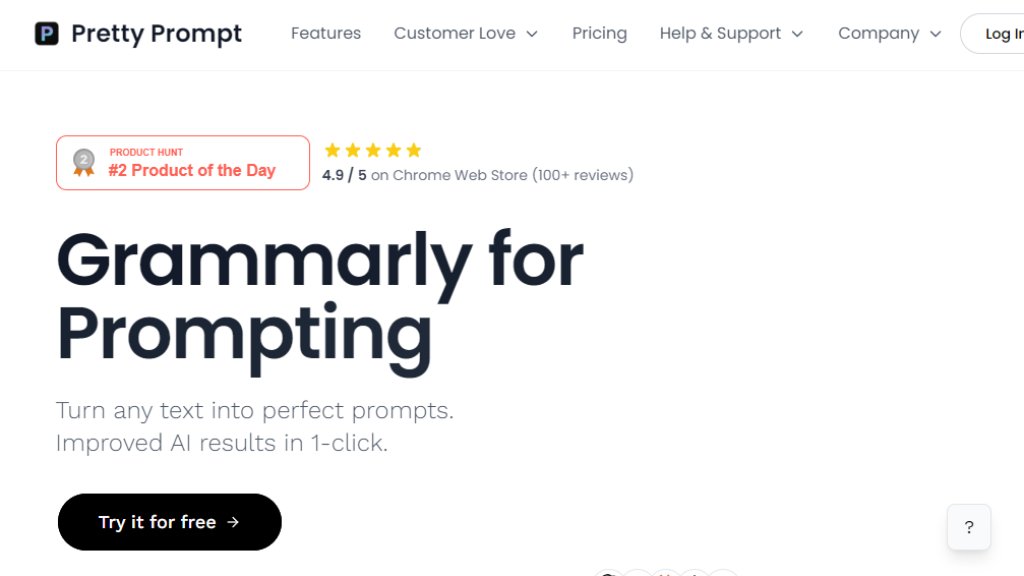
Pretty Prompt is a browser extension designed to enhance the quality of prompts used with large language models. It functions as an automated writing assistant specifically for prompt engineering. Users can input a basic idea or request, and the tool intelligently refines it into a clear, structured, and effective prompt. This process helps overcome the common challenge of 'garbage in, garbage out' by ensuring AI models receive well-formulated instructions. The extension integrates directly into popular AI platforms like ChatGPT, Gemini, and Claude, allowing for a seamless workflow without needing to switch tabs or contexts. Its core value proposition is delivering superior AI outputs by optimizing the input, making advanced prompt engineering accessible to everyone from beginners to professionals.
Main Features
1. One-Click Prompt Improvement: Transform any selected text into an optimized prompt instantly with a single click.
2. Cross-Platform Compatibility: Works directly within major AI chat interfaces including ChatGPT, Gemini, Claude, and Perplexity.
3. Prompt History: Saves a history of your improved prompts for easy reference and reuse.
4. Prompt Library: Allows users to save and organize their favorite or most effective prompts for future use.
5. Conversational Memory (Pro Feature): Enables in-context follow-ups by helping the AI remember previous interactions within a conversation.
6. Hotkey Commands: Provides keyboard shortcuts for fast and convenient prompt improvement.
7. Library Folders (Pro Feature): Organize saved prompts into custom folders for better management.
8. Native Language Support: Improves prompts while maintaining the user's original language.
Use Cases
1. Content Creation: Writers and marketers can generate more precise and creative content briefs, outlines, and drafts from AI.
2. Research and Analysis: Students and analysts can formulate better questions to get comprehensive, well-structured summaries and insights.
3. Coding Assistance: Developers can create clearer instructions for generating, explaining, or debugging code snippets.
4. Business Productivity: Professionals can draft more effective emails, reports, and strategy documents by refining their initial requests to AI.
5. Learning and Ideation: Individuals exploring new topics can use it to ask better questions, facilitating deeper understanding and idea generation.
6. Team Collaboration: Teams can standardize prompt quality, ensuring consistent and high-quality AI outputs across projects.
Pricing Plans
1. Free Plan: Cost is $0 per month. It includes 10 improved prompts per week, native language prompts, and limited prompt history (last 3 prompts).
2. Lite Plan: Priced at $4.99 per month when billed annually ($59.9 total). It offers 100 improved prompts per month, unlimited prompt history, and access to the Prompt Library.
3. Pro Plan: Priced at $8.25 per month when billed annually ($99 total). It includes unlimited improved prompts, all Lite features, plus Conversational Memory, Priority Support, Slack Community access, Hotkey Commands, Library Folders, and upcoming features.
4. Enterprise Plan: Custom pricing for organizations. Includes unlimited usage, dedicated support, and custom integrations.
Frequently Asked Questions
1. Q: What is Pretty Prompt?
A: It is a Chrome extension that helps you write better prompts for AI tools like ChatGPT and Gemini, turning simple text into effective prompts with one click.
2. Q: Is there a free plan?
A: Yes, there is a free forever plan that provides 10 improved prompts per week.
3. Q: Why should I pay for Pretty Prompt when I can write prompts myself?
A: It saves significant time and teaches effective prompt structuring, leading to consistently better AI results compared to manual, unrefined prompts.
4. Q: Can't I just use prompt templates from the internet?
A: Pretty Prompt offers dynamic, context-aware improvements tailored to your specific need, unlike static templates which may not fit every situation.
5. Q: How will this help my team at my company?
A: It standardizes prompt quality across teams, reduces time spent on prompt engineering, and leads to more reliable and professional AI-generated outputs.
6. Q: Is my data secure?
A: The website states that user data security is a priority, though specific details should be reviewed in their Privacy Policy.
Pros and Cons
Pros:
1. Extremely convenient and fast integration into existing AI workflows.
2. Powerful in transforming vague ideas into structured, effective prompts.
3. Innovative approach that lowers the barrier to effective AI use.
4. Free tier allows for substantial testing before committing.
5. Actively developed with a roadmap of new features.
Cons:
1. Functionality is primarily limited to the Chrome browser ecosystem.
2. The free plan has a weekly limit which may be restrictive for frequent users.
3. Advanced features like Conversational Memory are locked behind the Pro plan.
Recommendation Ratin



Please login to post a comment
Login