What is PhotoCat Remove Emoji from Photo?
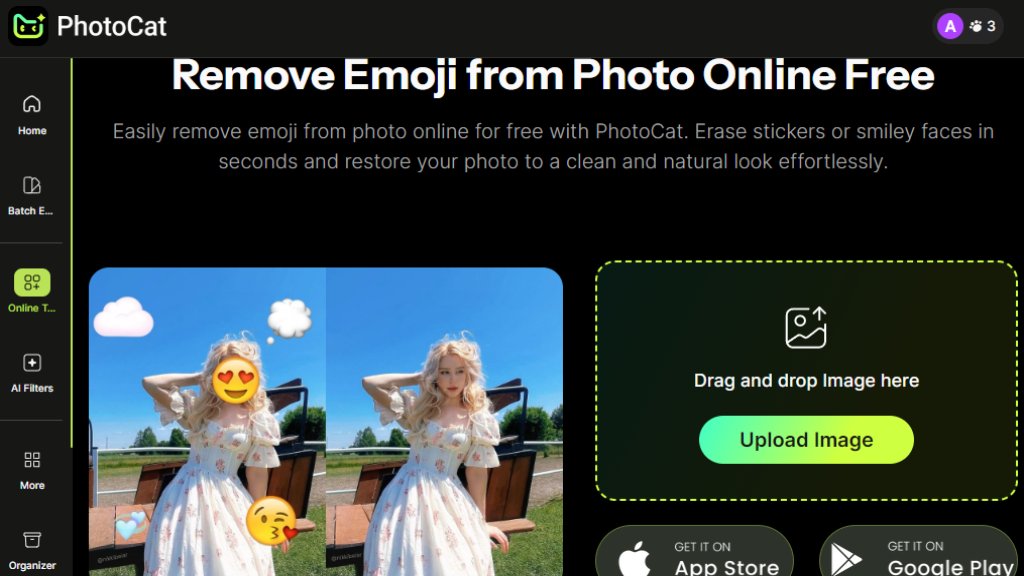
PhotoCat Remove Emoji from Photo is an online tool designed to intelligently erase emojis, stickers, and smiley faces from images. It uses advanced algorithms to analyze the photo content beneath the overlay, automatically filling in the removed area with matching textures and colors. This process restores the original appearance of the image without manual editing skills. The tool operates directly in a web browser, requiring no software installation, and focuses on providing a convenient solution for cleaning up casual photos marred by digital decorations.
Main Features
1. Automated emoji and sticker removal using intelligent inpainting technology.
2. Fast processing that delivers cleaned images in seconds.
3. User-friendly interface with simple drag-and-drop or upload functionality.
4. Operates entirely online with no need for software downloads.
5. Capable of handling various emoji sizes and positions on the photo.
Use Cases
1. Cleaning personal photos for professional profiles or portfolios by removing casual emojis.
2. Restoring screenshots or shared images where emojis obstruct important visual details.
3. Preparing images for formal presentations, documents, or print materials.
4. Editing social media photos to achieve a cleaner aesthetic before reposting.
Pricing Plans
1. Free Plan: Includes 5 daily credits for processing images without watermarks.
2. Meowber Pro (Weekly): Priced at $6.99 for 7 days, offering 100 weekly credits, an ad-free interface, and priority rendering.
3. Meowber Pro (Yearly): Costs $59.99 for one year, providing the same features as the weekly plan at a discounted annual rate.
Frequently Asked Questions
1. Q: Is the emoji remover tool really free to use?
A: Yes, a free plan is available offering 5 credits per day for processing without watermarks.
2. Q: What image formats are supported?
A: The tool supports common formats like JPG and PNG for upload and download.
3. Q: How does the tool remove emojis without leaving a trace?
A: It uses intelligent inpainting to analyze the surrounding area and fill the gap seamlessly.
4. Q: Do I need to create an account to use the tool?
A: An account is typically required to track credits and access Pro features, but basic upload might be available without one.
Pros and Cons
Pros:
1. Offers a genuinely useful free tier for occasional use.
2. The process is fast and requires minimal user input.
3. The interface is straightforward and easy for anyone to navigate.
4. It effectively targets a specific, common photo editing need.
Cons:
1. The free daily credit limit is low for users with many images.
2. Results may vary on complex backgrounds or overlapping emojis.
3. The tool is specialized and does not offer broader photo editing features.
Recommendation Rating
7/10 (A convenient and focused tool for its specific purpose, though limited by credit quotas.)



Please login to post a comment
Login