What is Remover AI?
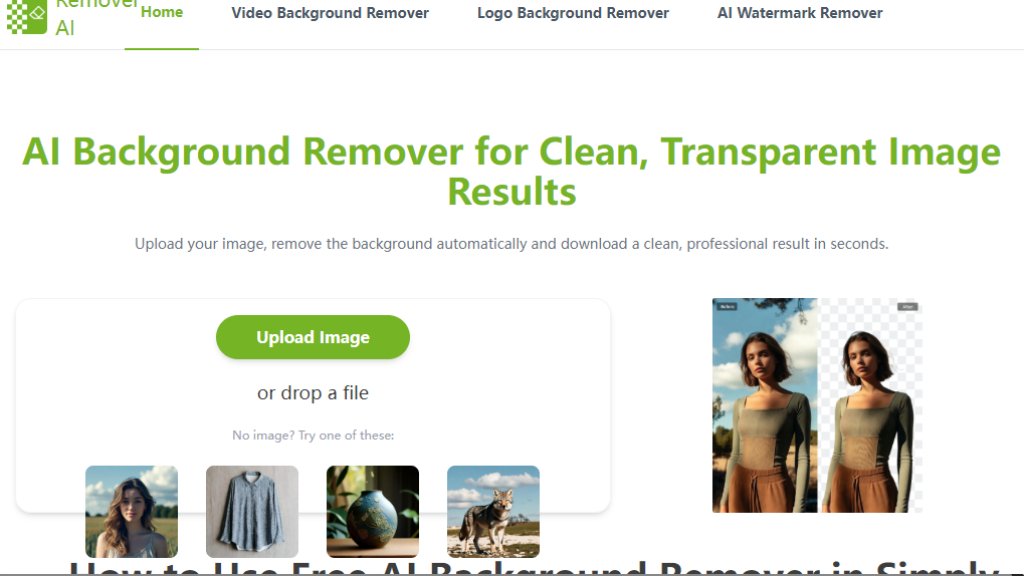
Remover AI is an online tool that uses intelligent technology to automatically remove backgrounds from images. It operates directly in a web browser, requiring no software installation. The tool is designed to quickly separate the main subject from its background, providing a clean, transparent result. It supports various image types, including portraits, product photos, and complex objects. Users can upload an image, let the automated system process it, and then download the edited file in seconds. The platform also includes manual refinement tools for adjusting edges and removing unwanted areas, offering a balance between automated processing and user control.
Main Features
1. Browser-based editing: The tool runs online without downloads or installations for a convenient experience.
2. Automated background removal: Intelligent detection instantly separates subjects from backgrounds.
3. Manual refinement tools: An erase function allows for detailed adjustments to edges and unwanted elements after processing.
4. High-quality export: Downloads provide crisp images with transparent backgrounds, preserving details.
5. Broad compatibility: It works effectively with various image types like people, products, animals, and logos.
6. Fast and secure processing: Images are handled quickly with a focus on user privacy and consistent output quality.
Use Cases
1. E-commerce product listings: Sellers can create clean, professional product images by removing distracting backgrounds to improve visual consistency.
2. Professional portraits: Individuals can obtain high-resolution photos with transparent backgrounds for resumes, profiles, or personal branding.
3. Graphic design projects: Designers can extract objects or elements from images for use in presentations, thumbnails, or creative layouts.
4. Social media content: Creators can quickly edit visuals for posts, stories, or marketing materials to achieve a polished look.
5. Personal photo editing: Users can easily remove backgrounds from photos of pets, group shots, or complex objects for personal projects.
Pricing Plans
1. Free Plan: Allows users to remove backgrounds from images at no cost with core features.
Frequently Asked Questions
1. Q: How does the AI background remover work?
A: Advanced models identify the main subject and separate it from the background automatically, using edge detection for clean cutouts.
2. Q: Can I use it on my iPhone?
A: Yes. It works directly in mobile browsers on iPhone and Android without needing to install an app.
3. Q: Can I edit the image after the background is removed?
A: Yes. You can use the erase tool to adjust edges or remove unwanted elements directly on the image.
4. Q: How many images can be processed at once?
A: It processes one image at a time to ensure optimal accuracy and quality.
5. Q: Is it suitable for commercial use?
A: Yes. Images created can be used for e-commerce, marketing, design, and other commercial purposes.
Pros and Cons
Pros:
- The tool is entirely free to use with no hidden costs.
- It is very convenient, requiring no software download or installation.
- Processing is fast, delivering results in seconds.
- It handles a wide variety of image types effectively.
- The interface is simple and easy to use for beginners.
Cons:
- It processes only one image at a time, which may be slow for bulk editing.
- Advanced editing features are limited compared to dedicated desktop software.
- The output quality, while good, may require manual refinement for very complex images.
Recommendation Rating
8/10 (A powerful and completely free tool for quick background removal, ideal for casual users and small projects, though bulk processing is not supported.)



Please login to post a comment
Login