What is Seedream 5.0?
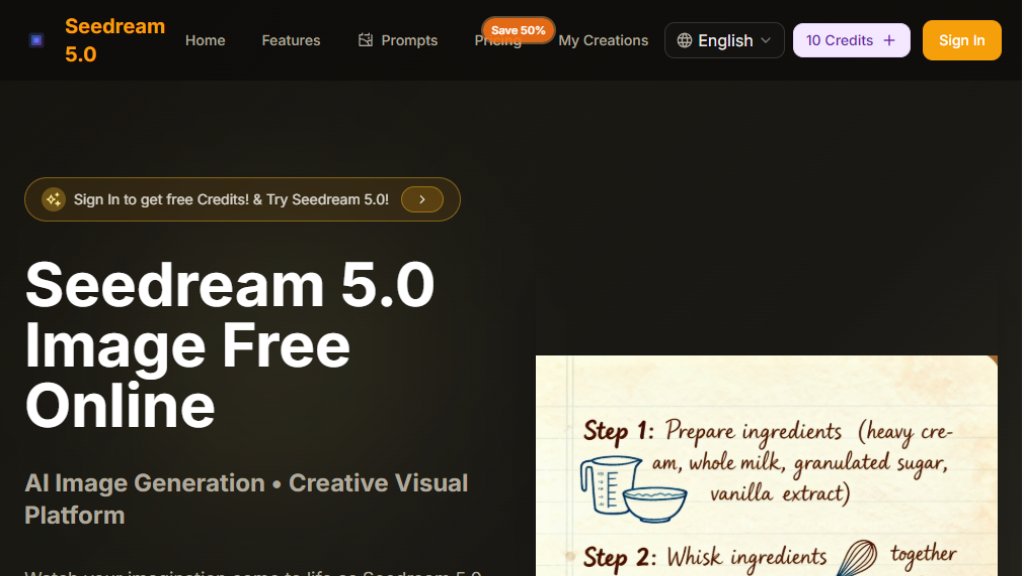
Seedream 5.0 is an online AI image generation and editing platform developed by ByteDance. It utilizes advanced Seedream 5 AI and Seedream V5 technology to convert simple text descriptions into high-quality visual art. The tool is designed to be accessible for users of all skill levels, requiring no prior design experience. Users can generate images from text prompts or upload existing images for editing. The platform emphasizes fast generation times, producing results in seconds, and outputs images in high 4K resolution. It supports over 100 languages for text input and offers a variety of artistic styles. Seedream 5.0 operates on a credit-based system, providing a free trial to new users.
Main Features
1. Intelligent Text-to-Image Generation: The core feature transforms detailed text prompts into visual artwork using advanced AI models.
2. High-Resolution Output: Generates images natively in 4K quality without requiring additional post-processing.
3. Multiple Aspect Ratios and Styles: Offers extensive customization with various aspect ratios and supports diverse art styles like photorealistic, anime, and oil painting.
4. Fast Processing: Delivers generated images in seconds due to optimized acceleration technology.
5. Image Upload and Editing: Allows users to upload existing images (JPG, PNG, WEBP) for editing tasks like background replacement or restoration.
6. User-Friendly Interface: Features a simple, chat-like text input, making it convenient for beginners.
7. Commercial License: Paid plans include a license for commercial use of generated images.
Use Cases
1. Creative Content Creation: Generate unique illustrations, concept art, and social media graphics from imaginative text descriptions.
2. E-commerce Product Visualization: Create professional and consistent product images for online catalogs and advertisements.
3. Photo Editing and Restoration: Enhance old or damaged photos by restoring colors and fixing imperfections.
4. Virtual Try-On Simulations: Generate realistic visuals for previewing clothing or accessories on models.
5. Background Replacement: Instantly swap backgrounds in portraits or product photos for custom scenes.
6. Avatar and Character Design: Create personalized avatars for gaming profiles, social media, or branding purposes.
7. Marketing and Presentation Materials: Produce high-quality visual assets for business presentations, blogs, and promotional content.
Frequently Asked Questions
1. Q: How to use Seedream 5.0?
A: Simply enter a text description, choose your style and aspect ratio, and click generate. New users get 10 free credits to start.
2. Q: Do I need to be an artist to use Seedream 5.0?
A: No artistic skills are required. The tool is designed for everyone, from beginners to professionals.
3. Q: What is the best free AI image editor?
A: Seedream 5.0 offers a powerful free trial with 10 credits, fast generation, and high-quality 4K output.
4. Q: How long does it take to generate an image?
A: Images are typically generated in seconds, depending on the complexity of the prompt.
5. Q: Is there a limit to the number of images I can generate?
A: Generation is based on a credit system. Each image costs credits. Free trials provide a limited number, with more available through paid plans.
6. Q: Is there a mobile app for Seedream 5.0?
A: Currently, it is a web-based platform accessible via mobile browsers. A dedicated mobile app may be developed in the future.
Pricing Plans
1. Basic Plan: Priced at $7.9 per month (billed annually at $14.9). Includes 1,000 credits per month (12,000/year), suitable for hobbyists. Offers unlimited downloads and a commercial license.
2. Professional Plan: The most popular plan at $19.9 per month (billed annually at $39.9). Includes 3,500 credits per month (42,000/year) for creators and professionals, offering a lower cost per credit.
3. Enterprise Plan: Priced at $44.9 per month (billed annually at $89.9). Includes 10,000 credits per month (120,000/year) for teams and businesses, providing the best value per credit.
All annual plans are advertised with a 50% discount in a limited-time offer. Each image generation costs 10 credits. Plans include permanent image history and commercial use rights.
Pros and Cons
Pros:
1. Offers a convenient free trial with initial credits.
2. Generates high-resolution 4K images quickly.
3. User-friendly interface requiring no design expertise.
4. Includes a commercial license for generated images in paid plans.
5. Supports a wide range of languages and artistic styles.
Cons:
1. Limited free usage is based on a credit system that depletes quickly.
2. No dedicated mobile application, only web browser access.
3. The pricing structure and frequent 'limited-time' sale messaging can feel promotional.
4. Advanced editing features beyond text-to-image and basic uploads are not extensively detailed.
Recommendation Rating
7.5/10 (A powerful and fast tool for AI image generation, especially for beginners, thou



Please login to post a comment
Login