What is Sora Generator?
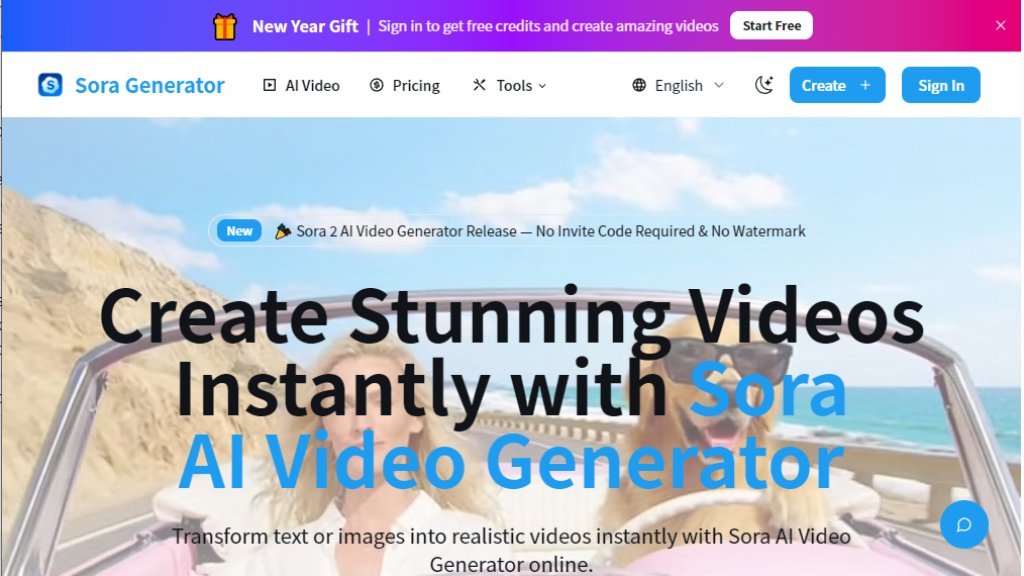
Sora Generator is an online platform that provides intelligent video generation services. It allows users to create realistic and cinematic video sequences from simple text descriptions or uploaded images. The tool leverages advanced AI models, including versions referred to as Sora 2 and Sora 2 Pro, to simulate realistic motion, physics, and synchronized audio. It positions itself as an accessible solution that eliminates the need for traditional video production equipment, crews, or complex editing software. Users can generate videos directly in their web browser without downloading any applications.
Main Features
1. Text-to-Video and Image-to-Video Generation: Input a text prompt or upload an image to automatically generate a video.
2. No Invite Code Required: Start using the service immediately without being on a waitlist.
3. Watermark-Free Exports: Download generated videos without any platform logos or watermarks.
4. Fully Online Operation: Access the tool directly from a web browser with no software installation needed.
5. Realistic Physics and Scene Consistency: The AI simulates real-world interactions, lighting, and consistent motion across scenes.
6. Multi-Style Video Creation: Supports various styles including realistic cinematic, anime-style, and social media vertical formats.
7. Multiple AI Model Access: Provides access to several AI video models like Sora 2, Sora 2 Pro, Wan, Kling, and Grok.
8. Integrated AI Prompt Generator: Includes an unlimited tool to help users craft effective prompts for video generation.
Use Cases
1. Social Media Content Creation: Quickly produce engaging short videos for platforms like TikTok, Instagram, or YouTube.
2. Advertising and Marketing: Generate prototype ads, product demonstrations, or promotional UGC-style content.
3. Creative Storytelling and Animation: Bring narrative ideas, character scenes, or anime-style animations to life.
4. Prototyping and Concept Visualization: Create visual representations of ideas for pitches, presentations, or personal projects.
5. Educational and Explainer Videos: Produce simple animated clips to explain concepts or processes.
Pricing Plans
1. Basic Plan: Priced at $13.9 per month when billed annually ($166.8 total). Includes 5,000 credits monthly, watermark-free downloads, access to multiple AI models, faster generation, private generation, and a commercial license.
2. Plus Plan: Priced at $39.9 per month when billed annually ($478.8 total). Includes 16,000 credits monthly and all Basic Plan features.
3. Pro Plan: Priced at $59.9 per month when billed annually ($718.8 total). Includes 32,000 credits monthly and all Basic Plan features.
4. Pay-As-You-Go Credits: One-time credit packs are available, currently shown with a 40% discount offer.
Frequently Asked Questions
1. Q: What is the Sora 2 AI Video Generator?
A: It is a tool that transforms text or images into fully animated video sequences using advanced AI models.
2. Q: Is Sora 2 free to use?
A: The platform offers free credits upon sign-up for a trial. Continued use requires a subscription or credit purchase.
3. Q: How do I use the Sora AI Video Generator?
A: Describe your idea with text or upload an image, then click 'Create' to generate the video.
4. Q: Do I need an invite code to use the Sora AI Video Generator?
A: No, the platform requires no invite code to start generating videos.
5. Q: How long can I generate videos with the Sora AI Video Generator?
A: Video duration is configurable and consumes credits based on length and quality settings.
6. Q: How does the Sora AI Video Generator compare to other tools like Veo 3?
A: The website positions it as a powerful alternative, highlighting features like no watermark and no invite code requirement.
Pros and Cons
Pros:
1. Convenient and fast video generation from simple text or images.
2. No software download or installation required; fully browser-based.
3. Generates videos without watermarks, making them ready for sharing.
4. No waitlist or invite code barrier to entry.
5. Offers a variety of creative styles and access to multiple AI models.
6. Includes useful tools like an AI prompt generator.
Cons:
1. Operates on a credit system, which can become costly for high-volume users.
2. The platform is not officially affiliated with OpenAI, which may cause confusion about the underlying technology.
3. Performance and output quality are dependent on the user's prompt and the AI model's capabilities.
4. Requires a stable internet connection for all operations.
Recommendation Rating
7.5/10 (A powerful and accessible tool for automated video creation, though the credit-based pricing and unclear model origins are minor drawbacks.)



Please login to post a comment
Login