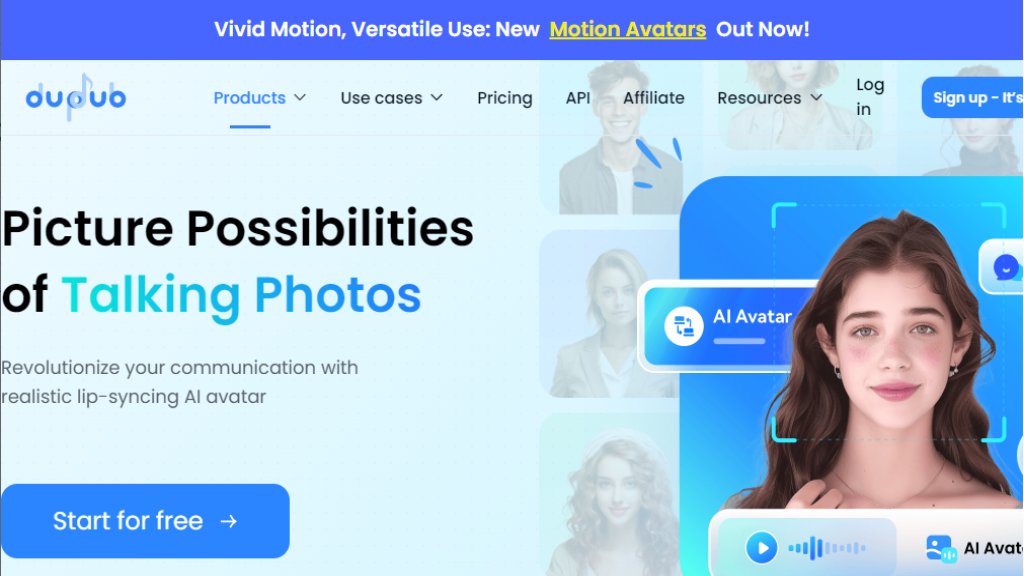
What is Dupdub Talking Photo?
Dupdub Talking Photo is an innovative online tool that uses advanced artificial intelligence to animate still photographs, making them appear to speak. Users can upload any portrait photo and pair it with a text script or an audio recording. The platform's intelligent technology then generates a video where the avatar's mouth movements are perfectly synchronized with the spoken words, creating a convincing talking photo. It is part of the broader Dupdub ecosystem, which offers a suite of automated media creation tools. This feature is designed to be user-friendly, requiring no technical expertise, and enables fast creation of dynamic content from simple static images.
Main Features
1. Realistic Lip-Sync: The core feature uses intelligent modeling to produce highly accurate and natural-looking mouth movements that match the provided audio.
2. Multilingual Voice Library: Access to over 700 AI-generated voices across 90+ languages and accents, allowing for global content creation.
3. Multi-Character Conversations: Users can create scenes with multiple talking avatars interacting in a single video, enabling dialogues and storytelling.
4. Customizable Avatars: Options include using personal photos, pre-made templates of famous figures, or creating gesture-based avatars that replicate hand movements.
5. Integrated Editing Suite: The platform provides tools for basic video editing, such as background removal, cropping, and face swapping, within the same workflow.
6. API Integration: Developers can integrate the talking photo functionality into other applications or platforms using Dupdub's API.
Use Cases
1. Marketing and Advertising: Create eye-catching promotional videos with talking avatars for social media, websites, or email campaigns.
2. Educational Content: Develop engaging tutorials, explainer videos, or historical reenactments by bringing images or illustrations to life.
3. Entertainment and Social Media: Produce unique content for platforms like TikTok, YouTube, or Instagram, such as celebrity impersonations or humorous skits.
4. Personalized Messaging: Send birthday greetings, announcements, or invitations featuring a talking photo of yourself or a loved one.
5. Business Presentations: Enhance corporate training materials, internal communications, or pitch decks with animated spokesperson avatars.
6. Content Repurposing: Easily transform existing blog posts or scripts into short, engaging video formats using AI voices and avatars.
Pricing Plans
1. Free Plan: Offers a 3-day free trial with 10 credits. Includes access to basic features for personal use, 1 instant cloned voice, and 1 instant cloned avatar.
2. Personal Plan: Priced at $11 per month (billed annually as $132). Provides 1,800 credits per year (150/month refresh), up to 2.5 hours of AI avatar video, and a commercial license.
3. Professional Plan: Priced at $30 per month (billed annually as $360). Provides 6,000 credits per year (500/month refresh), up to 8 hours of AI avatar video, and priority generation.
4. Ultimate Plan: Priced at $110 per month (billed annually as $1,320). Provides 30,000 credits per year (2,500/month refresh), up to 41 hours of AI avatar video, and extended limits.
5. Scale and Business Plans: Higher-tier plans with custom pricing, offering significantly more credits and features for large-scale operations.
Frequently Asked Questions
1. Q: What is a talking photo and how does it work?
A: It is an AI-generated video that animates a still photo to make it appear to speak. You upload a photo and add text or audio, and the AI syncs the lip movements.
2. Q: Is it free to create an AI talking photo?
A: Yes, there is a free plan with a trial that includes credits to test the feature. Continued use requires a subscription plan.
3. Q: Do I need to record my own voice to create a talking photo?
A: No, you can use the platform's extensive library of AI voices or upload your own audio recording for more personalization.
4. Q: Can I create talking photos in different languages?
A: Yes, the tool supports creation in 90+ languages using its diverse AI voice library.
5. Q: What kind of photos work best for talking photo generation?
A: Clear, front-facing portrait photos with good lighting and visibility of the mouth area yield the best, most realistic results.
6. Q: Can I use talking photos in commercial projects?
A: Yes, all paid plans include an unlimited commercial license for the content you create.
Pros and Cons
Pros:
- The lip-sync technology is impressively realistic and natural.
- The interface is intuitive and user-friendly, making creation fast and convenient.
- Extensive support for multiple languages and accents is powerful for global reach.
- The ability to create multi-character conversations is a unique and innovative feature.
- Offers a generous free trial to test core functionalities.
Cons:
- The credit system for generation can be complex to manage for new users.
- Output video quality and du



Please login to post a comment
Login