What is TeachQuill?
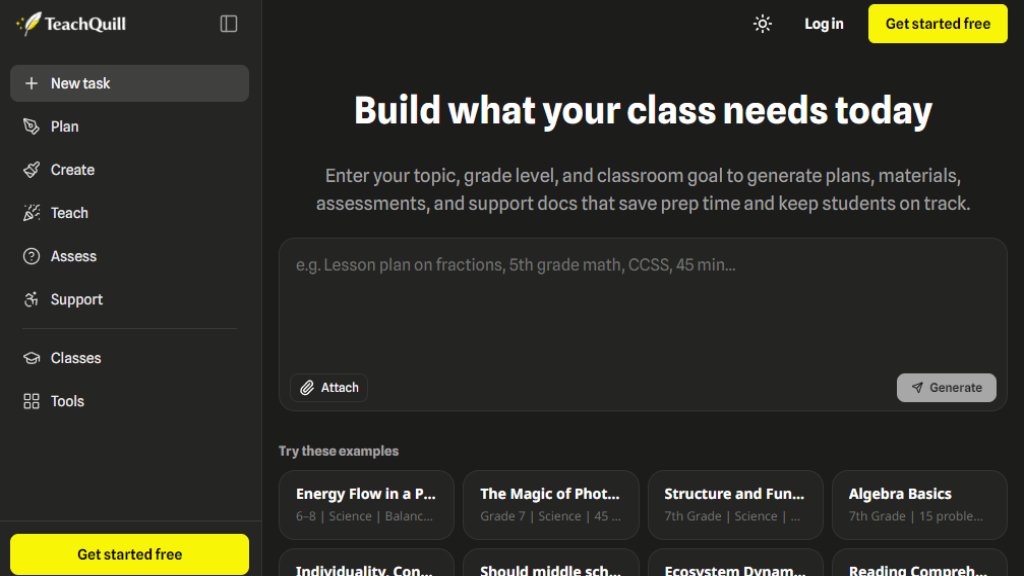
TeachQuill is an all-in-one AI productivity platform built specifically for educators. It helps K-12 teachers, special education specialists, ESL instructors, department heads, and college faculty generate high-quality teaching materials in under 60 seconds. From lesson plans and worksheets to rubrics, IEP goals, and report card comments, TeachQuill provides over 100 AI tools organized around real classroom workflows. It supports major U.S. standards like CCSS, NGSS, TEKS, and WIDA, and is FERPA and COPPA compliant, ensuring student data privacy. Teachers can describe their needs in plain language, and the AI automatically routes requests to the best tool, producing editable, printable resources that save hours of prep time weekly.
Main Features
- AI Lesson Plan Generator: Create detailed, standards-aligned lesson plans for any grade and subject.
- AI Worksheet Generator: Produce differentiated worksheets, including math, vocabulary, and fill-in-the-blank formats.
- AI Rubric Generator: Build analytic and holistic rubrics with criteria-based scoring.
- IEP Goal Generator: Generate specific, measurable, and time-bound IEP goals with monitoring plans.
- AI Feedback Generator: Provide personalized, constructive feedback on student work with adjustable tone and depth.
- Jeopardy Game Generator: Create interactive review games for classroom engagement.
- Report Card Comment Generator: Draft individualized report card comments for multiple students quickly.
- Curriculum Mapper: Build full-year scope and sequences and pacing guides.
- Differentiation Generator: Adapt content for different reading levels and learning needs.
- Universal Input: Describe tasks in plain language, and AI routes to the correct tool automatically.
- Export Options: Download resources as PDF, DOCX, Google Docs, or Slides.
- Standards Alignment: Supports CCSS, NGSS, TEKS, AP, IB, WIDA, and C3 frameworks.
- Inline Editing: Edit all generated outputs before use.
- History and Folders: Save and organize resources for future use.
Use Cases
- Lesson Planning: Quickly generate daily or unit plans for any subject and grade level.
- Worksheet Creation: Produce customized practice sheets for math, reading, and science.
- Assessment Design: Create quizzes, tests, and rubrics aligned to learning objectives.
- Special Education Support: Draft IEP goals, BIPs, and social stories with compliance in mind.
- Grading and Feedback: Generate personalized essay feedback and report card comments.
- Classroom Engagement: Design Jeopardy games, exit tickets, and discussion boards.
- Curriculum Mapping: Plan year-long scope and sequences for department heads.
- Substitute Planning: Create complete sub plans with step-by-step instructions and answer keys.
- ESL/ELL Instruction: Develop leveled vocabulary lists and scaffolded materials at WIDA levels 1-5.
- College Teaching: Generate syllabi, lecture outlines, and research paper rubrics.
Supported Languages
- English (primary)
- The tool is designed for U.S. educators and primarily generates content in English. While the interface and outputs are in English, the AI can potentially adapt to other languages if specified by the user, but no explicit list of additional languages is provided on the website.
Pricing Plans
- Free: $0 per month. Includes 30 daily refreshed credits, access to basic tools, standard generation speed, basic export (copy/PDF), and limited history.
- Pro Monthly: $25 per month. Includes 30 daily refreshed credits and 4000 monthly refreshed credits, access to all tools, faster generation, unlimited history and folders, save/edit/export history, early access to beta features, and priority support.
- Pro Annual: $15 per month (billed yearly at $180, saving $120). Same features as Pro Monthly.
- School and District: Custom pricing. Includes custom seats and credits, admin dashboard, usage analytics, SSO/DPA support, shared templates, and dedicated success manager.
Frequently Asked Questions
- What is TeachQuill AI for teachers?
TeachQuill is a leading AI tool for teacher productivity, helping K-12 and college instructors handle planning, materials, assessment, feedback, and support in one place.
- Is TeachQuill AI for teachers free to use?
Yes, it is free to start with 30 daily credits, no credit card required. Paid plans unlock more features.
- Can I edit what TeachQuill creates before I use it?
Yes, all outputs are editable inline, allowing teachers to adapt content before classroom use.
- Can I print or download the resources I make?
Yes, resources can be downloaded in PDF, DOCX, and plain text formats.
- How does TeachQuill pick the right tool for my request?
The AI analyzes your prompt and routes it to the most appropriate tool automatically, or you can choose a specific tool directly.
- What standards does TeachQuill support?
It supports CCSS, NGSS, TEKS, AP, IB, WIDA, and C3 frameworks.
Pros and Cons
Pros:
- Over 100 AI tools covering all teaching tasks.
- Gener



Please login to post a comment
Login