What is Tool Video?
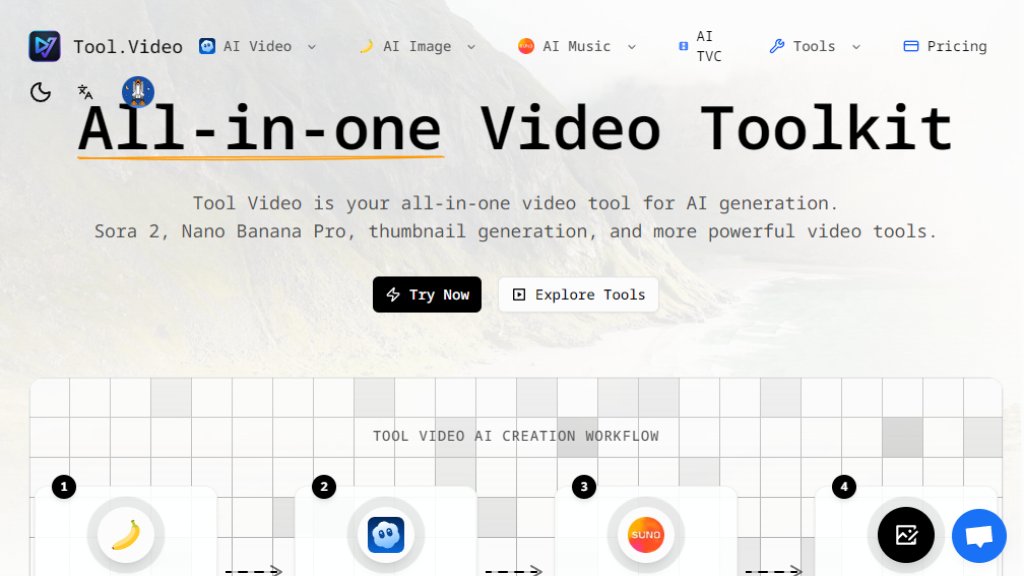
Tool Video is a comprehensive online platform that consolidates multiple intelligent video creation tools into a single dashboard. It serves as a unified hub for generating and editing video content using advanced AI models. The core idea is to eliminate the need to switch between different services by providing access to leading technologies like OpenAI's Sora 2 for text-to-video, Nano Banana Pro for image generation, and Suno for music creation. Beyond generation, it includes practical utilities for tasks such as adding watermarks, trimming clips, and creating thumbnails. This platform is designed for creators, marketers, and businesses seeking a convenient and powerful solution to produce high-quality video content from start to finish, streamlining the entire creative workflow.
Main Features
1. Multi-Model AI Video Generation: Access to Sora 2 and other models for creating videos from text prompts with realistic motion and various styles.
2. Intelligent Image Creation: Utilize Nano Banana Pro and other engines for text-to-image and image-to-image generation to produce visuals.
3. Automated Music Production: Generate complete songs, background music, and soundtracks in any genre using Suno AI.
4. AI TVC Generator: Create professional television commercial and advertisement videos quickly.
5. Video Thumbnail Tools: Includes both standard and AI-powered thumbnail generators that automatically select engaging frames.
6. Essential Video Utilities: Features for trimming videos, adding customizable watermarks, and removing Sora watermarks from generated content.
7. API Access: Available for developers to integrate the platform's capabilities into other applications.
8. Unified Dashboard: Manage all video creation, editing, and utility tasks from one central interface.
Use Cases
1. Content Creation: Social media influencers and video creators can quickly produce engaging video clips, complete with music and thumbnails.
2. Marketing and Advertising: Businesses and agencies can generate professional TV commercials, promotional videos, and ad content.
3. Media Production: Independent filmmakers and producers can use it for storyboarding, creating visual concepts, and generating soundtrack ideas.
4. E-commerce and Product Demos: Sellers can create high-quality video showcases and advertisements for their products.
5. Educational Content: Educators and trainers can develop instructional videos and visual aids from text descriptions.
6. Personal Projects: Individuals can bring creative ideas to life for personal videos, gifts, or entertainment.
Pricing Plans
1. Starter Plan: Priced at $3 per month when billed annually, includes 100 credits monthly for access to Sora 2 video, Suno music, Nano Banana Pro images, and basic utilities.
2. Standard Plan: Priced at $10 per month when billed annually, offers 500 credits monthly, priority processing, API access, 4K output, and increased limits on all tools.
3. Premium Plan: Priced at $33 per month when billed annually, provides 2000 credits monthly, commercial license, bulk processing, priority support, and the highest usage limits.
Frequently Asked Questions
1. Q: What is Tool Video?
A: It is an all-in-one platform that brings together the best AI video tools for generation and editing.
2. Q: What is Sora 2?
A: It is OpenAI's advanced text-to-video AI model available on the platform for creating realistic videos.
3. Q: How does the video thumbnail generator work?
A: It can extract frames from videos at any timestamp or use AI to automatically select the best frames for engagement.
4. Q: What video formats are supported?
A: The website mentions support for multiple formats, including high-definition and 4K export options.
5. Q: Is Tool Video free to use?
A: The platform operates on a credit-based subscription model; there is no mentioned permanent free tier.
6. Q: Do credits expire?
A: Credits are typically allocated monthly under subscription plans, but specific expiration terms should be checked on the pricing page.
Pros and Cons
Pros:
1. All-in-one convenience by integrating multiple powerful AI generation tools and utilities.
2. Access to cutting-edge models like Sora 2, Nano Banana Pro, and Suno 5 in a single platform.
3. User-friendly interface and workflow designed for both beginners and professionals.
4. Flexible, credit-based pricing with annual discounts and scalable plans.
5. Includes practical tools like watermark management and thumbnail generation.
Cons:
1. No clearly stated free tier or trial, requiring a financial commitment to start.
2. Output limits are tied to monthly credits, which may restrict high-volume users.
3. Dependent on the performance and limitations of the integrated third-party AI models.
4. The range of features might be overwhelming for users seeking only one specific function.
Recommendation Rating
8/10 (A powerful and convenient unified platform for AI video creation, though the lack of a free trial and credit limits are



Please login to post a comment
Login