What is ToText?
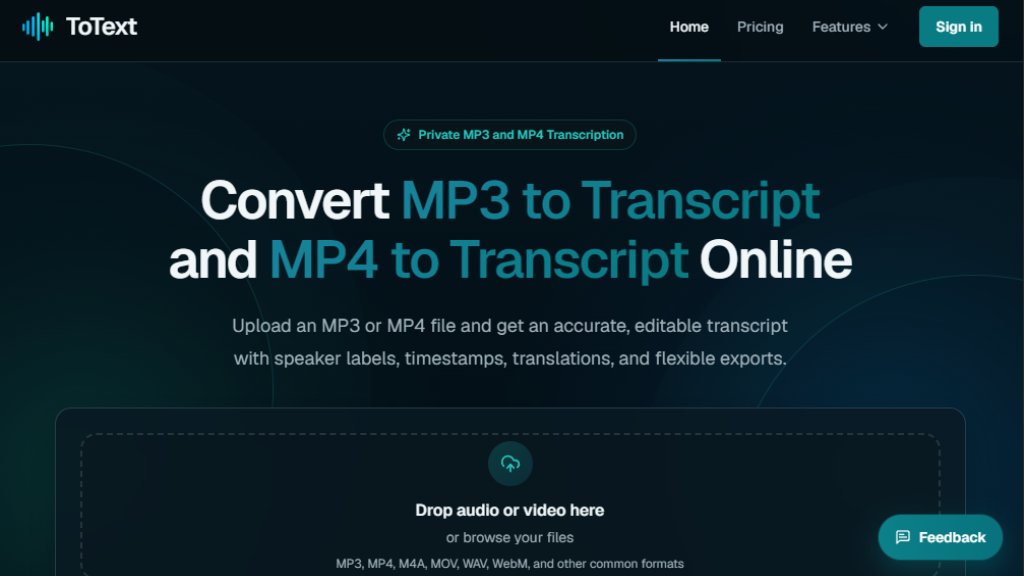
ToText is an online transcription tool that converts audio and video files into text. It supports MP3, MP4, M4A, MOV, WAV, WebM, and other common formats. The platform provides an automated first draft that you can edit and refine directly in the browser. It includes features like speaker recognition, automatic language detection, custom vocabulary, and noise reduction. ToText also generates AI-powered views such as summaries, meeting notes, chapters, and action items. Exports are available in TXT, DOCX, PDF, SRT, VTT, ASS, CSV, JSON, and XLSX formats. The service emphasizes privacy and offers a free tier for testing.
Main Features
- High accuracy transcription with 99.9% accuracy claim.
- Automatic language detection for over 30 languages.
- Speaker recognition with editable labels.
- Timestamped editor with synchronized playback.
- Custom vocabulary to improve recognition of names and terms.
- Background noise reduction and speech enhancement (paid plans).
- AI summaries, meeting notes, chapters, action items, and Q&A (paid plans).
- Translation to English (paid plans).
- Export to TXT, DOCX, PDF, SRT, VTT, ASS, CSV, JSON, and XLSX.
- Supports files up to 20 hours per upload (paid plans).
- Private file handling with encrypted connections.
- Free tier: first 20 minutes of up to 3 files daily.
Use Cases
- Meetings and interviews: Verify quotations, capture decisions, and create searchable records.
- Podcasts and creators: Generate show notes, articles, chapters, and reusable source material.
- Courses and demonstrations: Create notes or caption drafts from lessons, tutorials, and webinars.
- Research and customer calls: Compare responses, locate customer language, and share reviewed findings.
- Accessibility: Generate subtitles (SRT/VTT) for video content.
- Content repurposing: Convert recordings into blog posts, reports, or structured data.
Supported Languages
- Automatic language detection supports multiple languages.
- The interface and transcription are available in many languages, including but not limited to English, Spanish, French, German, Italian, Portuguese, Dutch, Russian, Chinese, Japanese, Korean, Arabic, and more.
- Translation to English is available on paid plans.
Pricing Plans
- Free plan: $0 - 3 transcriptions per day, first 20 minutes each, no credit card required.
- 300-Minute Pack: $9.90 one-time - 300 minutes of transcription, speaker recognition, timestamps, exports, but no noise reduction or AI features.
- Monthly Unlimited: $19.90/month - unlimited transcription, all features, cancel anytime.
- Annual Unlimited: $149/year - unlimited transcription, all features, best value.
Frequently Asked Questions
1. What is the easiest way to create an MP3 to Transcript?
Upload the MP3, choose a language or automatic detection, and start. Review the time-aligned text in the browser, then export the format you need.
2. Can ToText create an MP3 Transcript without installing software?
Yes. Upload, transcription, editing, and export run through the website in a modern browser.
3. Can I use the same tool for MP4 to Transcript?
Yes. Upload the MP4 to extract its speech. The result uses the same editor, timing, speaker options, and exports as MP3.
4. Does speaker recognition work for every recording?
Quality depends on language, microphone placement, overlap, and clarity. Speaker labels remain editable.
5. How accurate is MP3 to Transcript conversion?
Accuracy varies with recording quality, accents, noise, vocabulary, and overlapping voices. Timestamps and playback support verification.
6. Which subtitle and document formats can I export?
Export TXT, DOCX, PDF, SRT, VTT, ASS, CSV, JSON, or XLSX with your saved edits.
Pros and Cons
Pros:
- High accuracy and automatic language detection.
- Free tier available without credit card.
- Editable transcripts with timestamps and speaker labels.
- Multiple export formats.
- Private and secure processing.
- AI-powered summaries and meeting notes on paid plans.
Cons:
- Free tier limited to 20 minutes per file.
- Noise reduction and AI features only on paid plans.
- Accuracy may vary with poor audio quality.
- No mobile app; browser-based only.
Recommendation Rating
8/10 (A powerful and user-friendly transcription tool with generous free tier and affordable paid plans, ideal for professionals and creators.)



Please login to post a comment
Login