What is Vibe3D?
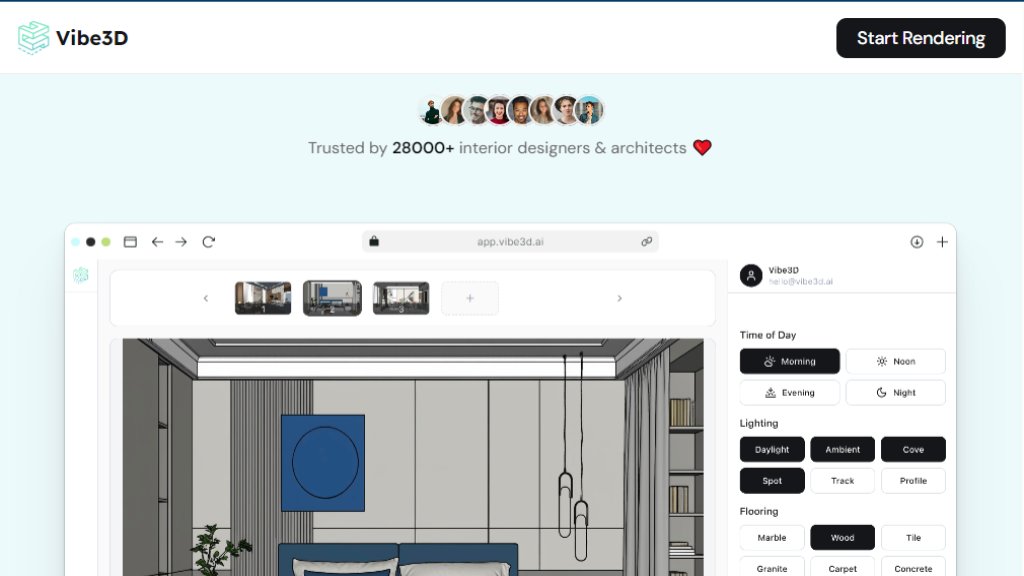
Vibe3D is an innovative online platform that uses advanced artificial intelligence to automate the creation of photorealistic 3D renders from architectural and design models. It serves as a powerful alternative to traditional rendering software like V-Ray, Enscape, or Lumion, eliminating the need for complex manual setup, powerful GPUs, or lengthy rendering times. The core value proposition is speed and accuracy: users can upload scenes from popular modeling tools like SketchUp, Revit, 3ds Max, Rhino, or Blender and receive high-fidelity, 4K resolution renders in just seconds. Unlike some generative AI tools that create images from scratch, Vibe3D is designed to respect and preserve the original scene's structure, camera angles, materials, and basic textures, ensuring the output remains true to the designer's intent. It then allows for intuitive, text-based editing of lighting, materials, colors, and environmental conditions. This makes it an exceptionally convenient tool for architects, interior designers, and 3D visualizers who need to produce client-ready visuals rapidly and iterate on feedback without disrupting their creative workflow.
Main Features
1. One-Click Photorealistic Rendering: Generate stunning, high-quality 4K renders from 3D model screenshots with a single click, dramatically speeding up the visualization process.
2. Accurate Scene Preservation: The intelligent system maintains the original model's geometry, materials, textures, and camera positions, ensuring renders are faithful to the design.
3. Smart Prompt Suggestions: The tool provides contextual, clickable prompt suggestions based on the uploaded scene, simplifying the process of applying styles and adjustments.
4. Instant AI-Powered Edits: Users can make fast edits to any part of the render by simply highlighting an area and typing natural language commands to change materials, lighting, colors, or objects.
5. Broad Software Compatibility: It works seamlessly with files exported from major 3D modeling and CAD software including SketchUp, Revit, 3ds Max, Rhino, Archicad, and Blender.
6. Cloud-Based Platform: As a fully online tool, it requires no software installation, local GPU, or rendering hardware, enabling access and rendering from any device.
Use Cases
1. Architectural Visualization: Creating compelling, photorealistic exterior and interior renders for architectural projects to present to clients or for planning approvals.
2. Interior Design: Rapidly generating and iterating on interior design concepts, allowing designers to test different furniture, materials, lighting, and color schemes instantly.
3. Real Estate Marketing: Producing high-quality visualizations of properties, both existing and proposed, for listings, brochures, and development presentations.
4. Client Feedback and Revisions: Drastically shortening the feedback loop by enabling quick edits based on client comments, such as 'change the wall color to beige' or 'make the lighting warmer'.
5. Educational and Portfolio Development: Students of architecture and design can create professional-grade renders for their portfolios without needing access to expensive, complex rendering suites.
6. Converting 2D Plans to 3D: Transforming CAD elevations, floor plans, or simple sketches into detailed 3D renderings for better visualization and communication.
Pricing Plans
1. Trial Plan: Priced at $19. This plan includes 50 credits, which are good for 50 Realistic Renders, and provides access to custom scene instructions. It is a pay-as-you-go option with no monthly commitment.
2. Pro Plan: Originally $59, currently offered at a discounted price of $39. This popular plan includes 200 credits for 200 Realistic Renders and 50 Hyper Realistic Renders. It adds Smart Prompt Suggestions to the feature set.
3. Studio Plan: Originally $149, currently offered at a discounted price of $99. This plan includes 600 credits for 600 Realistic Renders and 150 Hyper Realistic Renders. It includes all Pro features plus Priority Support.
All plans are pay-as-you-go with no monthly subscriptions required. The website also mentions a free tier that allows users to generate up to 3 renders without a credit card. Students with a valid .edu or .ac email can get a 50% discount on the Trial plan.
Frequently Asked Questions
1. Q: What is Vibe3D Render AI?
A: Vibe3D is an AI rendering platform that transforms 3D models from tools like SketchUp and Revit into high-quality 4K photorealistic renders in seconds, preserving scene structure and allowing instant edits with natural language.
2. Q: Is Vibe3D an online architectural rendering software?
A: Yes, it runs entirely online. You can create renders from any device without needing installation, a GPU, or special rendering hardware.
3. Q: How do I render SketchUp models with AI?
A: Export your SketchUp scenes as 2D images (JPG/PNG/WebP), upload them to Vibe3D, choose rendering configurations like lighting and environment, and click Render. You



Please login to post a comment
Login