What is Voquill?
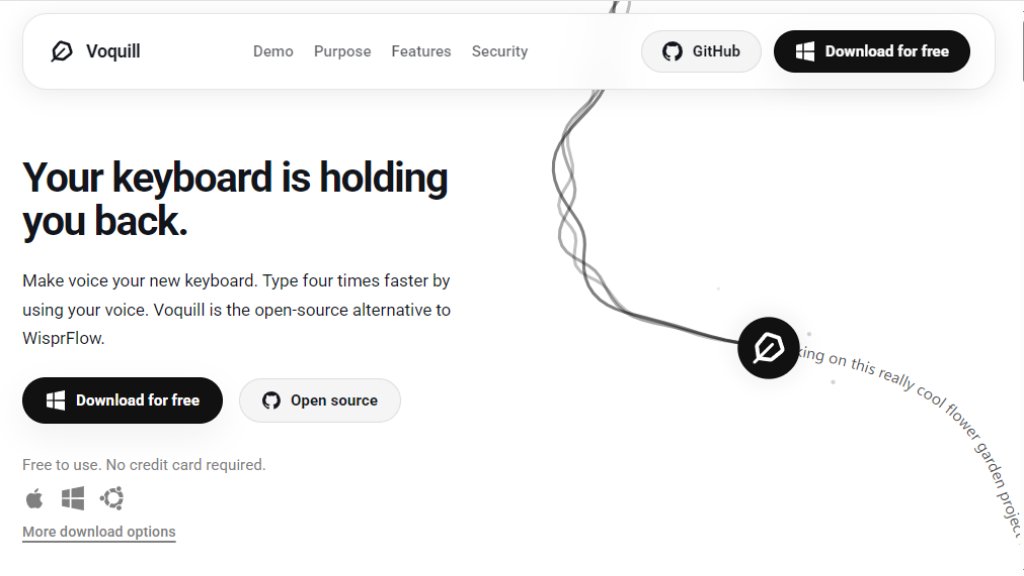
Voquill is an innovative, open-source voice dictation application designed as a privacy-focused alternative to traditional speech-to-text tools. It enables users to write at a natural speaking pace (approximately 220 words per minute) directly into any desktop application by converting speech into text and then using automated processing to clean up the transcription. The tool intelligently removes filler words, hesitations, and disfluencies, generating refined, professional output suitable for emails, documents, code comments, and long-form writing. Voquill operates with complete transparency, offering local on-device processing for maximum privacy or optional cloud processing via the Groq API using your own credentials, giving users full control over performance, cost, and data security. It requires no registration, credit card, or subscription commitment and is available as a free download for Windows, macOS, and Linux.
Main Features
1. System-wide voice dictation: Converts natural speech to text at conversational speed, working seamlessly across all desktop applications including email clients, word processors, note-taking apps, code editors, and messaging platforms.
2. Intelligent transcription cleanup: Automatically removes filler words, hesitations, and false starts from dictation, transforming casual spoken language into coherent, professional text without manual editing.
3. Privacy-first architecture: Processes audio locally on your device for complete privacy, or optionally uses cloud processing via Groq API with your own API key. The open-source codebase on GitHub ensures full transparency and independent security verification.
4. Universal desktop integration: Works at the system level with all applications where typing is normally required, including Slack, Google Docs, Notion, GitHub, VS Code, and Apple applications, without disrupting your workflow.
5. Offline functionality: Operates entirely on your device without an internet connection, ensuring your words never leave your machine for use in airplane mode or off-grid scenarios.
6. Frictionless deployment: No registration, credit card verification, or subscription required. Download and start using immediately as a free application.
Use Cases
1. Professional email and communication: Dictate business emails, client responses, and professional messages directly into email clients and messaging apps like Slack at conversational speed, generating polished text ready to send.
2. Long-form content creation: Draft articles, blog posts, essays, reports, and documents by voice in Google Docs or Notion. Speak naturally and let the intelligent cleanup feature produce refined text requiring minimal editing.
3. Code documentation and comments: Accelerate development workflows by dictating boilerplate code, inline comments, and documentation directly in IDEs like VS Code and GitHub web editors, reducing reliance on keyboard typing.
4. Meeting notes and idea capture: Capture meeting minutes, brainstorming session ideas, and to-do lists in real-time through speech. Focus on conversation and ideas while Voquill handles transcription and text cleanup.
5. Ergonomics and accessibility: Reduce intensive keyboard use and physical strain on wrists, hands, and shoulders while maintaining high text output for work, study, or creative projects.
6. Developer and technical writing: Write technical documentation, code examples, API descriptions, and detailed explanations more naturally by speaking, with intelligent cleanup handling the formality and structure required for professional standards.
Pricing Plans
1. Free Plan: Voquill is completely free to download and use. There are no subscription fees or credit card requirements. The core voice dictation and intelligent cleanup features are provided at no cost.
Frequently Asked Questions
1. Q: Is Voquill free to use?
A: Yes, Voquill is completely free to download and use. There are no subscription fees or credit card requirements. The core voice dictation and intelligent cleanup features are free.
2. Q: How does Voquill handle privacy and security?
A: Voquill offers a privacy-first architecture. You can process everything locally on your device, bring your own API key for cloud processing, or connect to their cloud. The application is fully open-source for transparency.
3. Q: Does Voquill work offline?
A: Yes, Voquill can run entirely on your device without an internet connection. Unlike other dictation tools that send audio to the cloud, Voquill keeps your words on your machine.
4. Q: Which platforms does Voquill support?
A: Voquill is available for Windows, macOS, and Linux. It works system-wide across all applications on these platforms.
5. Q: How does the intelligent text cleanup work?
A: Voquill uses automated processing to clean your transcriptions. It removes filler words, hesitations, false starts, and other disfluencies, allowing you to speak naturally while it produces polished text.
Pros and C



Please login to post a comment
Login