What is Wispr Flow?
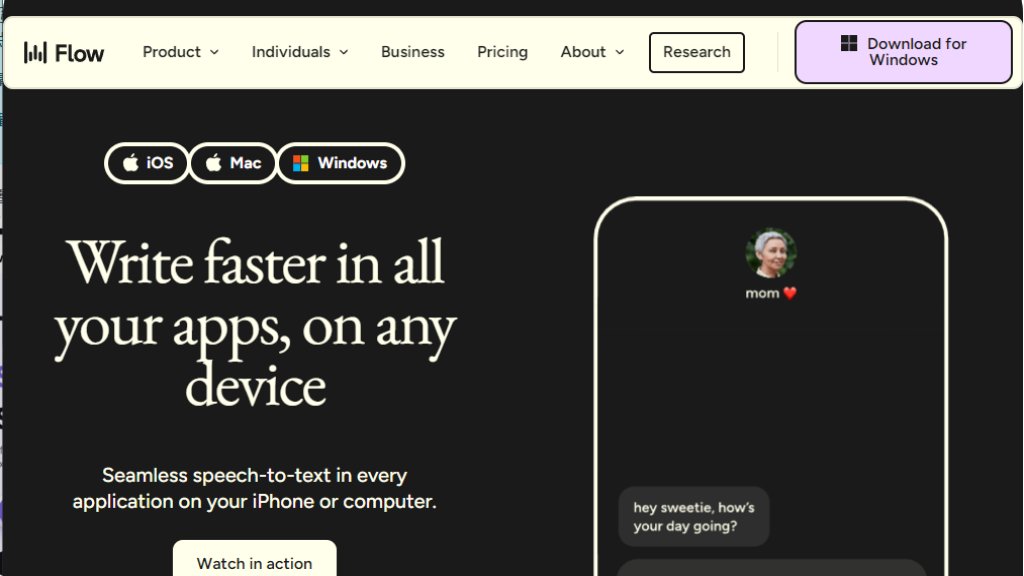
Wispr Flow is a sophisticated voice-to-text application designed to replace traditional typing. It functions as a system-wide intelligent dictation tool that works seamlessly within any application on your computer or iPhone. The core idea is to let users speak naturally at the speed of thought, while the software not only transcribes but also automatically edits and polishes the spoken words into clear, well-structured text. It aims to break the dependency on the keyboard, offering a faster and more convenient way to write emails, code, documents, and messages. The tool is built with a focus on understanding context, learning user-specific vocabulary, and adapting tone for different applications.
Main Features
1. Intelligent Auto-Edits: The tool automatically transcribes and edits spoken words in real-time, removing filler words and correcting grammar to produce polished text.
2. Personal Dictionary and Snippets: It learns unique words, names, and technical terms, adding them to a personal dictionary. Users can also create voice-activated shortcuts for frequently used text snippets.
3. App-Aware Tone Adjustment: Flow automatically adjusts the writing tone based on the application being used, ensuring appropriate language for emails, chats, or documents.
4. Multi-Platform and Language Support: It works on Mac, Windows, and iPhone with seamless sync. The tool supports over 100 languages and can automatically detect and switch between them.
5. Privacy and Security Features: Offers a Privacy Mode with zero data retention. All plans are HIPAA-ready, and Enterprise plans include SOC 2 Type II and ISO 27001 compliance.
Use Cases
1. For Professionals and Leaders: To draft emails, manage communications, and unblock team productivity by dictating notes and instructions quickly.
2. For Developers: To write code comments, commit messages, and documentation using natural speech within IDEs like VS Code.
3. For Content Creators and Writers: To capture ideas, draft content, and engage with audiences by quickly replying to comments and DMs.
4. For Customer Support: To resolve tickets and respond to customer inquiries faster by dictating accurate and polite replies.
5. For Students: To take lecture notes, overcome writer's block, and draft essays and cover letters efficiently.
6. For Accessibility: To provide an alternative input method for individuals who find typing difficult or slow, enhancing digital inclusion.
Frequently Asked Questions
1. Question: Is there a free trial or free plan available?
Answer: Yes. New individual accounts get a 14-day free trial of Flow Pro. After the trial, users can continue with a free Basic plan or upgrade. Teams also get 14-day Pro trials for each member.
2. Question: How do I upgrade from Basic to Pro?
Answer: You can upgrade by opening the Flow app and clicking 'Try Flow Pro' or managing your plan in the Settings under 'Plan & Billing'.
3. Question: Can I use Flow for my whole team?
Answer: Yes. Flow Pro supports team creation with shared dictionaries, snippets, and centralized billing. For advanced security and bulk discounts, an Enterprise plan is available.
4. Question: Do you offer discounts?
Answer: Yes. Discounts are offered for students, educators, and nonprofit organizations. Students get three months free and 50% off the Pro plan.
Pricing Plans
1. Flow Basic (Free): Includes 2,000 words per week on desktop, 1,000 words on iPhone, personal dictionary, snippets, 100+ language support, Privacy Mode, and is HIPAA-ready.
2. Flow Pro ($12/user/month billed annually): Includes all Basic features plus unlimited words on all platforms, prioritized support, command mode for editing, early feature access, and team collaboration features.
3. Flow Enterprise (Custom Pricing): Includes all Pro features plus dedicated support, enforced SOC 2 Type II/ISO 27001 compliance, enforced HIPAA and Privacy Mode, SSO/SAML, advanced dashboards, and bulk discounts.
Pros and Cons
Pros:
1. Dramatically increases writing speed, claimed to be 4x faster than typing.
2. Powerful automated editing transforms rambling speech into clear, structured text.
3. Highly convenient with seamless operation across all desktop and mobile applications.
4. Strong focus on privacy with zero-data-retention mode and compliance standards.
5. Excellent for specific professional use cases like coding, legal work, and customer support.
Cons:
1. The free plan has weekly word limits, which may be restrictive for heavy users.
2. Requires speaking aloud, which may not be suitable for all environments or user preferences.
3. Advanced security features and team controls are locked behind the Enterprise plan.
Recommendation Rating
9/10 (A powerful and innovative tool that delivers on its promise of fast, intelligent voice dictation, making it highly recommended for anyone looking to boost productivity and reduce typing.)



Please login to post a comment
Login