What is Wrike?
Wrike is a comprehensive work management and project collaboration platform designed for teams and enterprises. It functions as a centralized hub where organizations can plan, execute, track, and analyze all their work. The platform goes beyond basic project management by offering powerful workflow automation, visual collaboration tools, and integrated AI capabilities under its Work Intelligence suite. Wrike enables teams to break down silos, connect cross-functional processes, and gain real-time visibility into projects and resources. It is built to scale and adapt to the unique needs of various teams, from marketing and creative to IT, professional services, and project management offices, making it a versatile solution for modern, complex work environments.
Main Features
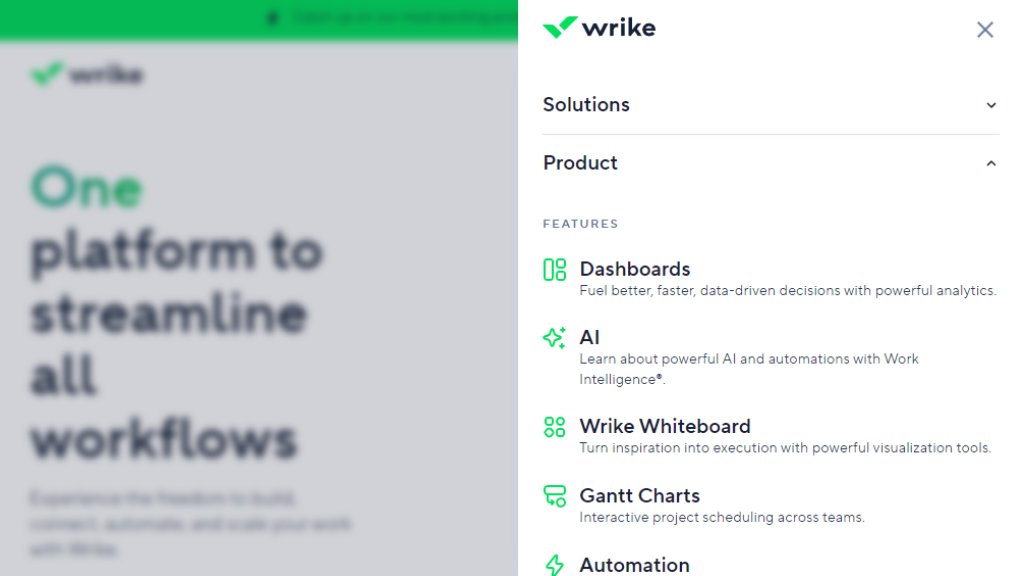
1. Work Intelligence (AI): Features like Wrike Copilot, AI agents, and automation rule generation help summarize content, prioritize tasks, and automate workflows.
2. Visual Collaboration: Includes an infinite Wrike Whiteboard (powered by Klaxoon) for brainstorming and interactive tools like Questions & Dot-voting.
3. Multiple Project Views: Offers Gantt charts, Kanban boards, table views, and customizable dashboards for 360-degree project visibility.
4. Automated Workflows: Allows users to define and trigger automated actions to eliminate manual efforts and handoffs.
5. Proofing and Approvals: Streamlined tools for reviewing, commenting on, and approving creative assets and deliverables directly within the platform.
6. Custom Item Types and Fields: Enables teams to tailor workspaces, forms, and workflows to fit their specific processes and terminology.
7. Resource and Capacity Planning: Tools to allocate resources, track hours, and manage team workloads effectively.
8. Advanced Analytics and Reporting: Real-time dashboards and reporting features for data-driven decision-making.
9. Extensive Integrations: Connects with over 400 popular apps like Slack, Microsoft 365, Google Workspace, Adobe, Salesforce, and Jira.
10. Dynamic Request Forms: Customizable forms with conditional logic to standardize work intake.
Use Cases
1. Marketing Campaign Management: Plan, execute, and report on end-to-end marketing campaigns with streamlined proofing and asset approval.
2. Creative Production: Manage the entire content creation lifecycle, from request to approval, for design and video teams.
3. Product Development: Accelerate the product process from ideation to launch, coordinating across engineering, design, and product management.
4. Professional Services Delivery: Organize multiple clients and projects, track billable hours, and manage resources for consulting and agency teams.
5. IT Service Management: Automate service requests, manage initiatives, and optimize IT workflows and ticketing.
6. Project Portfolio Management (PPM): Align strategy with execution, manage a portfolio of projects, and track OKRs for PMOs.
7. Cross-Functional Operations: Streamline business operations by connecting workflows across different departments like HR, Legal, and Finance.
8. Enterprise Work Coordination: Provide a single source of truth for large organizations to manage complex, interconnected workflows at scale.
Supported Languages
1. English
2. Dansk (Danish)
3. Deutsch (German)
4. Español (Spanish)
5. Français (French)
6. Bahasa Indonesia (Indonesian)
7. Italiano (Italian)
8. Bahasa Melayu (Malay)
9. Nederlands (Dutch)
10. Norsk (Norwegian)
11. Polski (Polish)
12. Português (BR) (Brazilian Portuguese)
13. Svenska (Swedish)
14. Русский (Russian)
15. 日本語 (Japanese)
16. 한국어 (Korean)
17. 中文 (简体) (Simplified Chinese)
18. 中文 (繁體) (Traditional Chinese)
Pricing Plans
1. Free Plan: $0 per user/month. Offers essential task management, board and table views, and mobile apps. Active task limitations apply.
2. Team Plan: $9.60 per user/month (billed annually). For 2-15 users. Includes AI Essentials, shareable dashboards, interactive Gantt charts, and custom fields.
3. Business Plan: $24.80 per user/month (billed annually). For 5-200 users. Most popular plan. Adds AI Elite features (Copilot, agents), resource planning, workflow customizations, and templatization.
4. Pinnacle Plan: Contact sales for pricing. For 5 to unlimited users. Includes advanced resource planning, budgeting, advanced BI reporting, single sign-on (SSO), and advanced security.
5. Apex Plan: Contact sales for pricing. For 5 to unlimited users. New plan with a generous AI package, unlimited Whiteboards, Wrike Integrate, Wrike Sync, Wrike Datahub, and includes most add-ons.
Paid Add-ons (available for purchase with plans): Wrike Whiteboard ($15/user/month), Wrike Integrate (custom pricing), Wrike Two-Way Sync (custom pricing), Wrike Datahub (custom pricing), Wrike Lock (custom pricing).
Frequently Asked Questions
1. Q: What are the different types of user licenses in Wrike?
A: Wrike offers full user licenses (regular and external users with paid seats) and limited user licenses (contributors a



Please login to post a comment
Login