What is X-Design?
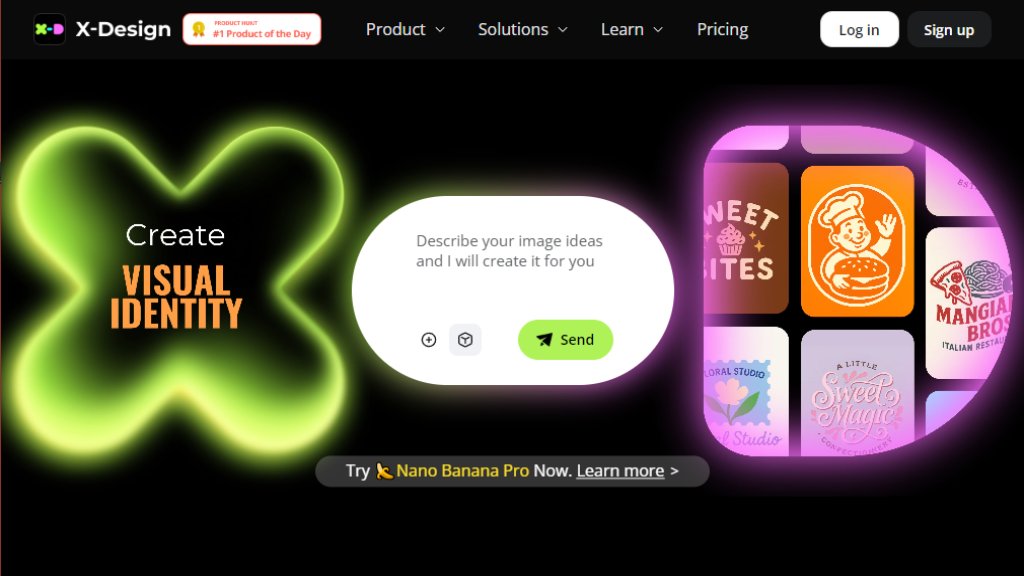
X-Design is a comprehensive creative platform that combines an intelligent AI Agent with a suite of automated design and editing tools. It is built specifically to help businesses, especially small businesses and restaurants, establish and maintain a professional brand identity quickly and conveniently. The core innovation is its Brand Memory system, which learns and locks in your brand assets like colors, fonts, and logos. Once set, the AI Agent applies this brand kit automatically across all generated designs—from logos and menus to posters and social media visuals—ensuring instant consistency. Beyond the agent, X-Design offers a powerful all-in-one editor for photos and videos, including tools for background removal, enhancement, generation, and more, making it a versatile solution for various creative needs.
Main Features of the Website (AI Tool)
1. AI Branding Agent: An intelligent assistant that generates complete brand guides, logos, and marketing materials while maintaining locked-in brand consistency.
2. Brand Memory: A system that stores your brand assets (colors, logos, typography) and automatically applies them to all new designs.
3. Comprehensive Design Generators: Tools for creating logos, posters, flyers, menus, and mockups with production-ready layouts.
4. AI Photo & Video Editor: An all-in-one suite featuring background removal, image enhancement, upscaling, watermark removal, and background generation.
5. AI Product Photography: Transforms basic product photos into professional shots by placing them into realistic settings.
6. E-commerce & Fashion Tools: Includes virtual clothing try-on, AI fashion model generation, and image recolor for product showcases.
7. Multi-Platform Access: Works seamlessly across web, iOS, and Android apps with synchronized subscriptions and credits.
Use Cases of the Website (AI Tool)
1. Small Business Branding: Quickly creating a full, consistent brand identity from scratch for cafes, restaurants, or retail stores.
2. Marketing Material Creation: Generating event posters, promotional flyers, social media graphics, and menus that stay on-brand.
3. Product Photography Enhancement: Turning smartphone photos of products into clean, professional images for e-commerce or menus.
4. Social Media Content Production: Creating eye-catching visuals and videos for platforms like Instagram and TikTok.
5. E-commerce Store Optimization: Generating model images, virtual try-ons, and background-removed product shots for online stores.
6. Rapid Design Iteration: Allowing businesses to test different visual concepts for launches, holidays, or store openings quickly.
Pricing Plans
1. Free Plan: $0/month. Includes limited daily access to the AI Agent (20 credits), image generations, video generations, and basic tools with usage caps.
2. Plus Plan: $5.83/month (billed annually at $69.99/year). Includes 200 credits/month, higher monthly limits for generations (150 images, 75s video), and unlimited access to core image editing tools.
3. Pro Plan: $20.83/month (billed annually at $249.99/year). Includes 700 credits/month, the highest usage limits (500 images, 500s video), unlimited Nano Banana Pro access, and more daily uses of video tools.
4. Enterprise Plan: Custom pricing. Offers API integration and private models for large-scale business needs. Contact sales.
5. Flexible Credit Packs: Additional credits can be purchased separately, starting from $6.99 for 20 credits.
Frequently Asked Questions
1. Q: What are credits and how are they used?
A: Credits are used to access premium features like the AI Agent and generative tools. They come from subscriptions or top-ups and roll over during your subscription period.
2. Q: How do I cancel my subscription?
A: Cancel via your account's 'Manage Subscriptions' section at least 24 hours before the next billing cycle. Your plan remains active until the cycle ends.
3. Q: What are the usage limits for the Free, Plus, and Pro plans?
A: The Free plan has strict daily limits. Plus and Pro plans have higher monthly 'soft limits' for generative tools, with core editing tools being practically unlimited. Limits reset monthly.
4. Q: What is your refund policy?
A: A 7-day money-back guarantee applies to the Pro Plan if unused. Refunds for credit packs or service dissatisfaction are evaluated case-by-case. API purchases have separate terms.
5. Q: Can I use my subscription across different platforms?
A: Yes, subscriptions and credits work across the web, iOS, and Android apps, providing a seamless experience.
6. Q: How can I upgrade or downgrade my plan?
A: Purchase a new plan to upgrade; the remaining balance is refunded as account credit. For downgrades, contact support for a balance refund.
Pros and Cons
Pros:
- Delivers exceptional value for brand consistency, automating a typically complex and expensive process.
- The integrated suite of photo and video editing tools is powerful and convenient, eliminating the need for multiple software.



Please login to post a comment
Login