Scribe
Create perfect process docs in seconds
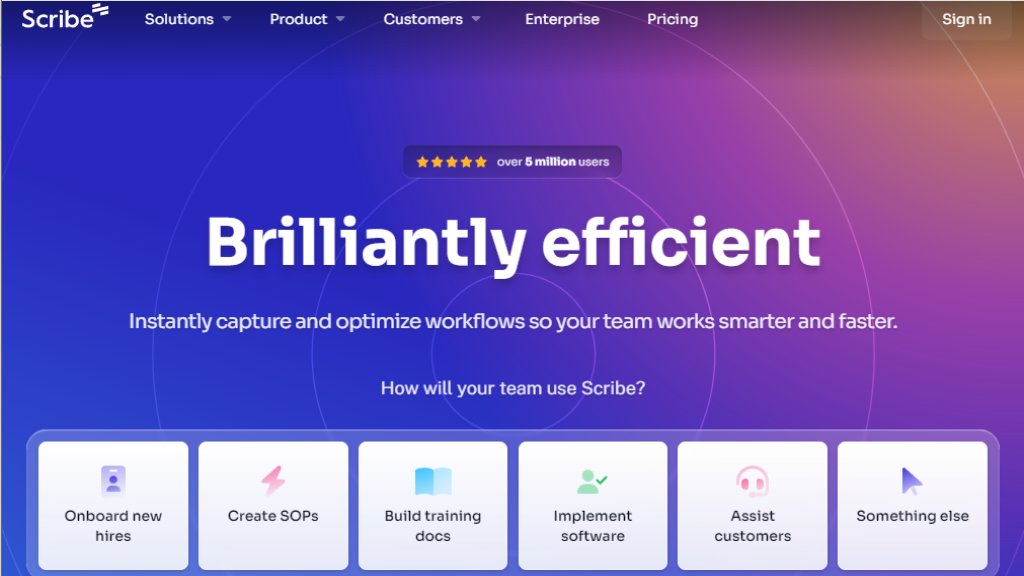
Scribe is an intelligent workflow documentation tool that automatically captures digital processes in real time and generates clear, branded, shareable step-by-step guides—fast, convenient, and secure.
Scribe アナリシス
紹介
What is Scribe?
Scribe is an intelligent workflow documentation platform that captures digital processes as users perform them—across web apps, desktop software (Windows/macOS), and mobile interfaces—and instantly transforms those actions into annotated, narrated, step-by-step guides. Instead of manual writing or screenshot stitching, Scribe’s automated capture engine records every click, scroll, and input, then intelligently labels steps, adds contextual text, and supports voice narration. Designed for speed and scalability, it helps teams centralize knowledge, accelerate onboarding, standardize SOPs, and embed contextual help—without requiring technical skills or lengthy training.
Main Features
- One-click automated capture across web browsers, desktop applications, and mobile interfaces
- AI-enhanced narration and intelligent step labeling during recording
- Custom branding options including logo upload, color themes, and white-labeling
- Manual and assisted redaction of sensitive data (PII/PHI) with enterprise auto-redaction
- Multi-format export: PDF, HTML, Markdown, Microsoft Word, and video
- Embeddable guides and composite Pages combining guides, text, videos, and links
- Sidekick browser extension for in-context guide access while working
- Guide Me interactive on-screen walkthroughs for hands-on learning
- Team collaboration tools: comments, version history (1 week on Pro), and admin approval workflows
- Enterprise security: SOC 2 Type II, HIPAA, CCPA compliance; SSO (SAML), SCIM, IP whitelisting, URL whitelabeling, and role-based access control
Use Cases
- Onboard new hires using visual, self-paced training guides for internal tools and policies
- Document and maintain version-controlled standard operating procedures (SOPs) and process playbooks
- Train teams on new software deployments without live sessions or dense manuals
- Assist customers by embedding contextual help directly into support portals or knowledge bases
- Guide enterprise-wide adoption of new software with interactive, in-app walkthroughs
- Support IT and operations teams in auditing, troubleshooting, and standardizing cross-tool workflows
Pricing Plans
- Basic: Free plan with unlimited guide creation, web-only capture, link & embed sharing, quick customization, and browser extension support
- Pro Personal: $23 per user per month—adds desktop capture, branding, screenshot redaction, PDF/HTML/Markdown export, and voice transcription
- Pro Team: $59/month base + $12 per additional user after first 5 users—includes all Pro features plus team comments, multi-user workspace, and collaborative editing
- Enterprise: Custom pricing—includes enforced auto-redaction, SSO/SAML, SCIM, advanced governance, API access (search, Copilot, Slack bot), language translation, and dedicated customer success
Frequently Asked Questions
Q: Can I capture desktop processes with a Basic account?
A: No—desktop capture requires Pro or Enterprise plans.
Q: If I upgrade my team to Pro, do all members get upgraded?
A: Yes—upgrades apply at the team level; all members move to the same tier.
Q: Does Scribe offer discounts for schools or nonprofits?
A: Yes—verified .edu institutions and 501(c)(3) or equivalent nonprofits qualify for special pricing.
Q: Is Scribe compliant with security standards like SOC 2 or HIPAA?
A: Yes—Scribe meets SOC 2 Type II, HIPAA, CCPA, and other enterprise-grade compliance requirements.
Pros and Cons
Pros:
- Extremely fast documentation: turns minutes-long tasks into polished guides in under 30 seconds
- Cross-platform support covers web, desktop, and mobile workflows comprehensively
- Intuitive editor allows easy text edits, step reordering, and visual annotation
- Strong security posture with certifications and granular controls ideal for regulated industries
- High user adoption—trusted by 94% of the Fortune 500 and over 5 million users
Cons:
- Desktop app and advanced redaction features are gated behind paid tiers
- Team-level billing means mixed-tier teams (e.g., Basic + Pro) aren’t supported
- Version history is limited to one week on Pro; longer retention requires Enterprise
Recommendation Rating
9/10 (exceptional balance of speed, usability, and enterprise readiness)
コメントを投稿するにはログインしてください
ログイン