
PhotoCat AI Image Extender
Expand Images Seamlessly with AI
PhotoCat's AI Image Extender uses intelligent technology to expand and uncrop images naturally. It offers fast, automated editing with no watermarks, perfect for social media, e-commerce, and photography.
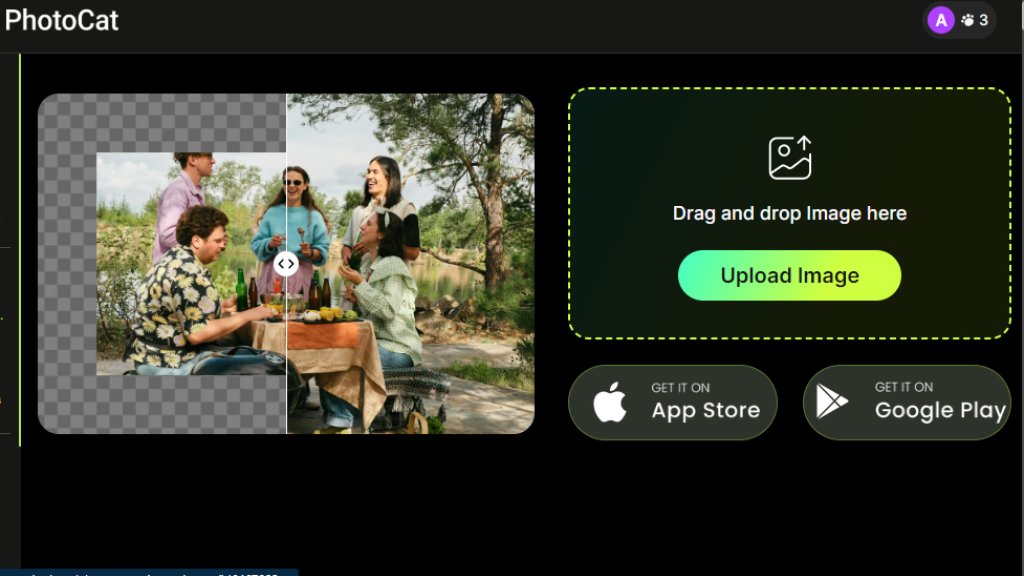
PhotoCat AI Image Extender Analysis
Introduction
What is PhotoCat AI Image Extender?
PhotoCat AI Image Extender is an online tool that uses advanced artificial intelligence to expand the boundaries of an image. It intelligently analyzes the existing content and generates new, realistic background details to enlarge the canvas. This process, often called 'uncropping' or 'generative expand,' allows users to transform tight shots into wider compositions, fit images to specific aspect ratios, or simply restore missing edges without manual editing. The tool is designed to be convenient and powerful, delivering high-quality, 4K results that maintain the original image's sharpness and natural look.
Main Features
1. Intelligent Image Expansion: The core feature uses automated AI to analyze and extend image backgrounds seamlessly, creating a natural and realistic look.
2. No Watermarks: The free version provides expanded images without adding any watermarks, ensuring clean, usable results.
3. Preset Size Options: Offers seven preset canvas sizes tailored for major platforms like Instagram, TikTok, Facebook, and YouTube for quick formatting.
4. High-Resolution Output: Extends photos up to 4K quality while preserving details and preventing pixel distortion or blurring.
5. User-Friendly Interface: Features a simple drag-and-drop upload system and a straightforward three-step process: upload, select size, and generate.
6. Fast Processing: Delivers expanded images quickly, saving time compared to manual editing or reshoots.
Use Cases
1. E-commerce Product Shots: Enlarge product images to create space for promotional text or to fit various online marketplace and social media requirements.
2. Social Media Banner Design: Automatically resize and extend visuals to create sharp, professional-looking banners for different social media channels.
3. Landscape Photography: Widen tight scenery shots to create broader, more aesthetic panoramic views suitable for printing or digital display.
4. Portrait Enhancement: Fill in empty spaces around portraits and selfies to make the composition feel more complete and balanced.
5. Content Creation: Quickly adapt any photo to meet specific dimension needs for blogs, websites, or digital advertisements without compromising quality.
Pricing Plans
1. Free Plan: Provides basic access to the AI Image Extender and other tools with a limited number of credits. Output is free of watermarks.
2. Meowber Pro (Weekly): Priced at $6.99 for 7 days. It includes 100 credits per week for all AI tools, an ad-free experience, priority rendering, and deep photo cleanup features.
3. Meowber Pro (Yearly): Priced at $59.99 for 1 year. This plan offers the same features as the weekly plan but at a discounted annual rate, providing better long-term value.
Frequently Asked Questions
1. Q: Does the AI-expanded image look realistic?
A: Yes. The tool analyzes the scene and blends new areas seamlessly, maintaining natural image quality for an authentic look.
2. Q: Which image size works best for Instagram Stories?
A: The ideal size for Instagram Stories is 1080 x 1920 pixels to fill the screen without cropping or quality loss.
3. Q: What is the difference between an AI Image Extender and an Image Upscaler?
A: An AI Image Extender expands the image canvas by adding new content around the borders. An Image Upscaler increases the resolution and sharpness of an image without changing its composition.
4. Q: Can I extend an image multiple times?
A: The website does not explicitly state a limit, but performance may depend on the available credits in your plan.
5. Q: How long does the AI Image Extender take to process?
A: Processing is typically fast, often completing in seconds, though times may vary based on image size and server load.
Pros and Cons
Pros:
1. The free version is highly accessible and does not apply watermarks to exported images.
2. The intelligent expansion technology produces realistic and seamless results.
3. The interface is convenient and easy to use, requiring no advanced editing skills.
4. Offers preset sizes for major social platforms, saving time on manual resizing.
5. Maintains high 4K image quality without introducing distortion.
Cons:
1. The free plan has limited credits, which may restrict heavy usage.
2. The weekly subscription price is relatively high for short-term use.
3. As an online tool, it requires a stable internet connection to function.
Recommendation Rating
8/10 (A powerful and convenient tool for automated image expansion, excellent for free use, though paid plans are best for frequent users.)


Please login to post a comment
Login