What is AIAI AI Product Exploded View Generator?
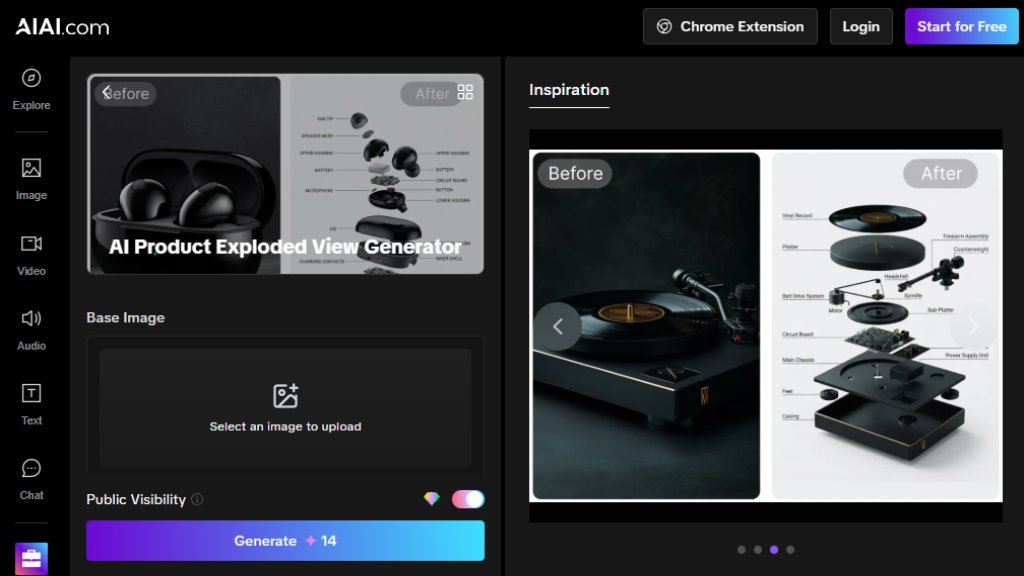
The AIAI AI Product Exploded View Generator is an innovative online tool that automatically creates detailed exploded view diagrams from product inputs. It revolutionizes technical illustration by using advanced algorithms to analyze product structure and separate components intelligently. Users can upload 3D models, sketches, or provide detailed descriptions, and the system generates professional-grade exploded diagrams in seconds. This solution eliminates the need for complex manual drafting in traditional CAD software, making technical documentation accessible to designers, engineers, marketers, and educators who require clear visual explanations of product assemblies.
Main Features
1. Automated component separation: The tool intelligently analyzes product structure and separates parts with precise spacing.
2. Multiple input formats: Accepts 3D models (OBJ, STL), 2D images, and detailed text descriptions.
3. Customizable output: Adjust separation distance, viewing angles, lighting, and visual styles.
4. High-resolution export: Generates print-ready diagrams suitable for professional documentation.
5. No specialized skills required: User-friendly interface eliminates the need for CAD expertise.
6. Fast processing: Creates complex exploded views in seconds instead of hours.
Use Cases
1. Technical documentation: Create assembly instructions and repair manuals with clear component visualization.
2. Product marketing: Develop engaging visual assets for presentations, websites, and sales materials.
3. Engineering design: Visualize product assemblies during development and prototyping phases.
4. Educational materials: Produce teaching aids that demonstrate how complex products are constructed.
5. Patent applications: Generate precise diagrams that clearly show invention components.
6. Manufacturing guides: Develop visual instructions for assembly line workers and quality control.
Supported Languages
1. English (primary interface language)
2. The website content and tool interface appear primarily in English, though specific language support for the generator itself isn't explicitly detailed on the provided pages.
Pricing Plans
1. Free Plan: $0/month forever, includes 20 credits, up to 6 images/2 videos, watermarked outputs, queue wait times, non-commercial use, and standard support.
2. Pro Plan: $7.99/month (special offer, renews at $19.99/month), includes 300 credits monthly, up to 100 images/30 videos, all AI models, faster generation, watermark-free outputs, private creations, commercial rights, and priority support.
3. Ultimate Plan: $39.99/month, includes 800 credits monthly, up to 266 images/80 videos, all features of Pro plus early access to new models and best credit value.
Frequently Asked Questions
1. Q: What file formats does the AI exploded view generator accept?
A: It accepts common 3D formats like OBJ or STL, detailed 2D images, and text descriptions.
2. Q: How does the AI generate diagrams faster than manual drafting?
A: It automates geometric calculations and component separation instantly, eliminating hours of manual work.
3. Q: Can I adjust the component separation level?
A: Yes, users can customize spacing, camera angles, lighting, and line styles.
4. Q: Is the output resolution suitable for professional printing?
A: Absolutely, all generated views are high-resolution for professional printing and presentations.
5. Q: Can the AI handle complex products?
A: Yes, the engine is trained on intricate assemblies for accurate component mapping regardless of complexity.
Pros and Cons
Pros:
1. Dramatically reduces time needed for creating technical illustrations.
2. Eliminates requirement for expensive CAD software and specialized training.
3. Produces professional-quality results suitable for commercial use.
4. Flexible customization options for different visual styles and requirements.
5. User-friendly interface accessible to non-technical users.
Cons:
1. Free plan has significant limitations including watermarks and queue waits.
2. Pricing can become expensive for regular commercial users on higher tiers.
3. Dependent on upload quality - poor input may affect output results.
4. May not replace highly specialized CAD work for extremely complex engineering needs.
Recommendation Rating
8/10 (Powerful tool that democratizes technical illustration, though pricing structure could be more transparent for enterprise users)



Please login to post a comment
Login