What is PhotoCat Background Changer?
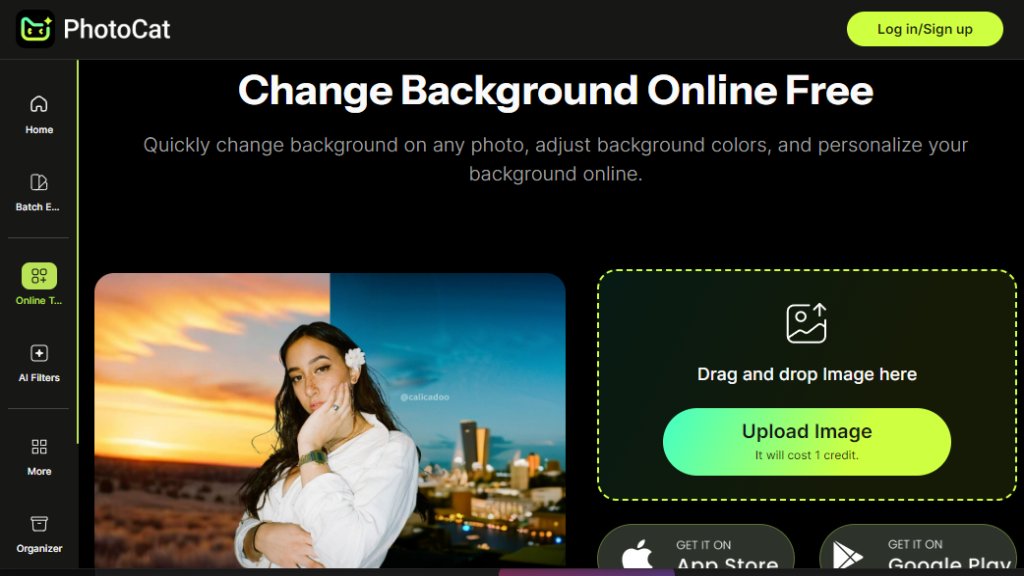
PhotoCat Background Changer is a web-based, intelligent image editing tool designed to automatically and accurately separate subjects from their backgrounds in photographs. It utilizes advanced algorithms to detect and isolate the main foreground object, allowing users to either remove the background entirely or replace it with a new one, such as a solid color, gradient, or custom image. This tool is built for convenience, enabling quick edits without requiring complex software like Photoshop. It operates directly in your browser, making it accessible from any device with an internet connection. The process is streamlined: users upload an image, the tool intelligently identifies the subject, and then provides options to delete the existing background or swap it for a different scene. It's particularly useful for creating clean product images, enhancing personal photos for social media, or preparing visuals for professional documents, all through a simple and fast automated workflow.
Main Features
1. Intelligent background removal that automatically detects and separates the subject from its surroundings.
2. Background replacement functionality to swap old backgrounds with solid colors, patterns, or uploaded images.
3. Fast processing engine that delivers results quickly, saving valuable editing time.
4. User-friendly drag-and-drop interface that requires no technical expertise to operate.
5. High-quality output that maintains the clarity and edges of the primary subject for a professional finish.
6. Credit-based system for task management, integrated with various pricing plans.
Use Cases
1. E-commerce: Creating clean, white-background product photos for online store listings.
2. Graphic Design: Quickly isolating subjects for use in posters, flyers, or digital advertisements.
3. Personal Use: Enhancing profile pictures for social media, resumes, or personal portfolios by changing backgrounds.
4. Photography: Preparing portrait photos by replacing dull or distracting backgrounds with more appealing scenes.
5. Content Creation: Generating images for blogs, presentations, or marketing materials where a specific background is required.
Pricing Plans
1. Free Plan: Includes 5 credits per day for basic conversions.
2. Meowber Pro (Weekly): Costs $6.99 for 7 days, providing 100 weekly credits, an ad-free experience, and priority rendering.
3. Meowber Pro (Yearly): Priced at $59.99 for one year, offering the same features as the weekly plan at a discounted rate.
Frequently Asked Questions
1. Q: How many credits does it cost to change a background?
A: Changing a background costs 1 credit per image.
2. Q: What is included in the free plan?
A: The free plan provides 5 credits per day for basic background conversions.
3. Q: What are the benefits of the Meowber Pro plan?
A: The Meowber Pro plan offers more credits (100 weekly), an ad-free interface, and priority rendering for faster processing.
4. Q: Can I use the tool on mobile devices?
A: Yes, as a web-based tool, it is accessible from any device with a browser and internet connection.
Pros and Cons
Pros:
- Extremely convenient and fast for quick background edits.
- Powerful automated detection works well on clear subjects.
- No software installation required; works directly in your browser.
- Offers a generous free tier for occasional users.
Cons:
- Credit system may limit heavy users on the free plan.
- Results on complex images with fine details like hair may require manual touch-ups.
- Advanced editing features are limited compared to full desktop software.
Recommendation Rating
8/10 (A powerful and convenient tool for most quick background editing needs, offering a good balance of free access and capable paid features.)



Please login to post a comment
Login