What is FlowChartAI?
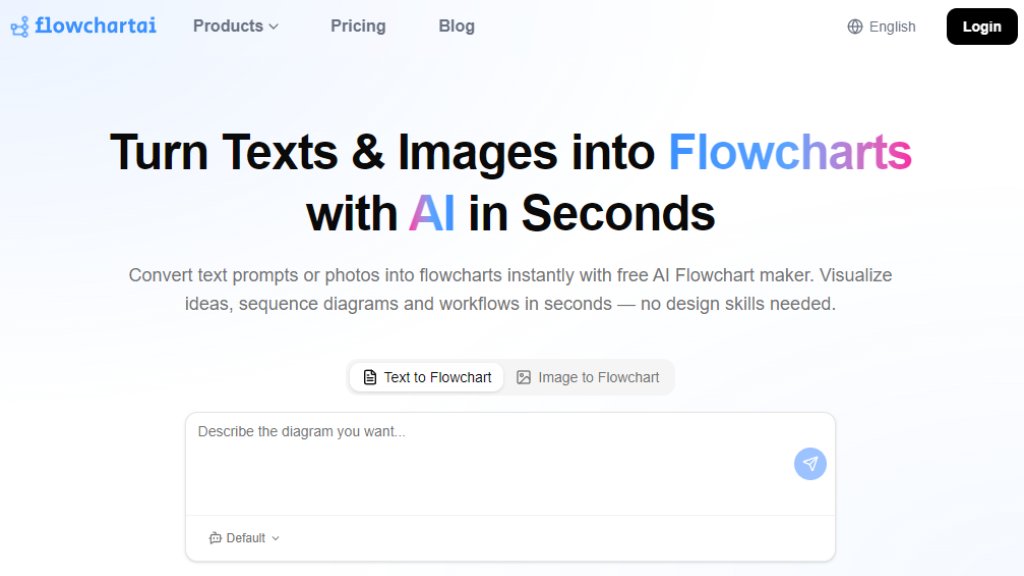
FlowChartAI is an intelligent online tool that uses advanced AI to transform plain text descriptions or images into structured, editable flowcharts and diagrams within seconds. It acts as a free AI flowchart generator, supporting various diagram types including process flows, decision trees, UML diagrams, mind maps, organizational charts, and Gantt charts. The tool eliminates manual drag-and-drop by parsing natural language input to automatically identify steps, decision points, and branches, then renders a publication-ready diagram with proper symbols and connectors. It is designed for individuals and teams who need to visualize ideas quickly without any design expertise. Beyond flowchart creation, FlowChartAI also offers additional AI-powered features for image conversion, PDF editing, video processing, and background removal, making it a versatile digital asset creation platform.
Main Features
- Text to Flowchart: Converts any text description into a professional flowchart automatically.
- Image to Flowchart: Transforms photos or images into flowcharts using AI.
- Multiple Diagram Types: Supports flowcharts, mind maps, SWOT analysis, organizational charts, Gantt charts, UML diagrams, and decision trees.
- Smart Auto-Layout: Automatically arranges nodes and connectors for optimal readability and professional appearance.
- Real-Time Collaboration: Share live links with teammates for viewing, commenting, and editing.
- Export Options: Download diagrams as PNG, SVG, or PDF files.
- Additional AI Tools: Includes PDF to Word/Excel/Image, image background removal, video compression, subtitle remover, and social media video downloader.
- No Sign-Up Required: Allows free usage without mandatory registration for basic features.
Use Cases
- Software Development: Generate architecture diagrams, API flows, state machines, and UML diagrams from pseudocode or system descriptions.
- Product Management: Map user journeys, document approval workflows, and visualize dependencies for stakeholder alignment.
- Education and Research: Create algorithm flowcharts, lecture diagrams, and experimental protocols quickly.
- Business Operations: Document standard operating procedures (SOPs) and process maps for teams.
- UX Design: Design user flows and wireframe interactions by describing the journey in text.
- Content Planning: Build workflow diagrams for sprint planning, content pipelines, or HR onboarding.
Supported Languages
- English (primary interface and AI processing)
- The text-to-flowchart feature supports natural language input, which can be in English. Other languages may be supported for input but are not explicitly listed on the website.
Pricing Plans
FlowChartAI offers a free trial with unlimited diagram creation, full AI generation, all export formats, and no watermarks. Paid subscription plans provide credits for extended use:
- Lite: $8.99/month (billed monthly) or $9.99 one-off, includes 320 credits.
- Pro: $12.99/month (billed monthly) or $14.99 one-off, includes 500 credits.
- Prime: $25.99/month (billed monthly) or $29.99 one-off, includes 1500 credits.
All paid plans include AI flowchart generator, PDF conversion tools, image and video conversion, video watermark and subtitle removal, social media video downloader, e-commerce background removal, high-speed API generation, full platform access, and Discord community support.
Frequently Asked Questions
Q: What is an AI flowchart generator and how does it work?
A: An AI flowchart generator uses natural language processing to convert plain text descriptions into structured flowcharts. You type or paste a process description, and the AI identifies steps, decision points, and branches to produce a complete diagram automatically.
Q: Is FlowChartAI's flowchart maker really free trial?
A: Yes, the free trial offers unlimited diagram creation, full AI generation, all export formats, and zero watermarks with no credit card required and no expiration.
Q: How do I create a flowchart online with FlowChartAI?
A: Simply type or paste a natural-language description of your process, click 'Generate,' and the AI creates the flowchart instantly. You can then edit, export, or share it.
Q: Can FlowChartAI convert text to flowchart automatically?
A: Yes, the AI flowchart generator automatically transforms any text description into a structured flowchart with proper symbols and connectors.
Q: What types of diagrams can the diagram generator create?
A: It supports flowcharts, mind maps, SWOT analysis, organizational charts, Gantt charts, UML diagrams, decision trees, and process flow diagrams.
Q: Does FlowChartAI support team collaborative flowchart editing?
A: Yes, it includes shared workspaces, version history, and commenting for real-time collaboration.
Pros and Cons
Pros:
- Fast and intelligent text-to-diagram conversion in seconds.
- Completely free trial with no feature restrictions.
- Supports multiple diagram types beyond flowcharts.
- No sign-up required f



Please login to post a comment
Login