What is Hiver?
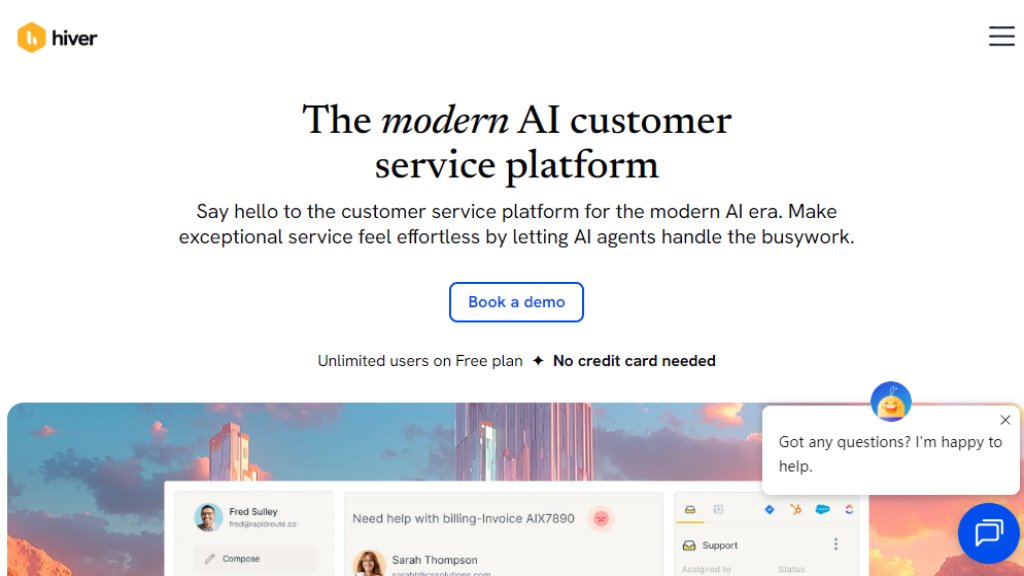
Hiver is a customer service platform designed to operate directly within Gmail, turning it into a collaborative help desk. It enables teams to manage shared inboxes, track customer conversations as tickets, and collaborate seamlessly without leaving their email environment. The platform integrates intelligent automation and AI capabilities to assist agents, automate repetitive tasks, and provide insights, making it a convenient solution for support, finance, and IT teams looking to deliver fast and consistent service across multiple channels like email, live chat, and social media.
Main Features
1. Shared Inbox Management: Transform Gmail into a collaborative workspace to assign, track, and manage emails from addresses like support@ or info@ as tickets.
2. Omnichannel Ticketing: Unify conversations from email, live chat, Slack, voice, and other channels into a single, intuitive workspace.
3. Hiver AI Suite: Includes AI Agents for autonomous query resolution, AI Copilot for agent assistance with drafting and refining replies, AI QA for automated quality assurance, and AI Insights for analytics.
4. Workflow Automation: Set up rules for automated triage, routing, tagging, and load-balanced or skill-based assignment to streamline processes.
5. Collaboration Tools: Use internal notes, shared drafts, @mentions, and integrated Slack threads to collaborate on tickets directly within the platform.
6. Analytics and Reporting: Track key metrics like response times, support volume, CSAT scores, and sentiment with custom dashboards and reports.
7. Knowledge Base and Customer Portal: Enable self-service with a branded help center and a portal for customers to submit and track tickets.
8. Extensive Integrations: Connect with over 100 apps including Salesforce, HubSpot, Shopify, and various ERP or project management systems.
Use Cases
1. Customer Support Teams: Deliver stellar, multi-channel support by managing emails, chats, and social queries from a unified platform with intelligent automation.
2. Finance Departments: Efficiently handle shared inboxes for billing, accounts payable, and other financial communications using automated triage and tracking.
3. IT Service Management (ITSM): Triage and resolve internal employee requests and IT tickets faster with streamlined workflows and collaboration features.
4. Human Resources Teams: Centralize all employee requests and HR workflows into one shared inbox for better organization and faster response times.
5. Startups and SMBs: Scale customer service operations without complex software, using an easy-to-adopt platform built on familiar tools like Gmail.
6. Industries like Technology, Healthcare, and Logistics: Meet industry-specific support needs with a flexible platform that ensures compliance and efficient communication.
Supported Languages
1. The primary supported language for the platform interface and customer support is English.
Pricing Plans
1. Free Plan: $0 per month, offering basic ticketing, shared inboxes, email and live chat support, collaboration, and integrations like Slack.
2. Growth Plan: $25 per user per month, adding AI Compose, AI Summarizer, internal knowledge base, custom fields, workflows, basic analytics, and more.
3. Pro Plan: $65 per user per month, includes AI Agents and AI Copilot, additional channels like voice and WhatsApp, SLA management, CSAT surveys, advanced analytics, and premium integrations.
4. Elite Plan: $105 per user per month, provides full AI suite including AI QA and AI Insights, skill-based routing, custom objects, advanced security like HIPAA compliance, OKTA SSO, and custom success services.
Frequently Asked Questions
1. Q: Is there a free version of Hiver? A: Yes, Hiver offers a Free plan with basic features for teams getting started.
2. Q: How does the 7-day free trial work? A: The trial provides full access to paid features; no credit card is needed to sign up.
3. Q: Do I need to pay for all my Google or Outlook account users? A: No, you only pay for users who actively use Hiver as agents.
4. Q: Can I pay for Hiver monthly? A: Yes, monthly billing is available for all paid plans.
5. Q: Does Hiver offer discounted plans to nonprofits and NGOs? A: Specific discount information is not listed; contacting sales is recommended for inquiries.
6. Q: I’m migrating from another help desk to Hiver. Do you help with that? A: Yes, Hiver provides migration assistance to help you transition smoothly.
Pros and Cons
Pros:
1. Convenient integration with Gmail and Google Workspace, reducing the learning curve.
2. Powerful AI features that automate responses, triage, and quality assurance to boost efficiency.
3. Intuitive interface with robust collaboration tools, making team coordination seamless.
4. Flexible pricing with a free plan and scalable options suitable for teams of all sizes.
5. Comprehensive omnichannel support consolidates multiple communication channels into one platform.
Cons:
1. Primarily designed around Gmail, which



Please login to post a comment
Login