What is ImageToVideoAI?
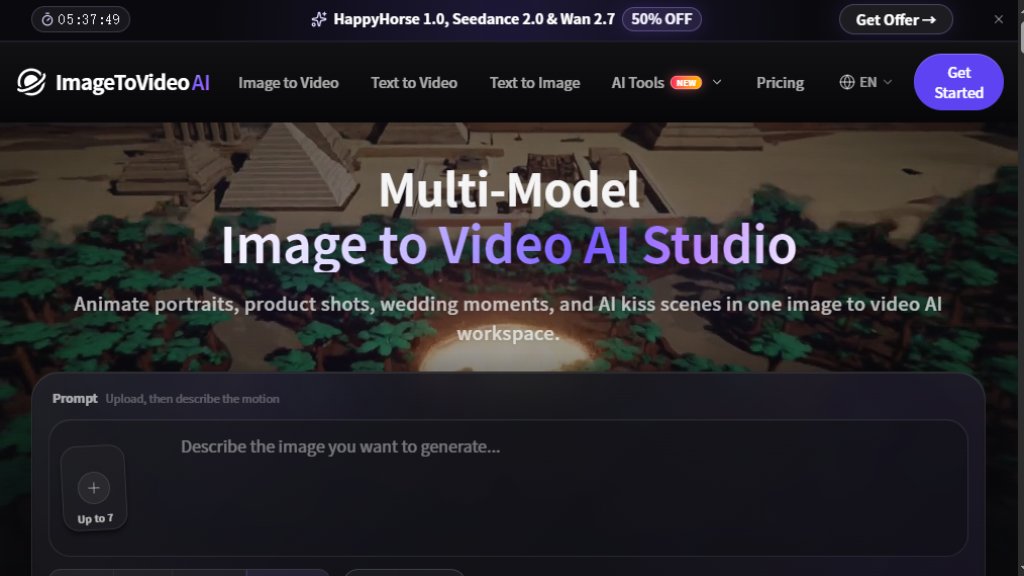
ImageToVideoAI is a powerful online AI tool that transforms static images into dynamic, cinematic videos. It offers a comprehensive workspace where users can upload a photo, add a text prompt to describe the desired motion, and select from over 14 leading AI models, including Kling 3.0, Veo 3.1, and Seedance 2.0, to generate a video in seconds. The platform also provides additional AI tools for text-to-video, video-to-video, text-to-image, image editing, background removal, and image upscaling, all within one account. It is designed for creators, marketers, and businesses who want to produce high-quality video content without any editing skills or desktop software. ImageToVideoAI offers a free tier for testing and paid plans for more extensive use, with a focus on no-watermark exports and commercial usage rights.
Main Features
- Multi-Model Support: Access to 14 leading AI models, including Kling 3.0, Veo 3.1, Wan 2.7, Seedance 2.0, and Grok Imagine, for diverse video styles.
- Image to Video: Transform any image into a stunning AI video with simple text prompts.
- Text to Video: Generate videos directly from written descriptions.
- Video to Video: Upload a source video and transform its style or motion.
- Text to Image: Create images from text prompts for storyboards or assets.
- Image to Image: Edit, remix, and restyle uploaded images.
- Background Remover: Remove image backgrounds for free.
- Image Upscaler: Upscale blurry images without quality loss.
- Merge Images: Combine photos online for free, no login required.
- No Watermark: All generated videos are watermark-free, even on the free plan.
- Concurrent Generations: Paid plans allow up to 2 or 4 simultaneous video generations.
- Automatic Refund: Failed tasks are automatically refunded, ensuring no credit waste.
- Commercial Usage License: All plans include a commercial license for business use.
Use Cases
- Animate Old Photos: Bring historical family photos to life with gentle movements.
- Product Photo to Video Ads: Create engaging product videos from a single image for marketing.
- AI Hug Video Generator: Generate heartwarming hug videos from two photos.
- AI Wedding Video Generator: Turn wedding photos into cinematic video memories.
- Real Estate Image to Video: Showcase property photos as dynamic walkthrough videos.
- AI Food Video Generator: Make mouth-watering food videos from still images.
- AI Travel Video Generator: Transform travel photos into immersive video clips.
- AI Portrait Animation Generator: Animate portrait photos for social media or creative projects.
- French Kiss Video: Create romantic kiss videos from two photos.
- Content Creation: Generate short video clips for social media, blogs, or presentations.
Supported Languages
The platform interface and prompts are primarily in English. However, the AI models can understand and generate videos based on prompts in multiple languages, as they are trained on diverse datasets. The website itself is available in English, as indicated by the 'EN' language selector on the navigation bar.
Pricing Plans
- Free: $0 per month. Includes 20 welcome credits and 5 daily visit credits. Allows up to 2 basic videos and 6 basic images. Credits expire in 2 days. Watermark-free exports. 1 generation at a time.
- Starter: $23.9 per month (billed monthly at $47.8) or $286.8 per year. Includes 2,000 monthly credits for ~133 short videos or ~400 images. Up to 2 concurrent generations. Access to all models. No watermarks. Email support (<=24h).
- Pro: $55.9 per month (billed monthly at $111.8) or $670.8 per year. Includes 6,000 monthly credits for ~400 short videos or ~1,200 images. Up to 4 concurrent generations. Advanced parameters. Priority email support (<=12h). Early access to new features.
- Pay As You Go: $49.9 for 2,500 credits (no expiration). $0.020 per credit. Includes access to all models, no watermarks, and commercial usage license.
Frequently Asked Questions
- Can I try ImageToVideoAI before subscribing? Yes, the Free plan offers 20 welcome credits and 5 daily credits to test the service without payment.
- Which AI video models does this image to video generator support? It supports 14 models including Kling 3.0, Veo 3.1, Wan 2.7, Seedance 2.0, Grok Imagine, and more.
- Can I use generated videos commercially? Yes, all plans include a commercial usage license, allowing you to use videos for business purposes.
- Do I need to install anything? No, it is a web-based platform that works directly in your browser without any installations.
- How long does it take to generate a video? Generation typically takes about 60 seconds, depending on the model and complexity.
- Is ImageToVideoAI the same as imgtovideo ai or imagetovideos ai? No, it is a separate platform with its own unique features and model lineup.
Pros and Cons
Pros:
- Access to multiple top-tier AI video models in one place.
- Free tier available for testing with no watermark on exports.
- Simple three-step workflo




Please login to post a comment
Login