What is Photiu.ai?
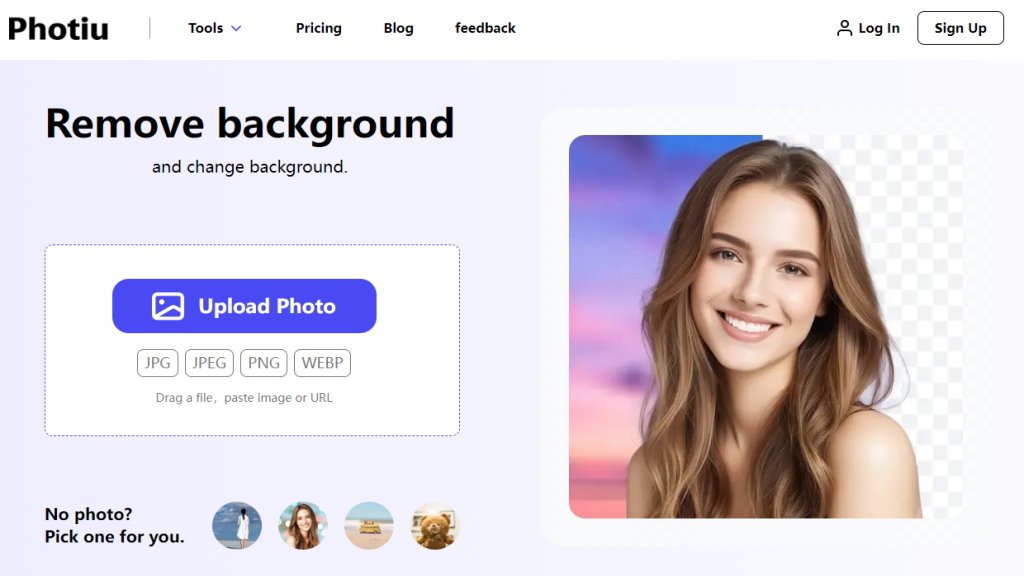
Photiu.ai is a web-based, intelligent photo editing platform that simplifies complex image manipulation tasks. It utilizes advanced algorithms to provide users with a suite of automated tools for enhancing their photos. The core service is its instant background remover, which accurately isolates subjects from their backgrounds with a single click. Beyond this, the platform includes features for upscaling image resolution, magically erasing unwanted objects, and generating new images from text descriptions. Designed for accessibility, it requires no prior editing experience or software installation, making professional-grade photo editing convenient for everyone from social media users to small business owners.
Main Features
1. Instant Background Removal: Advanced technology removes photo backgrounds in seconds with high precision, supporting outputs up to 4K resolution.
2. Manual Refinement Tools: Offers 'Erase' and 'Restore' brushes for users to manually fine-tune AI-generated cutouts for perfect results.
3. Background Replacement: Allows users to replace removed backgrounds with solid colors, images from a library, or their own custom uploads.
4. Image Upscaler: Effortlessly enhances image quality and resolution, making pictures sharper and clearer.
5. Magic Eraser: Intelligently removes unwanted objects, people, or imperfections from photos seamlessly.
6. AI Image Generator: Creates unique images from user-provided text ideas or prompts.
7. Broad Format Support: Processes uploaded images in JPG, JPEG, PNG, and WEBP formats.
Use Cases
1. E-commerce Product Listings: Create clean, professional product images with transparent or white backgrounds for online stores.
2. Social Media Content: Design eye-catching profile pictures, promotional graphics, and creative posts by easily changing photo backgrounds.
3. Personal Photo Editing: Quickly improve personal photos by removing distractions, enhancing quality, or creating fun composites.
4. Graphic Design: Generate design assets, remove logos from images, or prepare images for further editing in other software.
5. Marketing Materials: Produce high-quality visuals for advertisements, presentations, and brochures without hiring a designer.
Supported Languages
1. English
Pricing Plans
1. Free Plan: Allows background removal and editing with preview quality downloads. HD downloads require credits.
2. Pay-As-You-Go Credits: Purchase credits to download HD images. One credit is needed per image for background removal.
- 20 Credits: $4.99 one-time payment ($0.249 per credit)
- 60 Credits: $10.99 one-time payment ($0.183 per credit)
- 150 Credits: $23.99 one-time payment ($0.160 per credit)
- 300 Credits: $39.99 one-time payment ($0.133 per credit)
- 600 Credits: $59.99 one-time payment ($0.100 per credit)
Purchased credits are valid for two years.
Frequently Asked Questions
1. Q: Can Photiu.ai create a transparent background?
A: Yes, creating transparent backgrounds is a core feature. It quickly and accurately removes backgrounds, leaving a transparent layer ready for editing.
2. Q: Is this a free background remover tool?
A: Yes, it offers a free service with limitations. You can upload and edit images for free, but saving in HD resolution requires a small fee.
3. Q: How can I change the background of a photo?
A: Simply select your photo, remove the background, then choose a new one from the library or upload your own image.
4. Q: Do I need technical skills to use Photiu.ai?
A: No, it is designed to be user-friendly. Just upload your photo, and the automated tool handles the process.
5. Q: What file formats does Photiu.ai support?
A: It supports JPG, JPEG, PNG, and WEBP formats for upload and processing.
Pros and Cons
Pros:
- Extremely user-friendly and requires no technical expertise.
- Fast and precise automated background removal.
- Offers manual editing tools for fine-tuning results.
- Flexible credit-based pricing with no mandatory subscription.
- Includes additional powerful tools like upscaling and object erasure.
Cons:
- Free plan downloads are not in HD quality.
- Credit system might be confusing for users wanting simple subscriptions.
- Results on complex images like detailed logos may require manual touch-up.
Recommendation Rating
8/10 (A powerful and convenient all-in-one photo editing suite ideal for casual users and small businesses, though the pricing model could be clearer.)



Please login to post a comment
Login