What is PhotoCat Photo to Sketch?
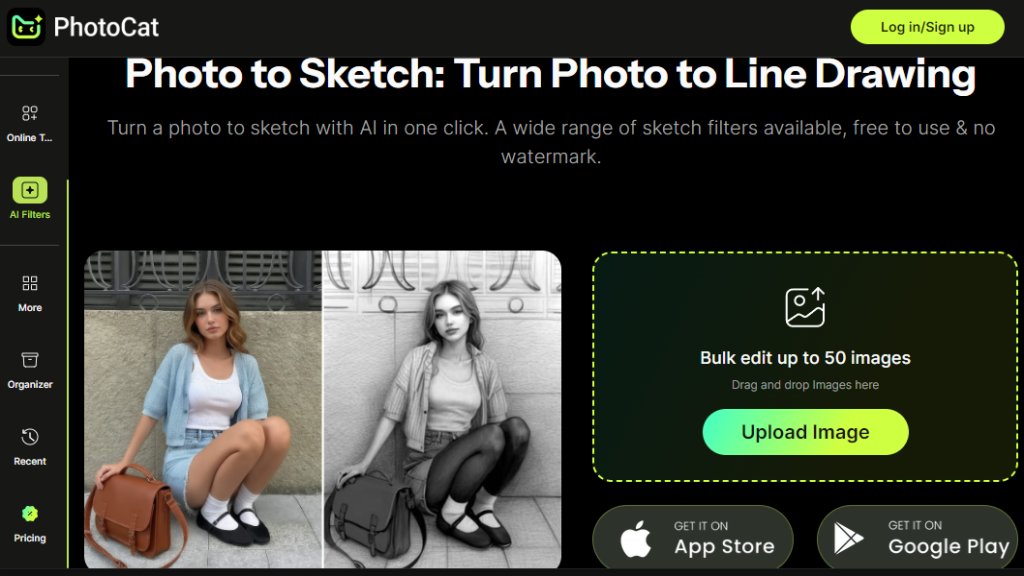
PhotoCat Photo to Sketch is an online, automated tool that converts standard photographs into artistic sketch or line drawing images. It uses intelligent algorithms to analyze the uploaded photo and apply various drawing styles that mimic hand-drawn sketches, pencil art, or other artistic effects. The process is designed to be fast and convenient, requiring just a single click from the user. It is part of the broader PhotoCat suite of online photo editing tools, which includes features for restoration, enhancement, and background manipulation. The tool is accessible directly through a web browser, eliminating the need for software downloads or complex installations.
Main Features
1. One-click conversion for fast photo-to-sketch transformation.
2. Offers a wide range of different sketch and line drawing filters and styles.
3. Supports batch editing, allowing users to process up to 50 images at once via drag-and-drop.
4. Provides free usage with no added watermarks on the output images.
5. Delivers priority rendering and an ad-free interface for Pro subscribers.
Use Cases
1. Creating unique profile pictures or social media avatars with an artistic sketch style.
2. Generating concept art or preliminary sketches for artists and designers from reference photos.
3. Preparing illustrations for personal projects, blogs, or presentations.
4. Producing stylized artwork for gifts, such as custom portraits from family photos.
5. Experimenting with different artistic visual effects for photography enthusiasts.
Pricing Plans
1. Free Plan: Includes 5 credits per day for basic conversions.
2. Meowber Pro (Weekly): Costs $6.99 for 7 days, providing 100 weekly credits, an ad-free experience, and priority rendering.
3. Meowber Pro (Yearly): Priced at $59.99 for one year, offering the same features as the weekly plan at a discounted rate.
Frequently Asked Questions
1. Q: Is the Photo to Sketch tool really free to use?
A: Yes, the tool offers a free plan that provides 5 credits per day for conversions without watermarks.
2. Q: How many images can I process at once?
A: The batch editor allows you to upload and convert up to 50 images simultaneously.
3. Q: What are the benefits of the Meowber Pro subscription?
A: The Pro plan removes ads, provides more credits (100 weekly), and enables faster, priority rendering of your images.
4. Q: Do I need to create an account to use the tool?
A: Based on the provided information, account creation is not explicitly mentioned as mandatory for the free tier, but it may be required for accessing task history or subscriptions.
Pros and Cons
Pros:
- Extremely convenient and fast one-click conversion process.
- Offers a free tier with daily credits and no watermarks, which is powerful for casual users.
- Batch processing for up to 50 images saves significant time.
- Variety of sketch filters provides creative flexibility.
- No software installation required as it's an online tool.
Cons:
- The free plan has a daily credit limit which may restrict heavy usage.
- The output quality and artistic style are dependent on the automated algorithm.
- Advanced features and an ad-free experience require a paid subscription.
Recommendation Rating
8/10 (A highly convenient and innovative tool for quickly adding artistic sketch effects to photos, excellent for casual and social media use, though heavy users will need a subscription.)



Please login to post a comment
Login