What is Photo to Text?
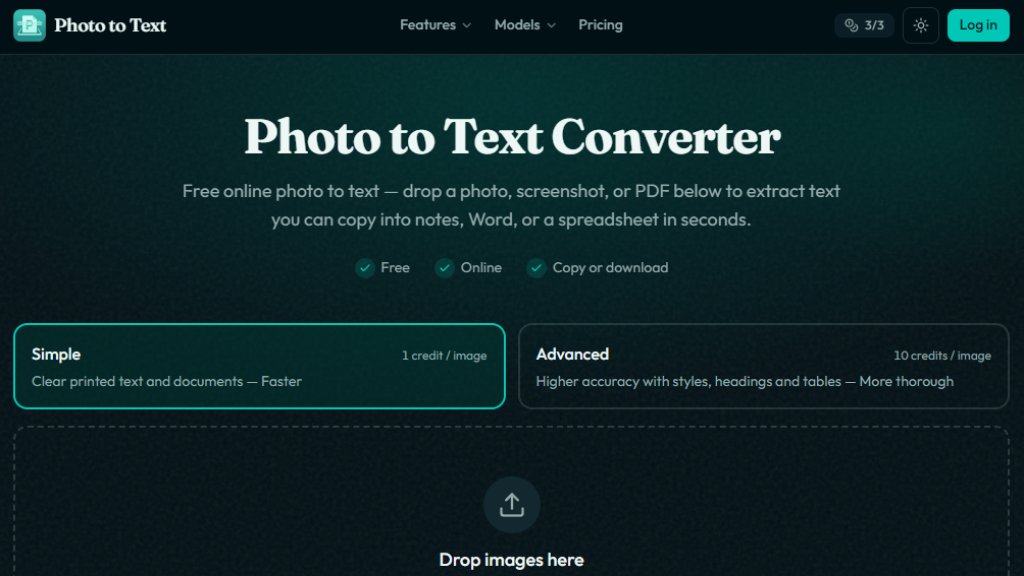
Photo to Text is a free online OCR (Optical Character Recognition) tool designed to extract text from images. Users can upload images or PDFs and quickly convert the text within them into editable plain text. It supports a variety of image formats such as JPG, PNG, WEBP, HEIC, and more. The tool offers two recognition modes: Simple Mode for clear printed text and Advanced Mode for handling blurry, skewed, handwritten, or complex tables. Additionally, it provides image-to-Word and image-to-Excel conversion features, making it easy to use extracted content in documents or spreadsheets. No registration is required, and user data is not stored, ensuring strong privacy protection.
Main Features
- Image to Text: Supports JPG, PNG, PDF, and more, quickly extracting text from images.
- Simple Mode: Ideal for clear printed text, consumes 1 credit per image.
- Advanced Mode: Handles blurry, skewed, handwritten, or complex layouts, consumes 10 credits per image.
- Image to Word: Converts text and images from pictures into editable Word documents.
- Image to Excel: Converts table images into editable Excel spreadsheets, with downloads in XLSX, CSV, or TSV.
- Multiple Output Formats: Copy text or download as DOCX, Markdown, or TXT.
- Batch Processing: Upload multiple images at once.
- Privacy Protection: Guest conversions do not transmit or store data.
Use Cases
- Students: Extract text from textbook photos or lecture slides to quickly organize notes.
- Office Workers: Scan paper documents and convert them to editable Word or Excel files to boost productivity.
- Financial Professionals: Pull amounts and details from receipts and invoices into spreadsheets.
- Researchers: Extract text from PDF scans for easier citation and organization.
- General Users: Extract text from screenshots in phone galleries to avoid manual typing.
Supported Languages
- Interface Language: English (currently only English interface).
- Recognition Languages: Supports multi-language OCR, including English, Chinese, Spanish, French, German, and other major languages, depending on the OCR engine.
Pricing Plans
- Free Trial: Use without registration, with free credits to try Simple Mode.
- Subscription Plans (billed annually):
- Starter: $7.50/month (billed $89.99/year), includes 10,000 credits per month.
- Pro: $10.83/month (billed $129.99/year), includes 20,000 credits per month.
- Max: $20.83/month (billed $249.99/year), includes 40,000 credits per month.
- Credit Packs (never expire):
- 5,000 credits: $6.99
- 10,000 credits: $12.99
- 20,000 credits: $22.99
- 40,000 credits: $39.99
- Credit Usage: Simple Mode uses 1 credit per image; Advanced Mode, Word, and Excel each use 10 credits per image.
Frequently Asked Questions
- Is this image to text tool free?
Yes, it is free to use without registration, but with limitations. Paid plans offer more credits and advanced features.
- Do you store my images?
Guest conversions do not store images. Saved results for logged-in users can be deleted at any time, and unused results are automatically cleared after 14 days.
- Can I copy the extracted text to Word?
Yes, you can copy formatted text or download it as DOCX, Markdown, or TXT files.
- Can I convert table images to Excel?
Yes, use the image to Excel feature to extract table data and download as XLSX, CSV, or TSV.
- What image formats are supported?
It supports common formats like JPG, PNG, WEBP, GIF, BMP, HEIC, and TIFF.
- When should I use Advanced Mode?
Use Advanced Mode when images are blurry, skewed, handwritten, or have messy layouts to improve accuracy.
Pros and Cons
Pros:
- Free to use without registration.
- Supports multiple image formats.
- Offers both Simple and Advanced modes to suit different needs.
- Supports export to Word and Excel for easy editing.
- Strong privacy protection with no user data storage.
Cons:
- Free version has limited credits; advanced features require payment.
- Interface is only in English, which may be less friendly for Chinese users.
- Advanced Mode may still have errors when recognizing handwriting.
Recommendation Rating
8/10 (Powerful and free, but interface language and advanced mode accuracy could be improved.)



Please login to post a comment
Login