What is Tosea.ai?
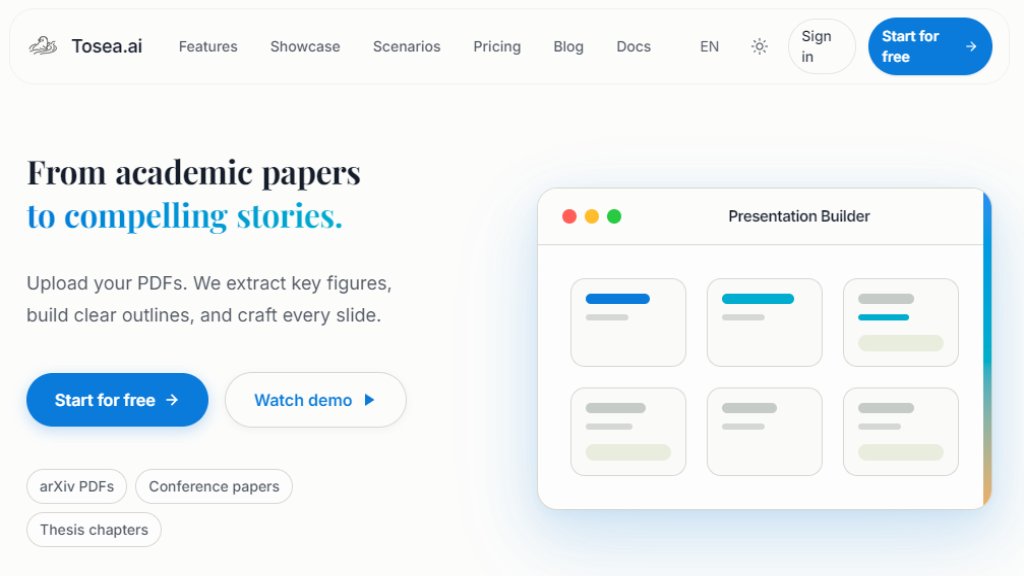
Tosea.ai is an intelligent online platform designed to automate the creation of presentations from academic and professional documents. It specializes in converting complex materials like research papers, conference submissions, thesis chapters, and reports into clear, visually appealing slide decks. The tool uses advanced processing to read uploaded PDFs, accurately identify and extract key elements such as figures, tables, formulas, and text, then structures this content into a logical presentation narrative. It aims to solve the time-consuming task of manual slide creation, particularly for researchers, students, and professionals who need to present dense information. The process is streamlined: users upload a document, the tool builds an editable outline and draft slides, and then allows for refinement and export to standard formats like PowerPoint and PDF.
Main Features
1. Automated PDF Extraction: Precisely pulls figures, formulas, tables, and text from uploaded PDF documents, focusing on evidence-based content.
2. Intelligent Outline Builder: Generates a structured presentation outline from the document's content, which users can interactively edit and rearrange.
3. AI-Powered Slide Generation: Creates complete slides with appropriate layouts, integrating extracted visuals and summarized text.
4. Interactive Editing Suite: Allows users to refine slides, adjust layouts, add speaker notes, and create multiple versions.
5. High-Quality Export: Exports the final presentation directly to PPTX and PDF formats without watermarks on paid plans.
6. Template Library: Offers a range of professional slide templates suitable for academic and business contexts.
7. Concurrent Processing: Supports processing multiple tasks simultaneously depending on the subscription plan.
8. Custom Branding: Paid plans allow for adding custom logos to slides for a professional look.
Use Cases
1. Academic Conference Presentations: Quickly prepare talks for venues like CVPR, NeurIPS, or ICML from submitted papers.
2. Lab Meetings and Seminars: Efficiently share weekly literature reviews or research updates with team members.
3. Thesis and Dissertation Defenses: Convert thesis chapters into a structured defense presentation.
4. Online Course and Webinar Content: Transform textbook chapters or research materials into lesson slides.
5. Literature Review Summaries: Organize insights from multiple papers into a coherent presentation for review.
6. Client and Business Presentations: Create sales demos, consulting reports, or project proposals from detailed documents.
7. Journal Club: Facilitate discussion by turning a complex paper into an accessible slide deck for group analysis.
Supported Languages
1. The primary interface and content generation appear focused on English, as evidenced by the website and example materials.
2. It likely supports processing documents written in English primarily, given its academic focus on platforms like arXiv.
3. Specific multilingual support for document input or interface is not explicitly detailed in the provided materials.
Pricing Plans
1. Free Plan: Zero cost forever. Includes 200 credits per month, basic templates and models, ability to process 1 task at a time, and exports with a watermark.
2. Pro Plan: Priced at $9.99 per month when billed annually (regularly $14.99/month). Includes 1,800 total credits per month, all templates and premium models, custom logo branding, no watermark exports, high-precision extraction, process 4 tasks concurrently, and generate up to 40 slides at once.
3. Max Plan: Priced at $24.99 per month when billed annually (regularly $49.99/month). Includes 7,000 total credits per month, all templates and advanced models, custom logo branding, no watermark exports, high-precision extraction, process 6 tasks concurrently, generate up to 100 slides at once, and early access to beta features.
Frequently Asked Questions
1. Q: What types of documents can I upload?
A: You can upload PDFs, Markdown files, and provide URLs to supported online content to generate presentations.
2. Q: How does Tosea.ai handle figures and formulas from my PDF?
A: It uses high-precision extraction technology to accurately identify and pull figures, tables, and mathematical formulas directly from your document, minimizing errors.
3. Q: What formats can I export my presentation to?
A: You can export your final slides to both PPTX (PowerPoint) and PDF formats for easy sharing and presenting.
4. Q: Is there a free plan available?
A: Yes, there is a forever free plan that provides a monthly credit allowance for trying out the core features.
5. Q: Do I need to install any software?
A: No, Tosea.ai is a fully online web application. You only need a browser to create and export your presentations.
Pros and Cons
Pros:
1. Saves significant time by automating the tedious process of creating slides from dense documents.
2. Accurate extraction of complex academic elements like figures and formulas is




Please login to post a comment
Login